
In This Article
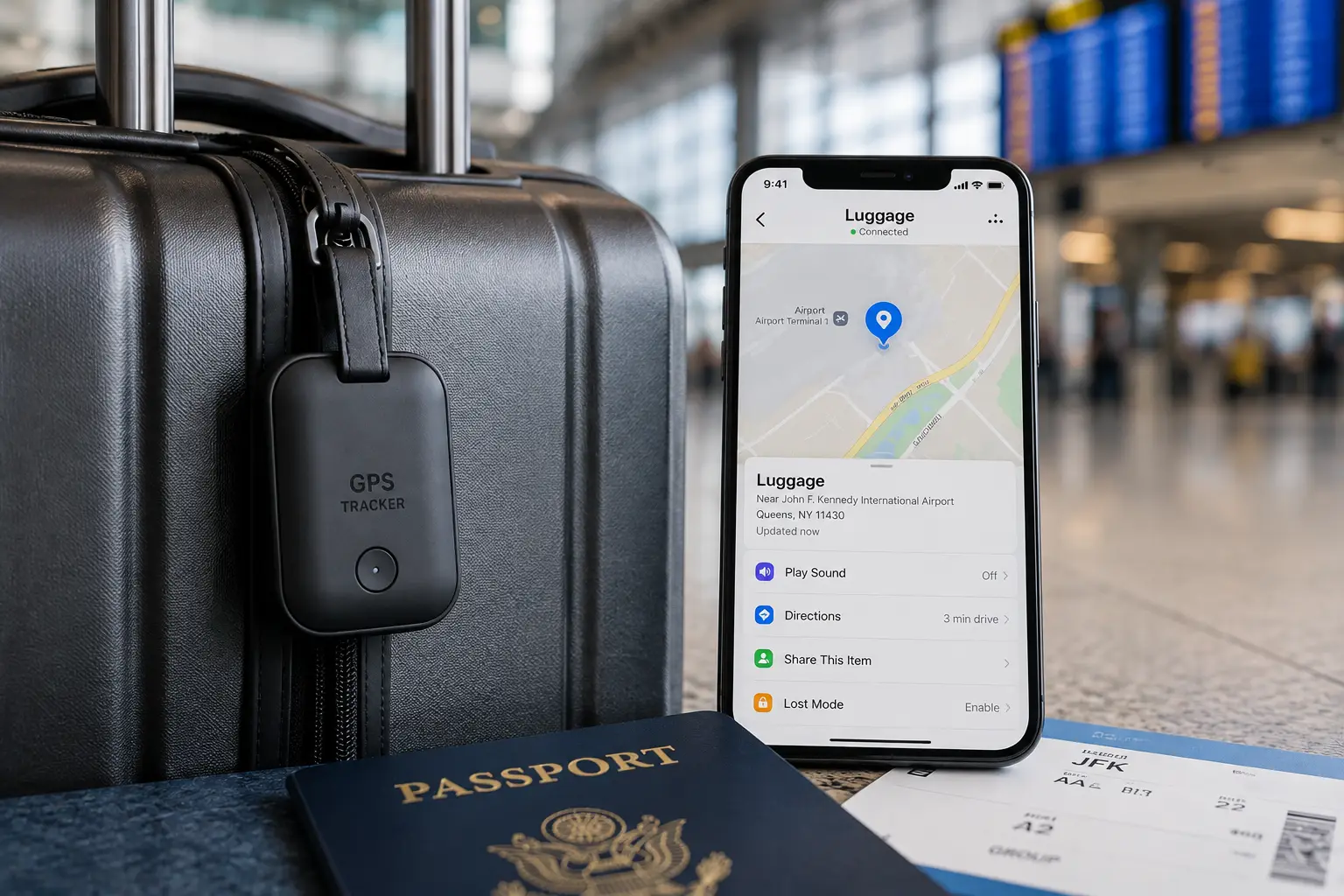
Nothing ruins a trip faster than watching the baggage carousel spin empty while every other bag except yours rolls by. Airlines mishandle millions of bags every year, and even a “found” bag can sit in a warehouse for days before anyone tells you where it is. That’s exactly the gap gps trackers for luggage are built to close: a small device, tucked inside your suitcase, that tells you where your bag actually is instead of where an airline’s tracking portal guesses it might be.
What is a GPS tracker for luggage? It’s a small battery-powered tag — either a Bluetooth “crowd-sourced” tracker like an AirTag, or a true cellular GPS device — that you place inside a suitcase so you (and sometimes an airline) can see its live or last-known location from a phone app.
Here’s the catch almost nobody explains clearly: most products marketed as a “GPS tracker for luggage” aren’t GPS at all. They’re Bluetooth tags that borrow other people’s phones to relay a location, which works brilliantly in crowded airports but goes dark the moment your bag is alone in a cargo hold with no nearby devices. True GPS trackers solve that blind spot, but they require a cellular subscription and a bigger battery, which raises airline compliance questions we’ll walk through below.
In this guide, we’ve researched seven real, currently available devices — from $25 Bluetooth tags to subscription-based cellular trackers — and broken down exactly what each one is good at, what it costs, and who it’s genuinely worth buying for. No invented reviews, no fabricated “we tested this for six months” stories — just honest analysis built from real spec sheets and real aggregated customer feedback, so you can make an informed call before you fly. According to the FAA’s guidance on baggage equipped with lithium batteries, luggage tracking devices are treated as portable electronics and are only allowed in checked baggage under specific battery-size limits — a detail that quietly disqualifies a few popular trackers from checked-bag use, so we’ll flag that product by product.
Quick Comparison: GPS Trackers for Luggage at a Glance
| Tracker | Type | Best For | Price Range |
|---|---|---|---|
| Apple AirTag (2nd Gen) | Bluetooth (Find My) | iPhone households | Around $29 (4-pack around $99) |
| Samsung Galaxy SmartTag2 | Bluetooth (SmartThings Find) | Galaxy households | In the $25-$30 range |
| Tile Pro (2024) | Bluetooth (Life360 network) | Mixed iOS/Android families | Around $35 |
| Chipolo ONE Point | Bluetooth (Google network) | Budget Android users | Around $25-$28 |
| Pebblebee Clip Universal | Bluetooth (Apple + Google) | Cross-platform, rechargeable | In the $30-$35 range |
| LandAirSea 54 | Cellular GPS | International trips, cargo holds | Device around $30-$50 + plans from about $10-$20/month |
| Tracki 2024 GPS Tracker | Cellular GPS (global SIM) | Frequent international flyers | Device under $50 + monthly plan required |
Looking at the table above, the split really comes down to network type: the Apple AirTag, Samsung Galaxy SmartTag2, Tile Pro, Chipolo ONE Point, and Pebblebee Clip Universal are all Bluetooth tags that rely on nearby phones, while the LandAirSea 54 and Tracki 2024 GPS Tracker transmit their own location through cellular networks and keep working even inside a cargo hold. If your travel is mostly domestic and you’re rarely far from other smartphone users, a Bluetooth tag is the cheaper, subscription-free choice; if you’re checking bags internationally or worried about a bag getting separated from you entirely, the extra cost of a true GPS device buys real peace of mind.
💬 One click helps other shoppers make an informed choice too! 😊
Top 7 GPS Trackers for Luggage: Expert Analysis
We picked these seven specifically to cover every kind of traveler — Apple loyalists, Android households, budget-conscious backpackers, and people who fly internationally enough that a Bluetooth tag’s blind spots actually matter. Each one is a real, currently sold product, and every price below is a range rather than a locked-in number, since Amazon pricing shifts constantly.
1. Apple AirTag (2nd Gen) — best Find My integration for iPhone owners
Apple’s refreshed AirTag, released in January 2026, is still the easiest luggage tracker to set up if everyone in your house uses an iPhone. The distinguishing benefit here isn’t the hardware so much as the network behind it.
The new U2 ultra-wideband chip extends Precision Finding range by roughly 50% over the original AirTag, and the coin-cell battery is rated for about a year of typical use. What that means in practice: once your bag lands near other iPhones — the jet bridge, the carousel, a hotel lobby — the Find My network typically relays its location within minutes, and the arrow-based Precision Finding makes the last few feet almost effortless. The trade-off is the same one every Bluetooth tag shares: while your bag is alone in a cargo hold or a remote transfer area with no iPhones nearby, it effectively goes dark until it re-enters range.
For anyone specifically weighing an apple airtag for luggage, the honest analysis is that it’s the strongest domestic-travel pick for Apple households, not a true international tracking solution. Reviews consistently describe the setup process as near-instant and praise the loud speaker for locating a bag in a busy terminal, though some owners note that Android family members can only “see” the AirTag through a separate, more limited scanning app.
Pros:
- ✅ Fastest, most reliable finding network for iPhone owners
- ✅ UWB Precision Finding pinpoints a bag within feet
- ✅ Loud built-in speaker helps at a crowded carousel
Cons:
- ❌ Minimal usefulness for Android-only households
- ❌ Goes silent with no nearby iPhones around
Priced around $29 for a single unit, the Apple AirTag is one of the cheapest ways into reliable luggage tracking, and for an iPhone family it’s genuinely hard to beat on value.
2. Samsung Galaxy SmartTag2 — best for Galaxy phone owners
If your household runs on Samsung phones instead of iPhones, the SmartTag2 is the direct equivalent, and its distinguishing benefit is durability paired with genuinely long battery life.
The SmartTag2 jumped from an IP53 rating on the original to a full IP67 rating, meaning it can handle a soaked suitcase after a rainy tarmac transfer without issue. Samsung also quotes a battery estimate of roughly 500 days in power-saving mode, noticeably longer than most rivals, because the SmartTag2 lets you trade update frequency for battery runtime. In practice, that means fewer battery swaps across a year of regular travel, which matters if you tend to forget gadgets exist until they die.
Compatible Galaxy S22 and later phones also get ultra-wideband precision finding, similar in spirit to what Apple offers iPhone owners. The catch is compatibility: the SmartThings Find network only sees other Samsung devices, so it’s meaningfully weaker in a mixed-device household or a country where Samsung phone density is lower.
Pros:
- ✅ IP67 waterproofing handles wet tarmac transfers
- ✅ Roughly 500-day battery estimate in power-saving mode
- ✅ UWB precision finding on compatible Galaxy phones
Cons:
- ❌ SmartThings Find network only sees Samsung devices
- ❌ Little benefit if your family uses iPhones
In the $25-$30 range, the Samsung Galaxy SmartTag2 is the clear pick if your household is Galaxy-first, but it loses most of its advantage the moment an iPhone enters the picture.
3. Tile Pro (2024) — best cross-platform Bluetooth tracker
The Tile Pro’s whole reason for existing is compatibility: it works identically well on iOS and Android, which neither the AirTag nor the SmartTag2 can claim.
At 500 feet of Bluetooth range, the Tile Pro reaches noticeably farther than most rivals before it drops connection, useful for locating a bag that’s rolled a bit farther away than expected in a large terminal. The IP68 rating also outranks the AirTag and SmartTag2 on paper, and because the battery is user-replaceable rather than sealed in, you’re not stuck buying a whole new tracker when it eventually dies. Newer 2024-and-later Tile models also support a discreet SOS alert through the Life360 app, triple-pressing the button to quietly notify chosen contacts of your location — a feature built for personal safety, but repurposable as a subtle “something’s wrong with my bag” signal.
The honest trade-off: Tile’s own finding network is smaller than Apple’s or Google’s, so in less densely populated areas it can take longer for a lost Tile to get spotted by a passing stranger’s phone. Reviews frequently point out that pairing the Pro with a paid Life360 Premium membership unlocks location history and Smart Alerts, features that come free with Apple’s ecosystem.
Pros:
- ✅ Works equally well across iPhone and Android
- ✅ 500-foot Bluetooth range beats most competitors
- ✅ Replaceable battery avoids buying a new tracker yearly
Cons:
- ❌ Smaller finding network than Apple or Google
- ❌ Full feature set nudges you toward a paid Life360 plan
At around $35, the Tile Pro costs a bit more than an AirTag, but for a mixed iOS/Android household it’s the most balanced pick on this list.
4. Chipolo ONE Point — best budget pick for Android users
The Chipolo ONE Point exists specifically to plug Android phones into Google’s Find My Device network, and its standout benefit is an unusually loud alarm for the price.
At 120 decibels, the ONE Point’s alarm is genuinely one of the loudest on the market, which is a real advantage at a chaotic baggage carousel where a quiet chirp gets lost in the noise. Chipolo also uses a replaceable (not rechargeable) coin-cell battery rated for roughly two years, so you’re not tied to a charging routine before a trip. Because the ONE Point taps into Google’s Find My Device network rather than a smaller proprietary one, it benefits from the sheer number of Android phones already in circulation worldwide.
Where it falls short: reviewers and comparison testing consistently rank it behind Pebblebee’s Android-compatible tags on build quality and app polish, and its IPX5 splash rating is noticeably weaker than the IP67/IP68 ratings on this list, meaning it should stay in an interior pocket rather than strapped to the outside of a bag.
Pros:
- ✅ One of the loudest alarms in this category
- ✅ Roughly two-year battery life with no charging
- ✅ Taps into Google’s large Find My Device network
Cons:
- ❌ Only splash-resistant, not fully waterproof
- ❌ Generally ranked below Pebblebee on build quality
Typically priced in the $25-$28 range (and occasionally found on clearance for less), the Chipolo ONE Point is the most budget-friendly way for an Android traveler to get real crowd-sourced tracking.
5. Pebblebee Clip Universal — best rechargeable cross-platform tag
Pebblebee’s Clip Universal earns its spot by working with both Apple’s Find My network and Google’s Find My Device network from the same physical tag, and it’s rechargeable rather than disposable.
That dual-network compatibility is a genuinely unusual feature: most trackers force you to pick a team, but the Clip Universal lets a mixed-device family use one hardware standard across the board. Reviewers note it rivals the Chipolo ONE on battery life while adding roughly a year of use per USB-C charge, and its 500-foot Bluetooth range matches the Tile Pro’s reach. The rechargeable design does mean one more thing to plug in before a trip, which is a minor but real inconvenience compared to a tag you simply forget about for two years.
Aggregated customer sentiment describes the app as clean and easy to navigate, with a common praise point being how quickly it locates a tag once it’s within range, though a handful of reviews mention the keychain-style clip attachment feeling less secure than a built-in loop.
Pros:
- ✅ Works on both Apple and Google finding networks
- ✅ Roughly a year of battery life per USB-C charge
- ✅ Matches Tile Pro’s 500-foot Bluetooth range
Cons:
- ❌ Requires periodic recharging, unlike coin-cell tags
- ❌ Clip attachment feels less secure to some owners
In the $30-$35 range, the Pebblebee Clip Universal earns its slightly higher price by removing the ecosystem lock-in that limits most of the other Bluetooth options here.
6. LandAirSea 54 — best true cellular GPS for cargo holds
Every tracker above shares the same limitation: once a bag is alone with no nearby smartphones, it’s invisible. The LandAirSea 54 solves that because it’s a genuine GPS device, transmitting its own location through cellular networks instead of borrowing someone else’s phone.
Built around GNSS and cellular antennas, it can report a location as often as every three seconds on its fastest paid plan, with location history stored for up to a year and geofencing that alerts you if the bag leaves a defined area — useful for catching a misdirected bag the moment it’s rerouted somewhere it shouldn’t be. The motion-activated design sleeps when the bag is stationary, and the manufacturer states the rechargeable 1,500 mAh battery lasts roughly one to two weeks of average travel use, with an optional hardwire kit for continuous power on longer hauls. It’s IP67-rated and includes a built-in magnet, plus a lifetime warranty from the USA-based manufacturer.
The honest catch, and it’s a significant one: this is a subscription product. Plans start around $9.95 a month on a prepaid two-year term, or roughly $19.95 month-to-month with no contract — real, recurring costs that a Bluetooth tag simply doesn’t carry. It’s also worth double-checking your device’s exact battery rating against airline rules before checking it in a bag; we cover that in the safety section below.
Pros:
- ✅ Works with no nearby phones required — true cellular GPS
- ✅ Location updates as fast as every three seconds
- ✅ Geofencing catches a misrouted bag in real time
Cons:
- ❌ Requires an ongoing paid subscription to function
- ❌ Battery life is measured in weeks, not months
Hardware runs around $30-$50, but factor in the monthly plan — this is the pick for travelers who specifically need cargo-hold visibility, not a casual domestic flyer.
7. Tracki 2024 GPS Tracker — best for frequent international flyers
The Tracki 2024 GPS Tracker is the other true cellular option here, distinguished by its global SIM that’s built to work across a large number of countries without you juggling local networks.
Like the LandAirSea 54, Tracki reports real-time location through cellular data rather than Bluetooth, which means it keeps functioning through customs, cargo transfers, and international layovers where a Bluetooth tag would sit silent. Tracki’s own documentation notes that its standard battery is rated at 2.22 Wh, comfortably under the FAA’s checked-baggage threshold — a detail worth knowing since not every cellular tracker on the market can say the same. As with the LandAirSea 54, real-time tracking requires an active subscription plan; without one, the hardware won’t report a location at all.
Because it relies on a global SIM rather than a single carrier’s domestic network, aggregated user feedback frequently highlights Tracki as the more dependable option specifically for travelers crossing multiple countries in one trip, while noting that update frequency (and battery drain) both increase noticeably on the faster-reporting subscription tiers.
Pros:
- ✅ Global SIM designed for multi-country international trips
- ✅ Battery rating sits under the FAA’s checked-bag limit
- ✅ Functions with zero nearby phones required
Cons:
- ❌ Subscription is mandatory for any location data
- ❌ Faster update tiers drain the battery noticeably quicker
Device pricing typically lands under $50, with a required monthly plan on top — the right call specifically for travelers whose itineraries cross several borders in a single trip.
Top 7 Trackers Compared: Features, Price, and Best Use
| Tracker | Network Type | Battery | Waterproofing | Best For |
|---|---|---|---|---|
| Apple AirTag (2nd Gen) | Bluetooth + UWB | ~1 year (coin cell) | IP67 | iPhone households |
| Samsung Galaxy SmartTag2 | Bluetooth + UWB | ~500 days | IP67 | Galaxy households |
| Tile Pro (2024) | Bluetooth | ~1 year (replaceable) | IP68 | Mixed iOS/Android |
| Chipolo ONE Point | Bluetooth | ~2 years | IPX5 | Budget Android use |
| Pebblebee Clip Universal | Bluetooth | ~1 year (rechargeable) | Splash-resistant | Cross-platform households |
| LandAirSea 54 | Cellular GPS | 1-2 weeks (rechargeable) | IP67 | Cargo-hold visibility |
| Tracki 2024 GPS Tracker | Cellular GPS | Varies by update tier | Not specified | Multi-country trips |
The pattern in this table is worth sitting with for a second: every Bluetooth tag trades battery longevity for dependence on nearby strangers’ phones, while both cellular options flip that trade completely — near-constant visibility, but a battery you have to actively manage and a bill that arrives every month. If you fly domestically a handful of times a year, that monthly cost is hard to justify next to a coin-cell tag that just works; if you’re checking bags on international connections where a lost bag can sit untracked for days, the subscription starts looking like cheap insurance.
<h4>✨ Don’t miss these exclusive deals!</h4>
🔍 Take your travel setup to the next level with this carefully researched lineup. Click a highlighted item to check current pricing and availability, and pick the tracker that actually matches how — and where — you fly.
How to Set Up and Use a Luggage Tracker the Right Way
Buying the right device is only half the job — a surprising number of travelers activate a tracker once and never touch the app again, which quietly defeats the point. Here’s how to get real value out of one in the first month.
Start by placing the tracker somewhere it won’t be found and removed. A Bluetooth tag tucked inside a shoe, wrapped in a rolled shirt, or slid into a zippered interior pocket is far less conspicuous than one clipped to the outside handle. For a suitcase tracker, avoid the very bottom of the bag near metal-frame wheels, since dense metal can interfere with both Bluetooth and GPS signal strength.
Before your first trip, actually open the app at home and confirm you’re getting a live or recent location ping — don’t assume pairing equals working. Turn on lost-mode or separation alerts if your tracker supports them; both the AirTag and SmartTag2 can notify you if the tag separates from your phone, which is a useful early warning if an airline routes your bag onto the wrong connection. For cellular trackers like the LandAirSea 54 or Tracki 2024 GPS Tracker, set your geofence before you leave the house, not at the gate, since some apps require a data connection to save the boundary.
Finally, build a two-minute habit: check the tracker’s app the moment you land, before you even reach the carousel. A tracker that shows your bag already in the terminal saves you the anxiety of watching an empty belt; one that shows it still at the origin airport gives you a head start on filing a claim before the line at baggage services gets long.
Real-World Scenarios: Which Tracker Fits Your Trip
Different travel patterns genuinely call for different trackers, and matching the device to the trip matters more than chasing the “best” one on paper.
Consider a college student flying home for the holidays a few times a year on domestic routes, budget-conscious and already carrying an iPhone. For that profile, the Apple AirTag is close to the ideal pick: it’s inexpensive, requires zero subscription, and the Find My network’s density in US airports means it typically reports quickly once the bag is off the plane.
Now picture a family of four split between iPhones and Android phones, checking multiple bags on a single domestic trip with young kids in tow. The Tile Pro or Pebblebee Clip Universal makes more sense here specifically because everyone can track the same bags from their own phone, regardless of platform — no one’s left staring at a tracker they can’t actually open.
Finally, imagine a consultant or frequent international business traveler connecting through two or three countries on a single itinerary, where a bag separated from its owner could sit untracked for days on a Bluetooth-only system. That’s the scenario the LandAirSea 54 or Tracki 2024 GPS Tracker was built for: the monthly subscription cost is genuinely worth it when the alternative is having zero visibility the moment the bag leaves a Bluetooth-dense airport.
Problem → Solution: Fixing Common Luggage-Tracking Headaches
Even a well-chosen tracker runs into predictable snags. Here’s how to work through the most common ones.
Problem: the tracker shows a location, but it hasn’t updated in hours. This almost always means a Bluetooth tag is sitting somewhere with no nearby phones — a cargo hold mid-flight, or a back-office sorting area. The fix isn’t the tracker; it’s expectations. Treat the last-known location as a starting point for a conversation with baggage services, not a live feed, unless you’re using a cellular device.
Problem: the tracker’s battery died mid-trip. Coin-cell tags rarely die without warning, but rechargeable ones like the Pebblebee Clip Universal or LandAirSea 54 can catch travelers off guard. The solution is building a pre-trip charging check into your packing routine, the same way you’d check a phone charger.
Problem: airline staff ask you to remove or power off the tracker. Some airlines have grown cautious about trackers in checked bags due to lithium battery policy. Carry the device’s watt-hour rating (often printed on the unit or in the manual) so you can quickly show it falls under the applicable limit, and check with your airline before departure if you’re unsure.
Problem: you can’t tell if a “lost” alert means the bag is truly lost or just out of Bluetooth range. Cross-check the tracker’s timestamp against your flight status. A stale location that matches your departure airport, hours after landing, is a real red flag worth escalating; a stale location from ten minutes ago is probably just a signal gap.
How to Choose a GPS Tracker for Luggage
Picking between a $25 Bluetooth tag and a $50 subscription GPS device comes down to a handful of concrete questions, not brand loyalty.
- Identify your phone ecosystem first. An AirTag on an Android phone, or a SmartTag2 with no Galaxy device nearby, loses most of its value — match the tracker to the phones actually in your household.
- Decide if you need cargo-hold visibility. If your trips are domestic and short, a Bluetooth tag’s “goes quiet mid-flight, reappears on landing” pattern is a minor inconvenience. If you’re checking bags on multi-leg international routes, that same blind spot is a real risk.
- Check the battery type against your travel frequency. Coin-cell tags rated for one to two years suit infrequent flyers who want to forget the device exists; rechargeable trackers suit frequent flyers who already have a charging routine.
- Confirm the watt-hour rating before buying, not after. Every device on this list needs to clear the FAA’s lithium battery limits for checked baggage — verify this before you’re standing at a check-in counter.
- Weigh the subscription honestly. A cellular GPS luggage tag is only worth its monthly fee if the added visibility actually changes what you’d do with the information — otherwise you’re paying for peace of mind you may not need.
- Consider water and drop resistance. Checked bags get thrown, dropped, and occasionally rained on during tarmac transfers; an IP67 or IP68 rating is meaningfully more durable than a splash-resistant one.
- Think about the finding network’s size where you’re actually traveling. A dense finding network like Apple’s or Google’s performs best in cities and busy airports; it thins out fast in rural areas or less phone-dense countries, which favors a true GPS device for remote destinations.
Common Mistakes to Avoid When Buying a Luggage Tracker
The single biggest mistake is buying based on brand recognition rather than actual compatibility — plenty of travelers buy an AirTag as a gift for an Android-using relative, not realizing how much functionality is lost outside Apple’s ecosystem. A close second is assuming any tracker labeled “GPS” behaves like a true GPS device; as covered above, most consumer luggage trackers are Bluetooth tags in disguise, and the marketing rarely makes that distinction obvious.
Another common misstep is placing the tracker somewhere obvious, like clipped to an external luggage tag, where it’s easy for anyone to simply remove. A subtler mistake: forgetting that a subscription-based GPS tracker only works while the subscription is active — travelers occasionally let a plan lapse between trips and discover the device is essentially inert when they need it most. Finally, don’t skip checking your specific airline’s stance on lithium-battery trackers in checked bags; policies aren’t always identical to the baseline federal rules, and a five-minute check avoids a stressful conversation at the gate.
GPS Luggage Trackers vs. Bluetooth Luggage Trackers
This is the comparison that actually decides which product to buy, so it’s worth spelling out plainly rather than leaving it implied.
A Bluetooth luggage tracker — the Apple AirTag, Samsung Galaxy SmartTag2, Tile Pro, Chipolo ONE Point, and Pebblebee Clip Universal all fall into this category — has no cellular radio of its own. It broadcasts a low-power Bluetooth signal, and any participating stranger’s phone that walks within range anonymously relays the tag’s location back to you. This is remarkably effective in phone-dense environments like airports and cities, and it costs nothing ongoing, but it has a hard ceiling: no nearby phones means no update, full stop.
A true GPS luggage tag — the LandAirSea 54 and Tracki 2024 GPS Tracker — carries its own cellular connection and reports location independently of any other device nearby. That’s a fundamentally different capability: it works in a cargo hold, a rural transfer hub, or a country with a thin Bluetooth finding network, because it never depended on borrowed phones in the first place. The cost of that independence is real: a recurring subscription and a battery that needs far more frequent attention.
Neither category is objectively “better” — they’re built for different failure modes. Bluetooth tags solve “I can’t find my bag in this crowded terminal.” GPS trackers solve “my bag went somewhere with nobody around, and I have no idea where.” Most travelers only need to solve the first problem; a smaller group of frequent international flyers genuinely need the second.
What to Expect: Everyday Performance at the Airport
On paper, every tracker on this list sounds capable. In everyday use, the experience varies more than spec sheets suggest. Bluetooth tags tend to report near-instantly the moment your bag reaches a busy jet bridge or terminal — expect an update within a few minutes of touchdown in most major US airports, where phone density is high. That experience degrades noticeably at smaller regional airports or in countries where the relevant finding network has fewer participating devices.
Cellular GPS trackers behave more consistently across locations, since they don’t depend on crowd density, but their real-world update rate is directly tied to which subscription tier you’re paying for — the fastest three-second reporting on the LandAirSea 54, for instance, is meaningfully better for tracking active movement than a slower, cheaper plan that only pings periodically. What the spec sheet doesn’t say plainly is that faster reporting intervals also drain the battery faster, so travelers on a budget plan should expect a coarser, less frequent picture of their bag’s movement in exchange for longer battery life between charges.
Best GPS Tracker for Luggage for Frequent International Travelers
International itineraries expose every weakness a Bluetooth tag has, which is exactly why frequent flyers on multi-leg international routes should lean toward a cellular option. A bag that gets misrouted through a hub with a thin Bluetooth network, or sits for an extended layover in an area without phone traffic, can go completely dark on a tag like the Chipolo ONE Point or even the Apple AirTag — not because the tracker failed, but because the network it depends on simply wasn’t there.
For this specific audience, the Tracki 2024 GPS Tracker‘s global SIM is the more purpose-built choice, since it’s designed around exactly the multi-country connectivity problem international travelers hit most often. The LandAirSea 54 is a strong alternative if update speed and geofencing precision matter more than global SIM coverage specifically, particularly for travelers whose routes stay within regions with strong cellular infrastructure. Either way, the subscription cost is easier to justify here than for a domestic traveler, because the visibility it buys directly replaces a real blind spot rather than a minor inconvenience.
Long-Term Cost and Subscription Math
A Bluetooth tag’s total cost of ownership is refreshingly simple: pay once, replace the battery or the whole unit every one to two years, done. A cellular GPS tracker’s math is more involved, and it’s worth doing before you buy rather than after.
| Tracker | Upfront Cost | Ongoing Cost | Approx. 2-Year Total |
|---|---|---|---|
| Apple AirTag (2nd Gen) | Around $29 | None | Around $29 |
| Tile Pro (2024) | Around $35 | Optional Life360 Premium | Around $35-$95 |
| LandAirSea 54 | Around $30-$50 | From about $9.95/month (prepaid) | Roughly $280-$530 |
| Tracki 2024 GPS Tracker | Under $50 | Monthly plan required | Varies by plan tier |
The gap here is dramatic: a Bluetooth tag’s two-year cost barely moves past its sticker price, while a cellular GPS tracker on a prepaid plan can run several hundred dollars over the same period once the subscription is factored in. That doesn’t make the GPS option a bad value — for someone checking bags internationally several times a year, a few hundred dollars over two years is a small price against the cost and stress of a genuinely lost bag — but it does mean the subscription fee, not the device price, is the number that actually determines whether a cellular tracker is worth it for your travel habits.
Safety, Regulations, and Airline Rules
Because every tracker on this list runs on a lithium battery, airline compliance isn’t optional reading — it directly determines which devices you can legally check versus carry on. Under FAA guidance on baggage equipped with lithium batteries, luggage tracking devices are only permitted in checked bags when they use lithium metal batteries under 0.3 grams of lithium content, or lithium-ion batteries rated at 2.7 watt-hours or less — a noticeably tighter limit than the 100 Wh ceiling that applies to devices like laptops and phones. Coin-cell Bluetooth tags like the Apple AirTag, Samsung Galaxy SmartTag2, and Chipolo ONE Point comfortably clear that threshold, which is part of why they’ve become the default choice for checked luggage.
Rechargeable cellular trackers deserve a closer look before you check them, since larger batteries built for multi-day GPS reporting can approach or exceed that 2.7 Wh ceiling depending on the exact model and capacity. The TSA’s guidance on lithium batteries reinforces that the final call on anything questionable rests with the officer at the checkpoint, so it’s worth having the device’s documented watt-hour rating handy rather than assuming a popular product is automatically compliant. When in doubt, the safest move — for any tracker — is to keep it in a carry-on rather than a checked bag, which sidesteps the question entirely while still tracking the bag you’re carrying with you.
Beyond battery rules, the FTC’s endorsement guidance is a useful lens for shoppers generally: it exists specifically to keep affiliate and influencer content honest about what’s a genuine recommendation versus a paid placement, which is worth keeping in mind any time you’re reading a “best luggage tracker” roundup, including this one.
Advantages Over Traditional Luggage Tags
| Feature | Paper/Plastic Luggage Tag | Bluetooth Tracker | Cellular GPS Tracker |
|---|---|---|---|
| Survives being torn off | No | Better (hidden inside bag) | Better (hidden inside bag) |
| Works with no visible ID | No | Yes | Yes |
| Live location updates | No | Only near other phones | Yes, independently |
| Ongoing cost | None | None (device only) | Monthly subscription |
A traditional paper luggage tag only helps if the bag is found and someone bothers to read it — it does nothing while the bag is actively missing. Both tracker categories close that gap by letting you locate the bag directly rather than waiting on a stranger’s goodwill, and hiding the device inside the bag (rather than on an external tag) also means it survives the fairly common scenario of an external tag simply getting torn off in transit. The real decision, as covered above, isn’t tracker versus paper tag — virtually any tracker beats a paper tag — it’s Bluetooth versus cellular GPS, based on how far off the beaten path your travel actually takes you.
💬 One click helps other shoppers make an informed choice too! 😊
Frequently Asked Questions
❓ Do gps trackers for luggage actually work in a plane's cargo hold?
❓ Is an Apple AirTag for luggage worth it if I don't have an iPhone?
❓ Can I put a GPS luggage tag in checked baggage without breaking airline rules?
❓ How much does a luggage tracking device cost including any subscription?
❓ What's the best GPS tracker for luggage on international flights?
Conclusion
There’s no single best gps tracker for luggage — there’s a best one for how you actually travel. If you’re an Apple household flying mostly domestic routes, the Apple AirTag delivers the fastest, cheapest peace of mind with zero ongoing cost. Mixed-device families are better served by the Tile Pro or Pebblebee Clip Universal, both of which sidestep the ecosystem lock-in that limits single-platform tags. Galaxy owners get nearly identical value from the Samsung Galaxy SmartTag2, and budget-focused Android travelers can get real crowd-sourced tracking from the Chipolo ONE Point for less than the price of checked-bag fees on a single flight.
For travelers whose itineraries genuinely leave phone-dense areas — international connections, remote transfers, or long cargo-hold stretches — the LandAirSea 54 and Tracki 2024 GPS Tracker are worth the subscription cost precisely because they solve a problem Bluetooth simply can’t: visibility when nobody else’s phone is around. Whichever category fits your trips, the honest bottom line from comparing every spec sheet and review theme here is the same one seasoned travelers already know — a tracker only helps if it’s actually in the bag, charged, and set up before you leave the house.
✨ Ready to stop guessing where your luggage is? Compare the picks above, pick the one that matches your phone and your itinerary, and check current pricing before your next trip.
Recommended for You
- 7 Smallest Trackers That Are Virtually Invisible (2026 Picks)
- 7 Best Dog Portal Fences in 2026: Safe & Durable Options for Pets
- Temporary Wire Fence for Dogs: 7 Best Picks for Your Yard (2026)
Disclaimer: This post contains affiliate links. As an Amazon Associate, I earn from qualifying purchases made through these links, at no additional cost to you.
✨ Found this article helpful? Share it with someone who needs it! 💬🤗