
In This Article
Losing sight of a checked bag the moment it disappears behind the airport counter is one of the most helpless feelings in travel. That’s exactly why so many travelers now search for a reliable luggage locator gps solution before their next trip — a small, battery-powered device that rides along inside a suitcase and reports its location the moment you open an app. The good news is that this category has matured fast. What used to mean a bulky, expensive satellite unit strapped to a duffel bag is now a coin-sized disc or a credit-card-thin tile that slips into a side pocket and costs less than a checked-bag fee.
Airlines mishandle a meaningful share of checked bags every single month, a trend the U.S. Department of Transportation tracks and publishes in its Air Travel Consumer Reports. A tracker won’t stop an airline from misrouting your suitcase, but it does something the airline’s own tracking often can’t: it tells you, in real time, whether your bag actually made the connection, sat on a tarmac in the wrong city, or is quietly circling a different carousel than the one you’re standing at.
This guide breaks down seven real, currently available luggage locator gps devices — from mainstream Bluetooth trackers to a true cellular GPS unit — with honest analysis of what each one is actually good at, who should buy it, and where it falls short. You’ll also get a practical buying framework, real-world scenarios matched to specific travelers, and the safety and airline rules you need to know before you pack one.
What Is a Luggage Locator GPS?
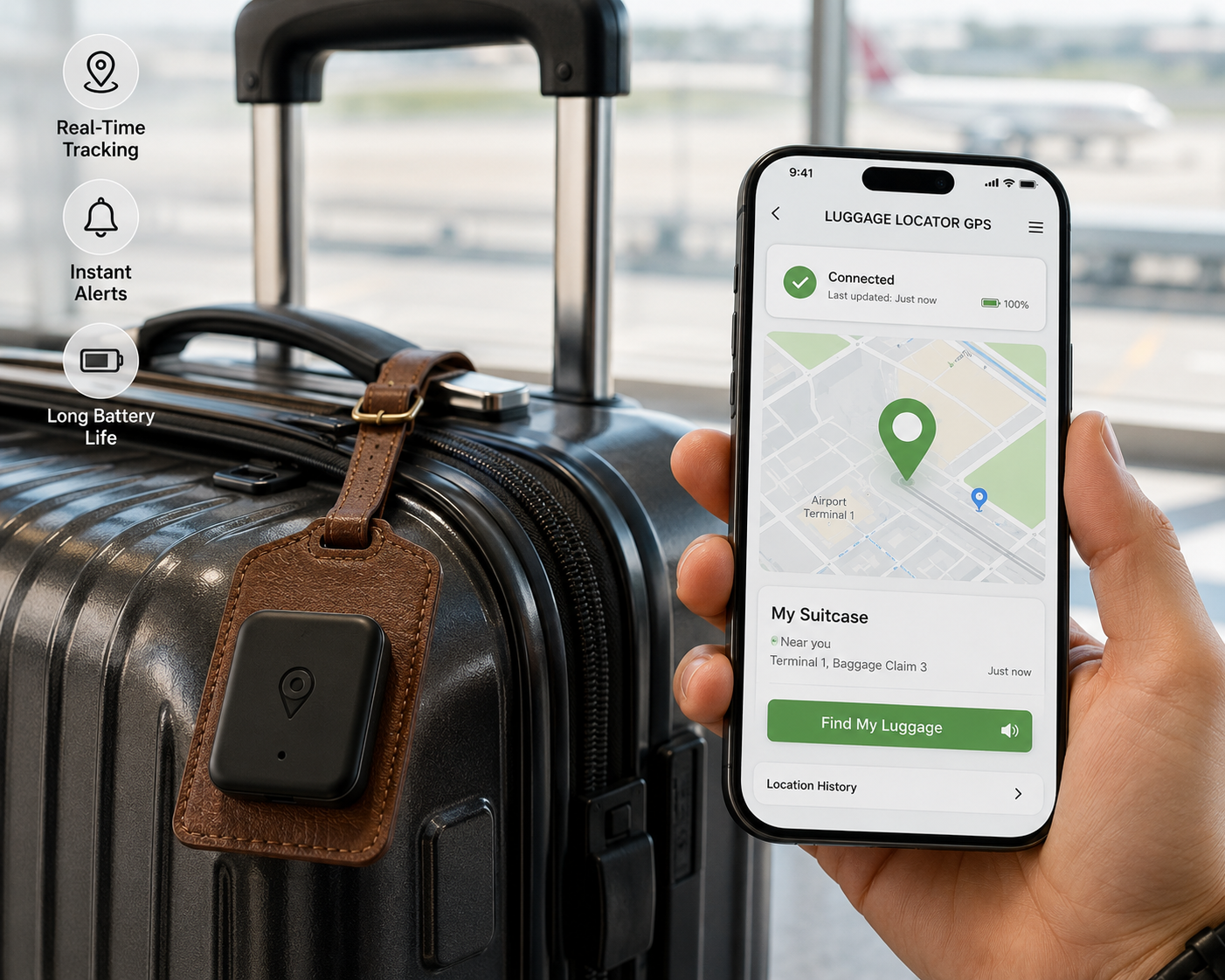
A luggage locator GPS is a small battery-powered tag placed inside checked or carry-on baggage that reports its location through a smartphone app, either via a crowd-sourced Bluetooth network (like Apple’s Find My or Samsung’s SmartThings Find) or via true cellular GPS. Most “GPS” luggage trackers on the market today are actually Bluetooth trackers riding on someone else’s network, not standalone satellite GPS units — a distinction that matters more than most buyers realize.
That distinction is the single biggest source of confusion in this category, and it’s worth clearing up before you spend a dollar. Bluetooth-network trackers (Apple AirTag, Samsung Galaxy SmartTag2, Tile, Chipolo, Pebblebee, eufy) don’t have a cellular chip inside. Instead, they broadcast a quiet Bluetooth signal that any nearby device running the right app — an iPhone, a Samsung phone, a Tile-enabled Android phone — picks up anonymously and relays to the cloud. That’s genuinely clever engineering, because it means your tracker gets “found” by millions of strangers’ phones without draining anyone’s battery or costing you a subscription. The catch: it only works where there are enough of those phones nearby. A busy US airport is Find My paradise; a rural cargo warehouse in a country with low iPhone penetration is a dead zone. True cellular GPS trackers, like the LandAirSea 54, solve that gap by using an actual SIM card to report coordinates directly, independent of crowd density, at the cost of a required subscription and a larger, less discreet unit.
Quick Comparison: Luggage Locator GPS Trackers at a Glance
| Tracker | Network Type | Price Range | Battery Life | Best For |
|---|---|---|---|---|
| Apple AirTag | Bluetooth (Find My) | around $25–$30 | ~1 year (replaceable) | iPhone travelers |
| Samsung Galaxy SmartTag2 | Bluetooth + UWB (SmartThings) | around $30–$40 | up to 1.5 years | Samsung/Android households |
| Tile Pro | Bluetooth (Tile/Amazon Sidewalk) | around $30–$35 | ~1 year (replaceable) | Mixed iOS/Android groups |
| Chipolo CARD Spot | Bluetooth (Find My) | around $28–$35 | ~1 year (replaceable) | Slim luggage tag pockets |
| Pebblebee Clip/Card | Bluetooth (Find My + Google network) | around $25–$35 | rechargeable, weeks per charge | Dual iPhone/Android families |
| LandAirSea 54 | True cellular GPS | around $30–$50 + subscription | 2 weeks–6 months (setting-dependent) | International or high-value bags |
| eufy SmartTrack Card | Bluetooth (Find My) | around $25–$30 | rechargeable, ~4 months per charge | Budget-conscious iPhone users |
Looking at the table, the split is really between two philosophies: pay once and lean on someone else’s network (every option except LandAirSea 54), or pay a recurring fee for a tracker that reports its own coordinates regardless of who’s nearby. For domestic US trips through major airports, the free-network trackers are consistently the better value; for remote destinations or cargo shipping, the subscription-based LandAirSea 54 earns its keep. Price alone shouldn’t decide this for you — network coverage in your actual destination matters more than the sticker price.
💬 One click helps other shoppers make an informed choice too! 😊
The 7 Best Luggage Locator GPS Trackers in 2026
1. Apple AirTag — the biggest crowd-sourced network on Earth
The Apple AirTag wins on sheer network size, and that single fact is why it remains the default recommendation for iPhone owners. Its Find My network is built into hundreds of millions of iPhones already in people’s pockets worldwide, which means your bag can be “found” the moment it passes near almost any Apple device, not just one running a dedicated tracking app. The Precision Finding feature, powered by Apple’s U1/U2 ultra-wideband chip, gives you a directional arrow and distance readout once you’re within Bluetooth range of the bag — genuinely useful when you’re scanning a crowded baggage carousel.
What most buyers overlook is that the AirTag’s biggest strength for luggage — that massive network — is also its biggest limitation for cross-platform households: it only surfaces location and directional finding through iOS, so Android-owning travel partners can’t natively track it without a workaround. Reviews consistently report that battery life meets or exceeds Apple’s roughly one-year estimate under normal use, and the replaceable CR2032 coin cell means no charging cable to pack. It’s a poor match for anyone without an iPhone in the family and offers no true real-time GPS for regions with sparse Apple device density.
Pros:
- ✅ Largest crowd-sourced finding network of any tracker here
- ✅ Precision Finding gives an exact directional arrow near the bag
- ✅ Replaceable battery lasts roughly a year with no charging needed
Cons:
- ❌ Full precision-finding features are iPhone-only, locking out Android partners
- ❌ Weaker coverage in regions with low iPhone adoption
Expect to pay around $25–$30 for a single Apple AirTag, or less per unit in a multi-pack — a fair price given the network size, provided everyone in your travel party carries an iPhone.
2. Samsung Galaxy SmartTag2 — best for Android and Samsung households
The Samsung Galaxy SmartTag2 is the natural pick for anyone standing firmly in the Samsung/Android ecosystem, and it distinguishes itself with genuinely long battery life and a rugged IP67 rating for dust and water resistance — useful when a tracker is riding inside a suitcase that gets tossed around by baggage handlers. Its combination of Bluetooth and ultra-wideband hardware enables the same kind of precision, walk-toward-it finding that Apple offers, but through the SmartThings Find network instead.
The standout practical feature is Power Saving Mode, which trades some location-update frequency for a dramatically extended battery life — Samsung’s own listings cite roughly 1.5 years on a single charge in that mode, a meaningful advantage over the fixed one-year lifespan of coin-cell competitors. Based on comparing the specs against Apple’s offering, the tradeoff is clear: Samsung’s network is smaller than Apple’s Find My, since it depends on nearby Galaxy devices rather than the much larger iPhone install base, which matters if you’re flying through airports where Samsung phones are less common. Reviews consistently highlight the SmartTag2’s durability and battery longevity as its strongest selling points over the original SmartTag.
Pros:
- ✅ IP67-rated build survives rough baggage handling
- ✅ Power Saving Mode stretches battery life to roughly 1.5 years
- ✅ UWB-enabled precision finding for pinpointing a bag nearby
Cons:
- ❌ SmartThings Find network is smaller than Apple’s Find My
- ❌ Little practical benefit for travelers without a Samsung/Android phone
Priced around $30–$40 per unit, the Samsung Galaxy SmartTag2 is a strong value specifically for Samsung households, less so for mixed-platform families.
3. Tile Pro — the cross-platform veteran with the longest Bluetooth range
The Tile Pro has been in the tracker business longer than almost anyone, and it shows in the details: a genuinely long standalone Bluetooth range (commonly cited around 400 feet, line-of-sight), an IP68 waterproof rating, and — critically for mixed households — a single app that works the same way on both iOS and Android. That cross-platform consistency is Tile’s core pitch, and it’s a real advantage if your travel companions don’t all carry the same phone brand.
Here’s what the spec sheet doesn’t say plainly: Tile’s finding network, now folded into the Life360 app after that company’s acquisition of Tile, is meaningfully smaller than either Apple’s or Google’s built-in networks, because it still depends on people having the separate Tile or Life360 app installed rather than a feature baked into the operating system itself. Tile does supplement this through integration with Amazon’s Sidewalk network in supported areas, which helps in the US but doesn’t extend the same way abroad. Reviews consistently note that Tile’s finding works well in areas with an established user base — often urban and suburban US regions — but thins out quickly in less-trafficked destinations.
Pros:
- ✅ Works identically on iOS and Android with no compromises
- ✅ Long standalone Bluetooth range, useful for spotting a bag across a room
- ✅ IP68 water resistance for rough handling in transit
Cons:
- ❌ Smaller finding network than Apple’s or Google’s built-in options
- ❌ International coverage is inconsistent outside dense Tile/Sidewalk regions
At around $30–$35, the Tile Pro is the pragmatic choice for genuinely mixed-platform travel groups, even if its network reach trails the phone-maker giants.
4. Chipolo CARD Spot — the thinnest option for tight luggage pockets
The Chipolo CARD Spot solves a problem the disc-shaped trackers create: bulk. Shaped and sized almost exactly like a credit card, it slides into the slim card pocket on a luggage tag, a passport holder, or the flat interior pocket of a garment bag where a round AirTag or SmartTag simply won’t sit flush. It runs on Apple’s Find My network, giving it access to the same enormous crowd-sourced device base as the AirTag itself.
What sets it apart in practice isn’t raw tracking power — it uses the same underlying network as Apple’s own tag — but form factor optimization for exactly this use case. Reviews consistently point to the CARD Spot’s thinness (often compared favorably to a stack of two or three credit cards) as its main draw, alongside a genuinely loud built-in speaker for close-range finding, which matters when you’re digging through an overstuffed carry-on. Because it’s built by a third party rather than Apple, replacement batteries and long-term firmware support are worth confirming before buying, and it lacks the ultra-wideband precision finding available on the newer official AirTag hardware.
Pros:
- ✅ Ultra-thin card shape fits pockets round trackers can’t
- ✅ Loud built-in speaker aids close-range finding in a packed bag
- ✅ Taps into the same large Apple Find My network as AirTag
Cons:
- ❌ No ultra-wideband precision finding like Apple’s own hardware
- ❌ iPhone-only for full functionality, same limitation as AirTag
Typically priced around $28–$35, the Chipolo CARD Spot is the specialist pick for anyone whose luggage or garment bag simply won’t accommodate a round disc tracker.
5. Pebblebee Clip/Card — the only tracker built for both major networks
The Pebblebee Clip/Card line takes a genuinely different approach from every other Bluetooth tracker on this list: instead of picking a side, it’s engineered to work with both Apple’s Find My network and Google’s Find My Device network on the same hardware. For a family or travel pair split between iPhone and Android, that dual compatibility is not a minor convenience — it’s the difference between everyone being able to actually locate the same bag versus half the group being locked out.
Based on comparing the specs, Pebblebee’s rechargeable battery is the tradeoff for that flexibility: instead of a swap-and-forget coin cell lasting a year, you’re recharging every few weeks depending on usage, which means one more thing to remember before a trip. Reviews consistently describe the setup process as slightly more involved than a single-network tracker, since you’re choosing which network mode to activate, but note that the payoff — genuine cross-platform findability — is hard to get anywhere else. The Clip format attaches externally to a zipper pull, while the Card format mirrors the slim form factor of the Chipolo, giving buyers a choice based on where the tracker needs to live.
Pros:
- ✅ Only tracker here compatible with both Apple and Google finding networks
- ✅ Clip and Card form factors cover different luggage attachment needs
- ✅ No annual coin-cell replacement cost thanks to recharging
Cons:
- ❌ Rechargeable battery needs attention every few weeks, unlike year-long coin cells
- ❌ Smaller overall install base than Apple’s Find My alone
At roughly $25–$35 depending on form factor, the Pebblebee Clip/Card is the smartest buy for any household that isn’t uniformly on one phone platform.
6. LandAirSea 54 — real cellular GPS for remote and international routes
The LandAirSea 54 breaks from every other tracker on this list in one fundamental way: it isn’t riding on a crowd-sourced Bluetooth network at all. It carries its own cellular connection and reports true GPS coordinates directly to a companion app, which means it works whether or not there’s a single iPhone or Galaxy device anywhere nearby. That makes it the only entry here that lives up to the literal meaning of “GPS” rather than borrowing the term loosely.
This independence from other people’s phones is exactly why it’s the right call for remote cargo routes, developing-market destinations, or any situation where you can’t count on network density — the tradeoff is a required data subscription, typically landing somewhere in the $20–$30-per-month range or a discounted annual plan, on top of the hardware cost. Battery life swings dramatically based on how often it pings its location, from roughly two weeks in frequent-reporting mode to several months in power-saving mode, so the setting you choose directly trades responsiveness for battery longevity. Reviews consistently praise its accuracy and true real-time reporting but flag the ongoing subscription as a real, easy-to-forget recurring cost compared to the free-network competitors.
Pros:
- ✅ True cellular GPS works independent of nearby smartphones
- ✅ Genuinely useful for remote, rural, or low-smartphone-density regions
- ✅ Real-time reporting rather than waiting for a passerby’s device
Cons:
- ❌ Requires an ongoing paid subscription, unlike every free-network competitor here
- ❌ Bulkier housing and shorter battery life in frequent-ping mode
Hardware runs around $30–$50, but the real cost is the subscription — factor in $150–$300 a year, making the LandAirSea 54 the right tool for specific situations rather than an everyday casual-travel buy.
7. eufy SmartTrack Card — the budget-friendly slim tracker
The eufy SmartTrack Card rounds out this list as the value pick for iPhone owners who want the slim-card form factor without paying a premium for it. Like the Chipolo CARD Spot, it’s built to slide flat into a luggage tag pocket or passport wallet, and it runs on Apple’s Find My network, giving it the same enormous device reach as the pricier options on this list.
What makes it worth a dedicated slot here rather than treating it as a Chipolo clone is the price-to-feature ratio: reviews consistently note that eufy undercuts most slim-card competitors while still offering water resistance and a rechargeable battery rated at roughly four months per charge — respectable, if shorter than the year-plus lifespan of coin-cell trackers. The tradeoff for that lower price is a smaller companion feature set and a build that, while water-resistant, isn’t rated as ruggedly as Samsung’s IP67 disc. For a traveler who wants Find My network coverage in the slimmest possible package without the Chipolo or Apple price tag, this is the pragmatic answer.
Pros:
- ✅ Lowest price among the slim-card style Find My trackers here
- ✅ Water-resistant build with a rechargeable battery
- ✅ Full access to Apple’s large Find My crowd-sourced network
Cons:
- ❌ Roughly four-month battery life means more frequent recharging
- ❌ iPhone-only functionality, same limitation shared by other Find My trackers
At around $25–$30, the eufy SmartTrack Card delivers the best dollar-for-dollar value in the slim-tracker category, assuming you’re already in the Apple ecosystem.
✨ Don’t miss these exclusive deals!
🔍 Take your luggage security to the next level with this carefully curated lineup. Click a highlighted item to check current pricing and availability. These picks will help you fly with real peace of mind — the whole family will thank you the next time a bag almost goes missing!
How to Choose the Right Luggage Locator GPS
With seven legitimate options on the table, the right pick comes down to matching the tracker’s network type to how and where you actually travel. Here’s the decision framework worth running through before you buy.
- Identify your phone ecosystem first. If everyone in your travel party carries an iPhone, Apple’s Find My network — via Apple AirTag or Chipolo CARD Spot — gives you the largest possible finding coverage with zero extra cost.
- Account for mixed households honestly. If your travel group splits between iOS and Android, don’t force a single-network tracker on everyone; the Pebblebee Clip/Card or Tile Pro avoid locking anyone out.
- Weigh your actual destinations. Frequent domestic US flights through major hubs favor any Bluetooth-network tracker; frequent international or remote travel tilts the math toward the LandAirSea 54‘s independent cellular GPS.
- Match the form factor to your luggage. A hard-shell suitcase with a zipper pull suits a clipped tag or disc; a garment bag or slim backpack pocket favors the Chipolo CARD Spot or eufy SmartTrack Card.
- Decide if a subscription is acceptable. Every tracker on this list except the LandAirSea 54 is a one-time purchase; only choose recurring billing if true, network-independent GPS is worth it to you.
- Check battery philosophy. Coin-cell trackers like Apple AirTag and Tile Pro trade a year of maintenance-free use for an eventual battery swap; rechargeables like Pebblebee and eufy SmartTrack Card trade convenience for a recurring charging habit.
- Confirm airline and TSA compliance before you fly — covered in detail in the safety section below, since not every tracker is equally hassle-free at security or in checked bags.
| Tracker | Network Type | Ecosystem Fit | Subscription? |
|---|---|---|---|
| Apple AirTag | Bluetooth (Find My) | iPhone only | No |
| Samsung Galaxy SmartTag2 | Bluetooth + UWB | Android/Samsung | No |
| Tile Pro | Bluetooth | iOS + Android | No |
| Chipolo CARD Spot | Bluetooth (Find My) | iPhone only | No |
| Pebblebee Clip/Card | Bluetooth (dual network) | iOS + Android | No |
| LandAirSea 54 | Cellular GPS | Any smartphone | Yes |
| eufy SmartTrack Card | Bluetooth (Find My) | iPhone only | No |
Six of these seven trackers cost nothing beyond the initial purchase, which is the single biggest reason Bluetooth-network trackers have overtaken dedicated GPS hardware for casual travel. The LandAirSea 54 remains the outlier worth its subscription only when true network independence genuinely matters for your route.
GPS Luggage Trackers vs Bluetooth Luggage Trackers: What’s the Real Difference?
The phrase “luggage locator gps” gets used loosely across the market, and understanding the real split between true GPS and Bluetooth-network tracking will save you from buying the wrong tool for your trip. True cellular GPS, as used in the LandAirSea 54, transmits its own location data through a cell network, independent of anyone else’s device being nearby — the same fundamental technology used in vehicle fleet tracking and personal safety devices. Bluetooth-network trackers, which make up the other six entries on this list, work more like the crowd-sourced system Wikipedia’s technical overview of AirTag describes: nearby smartphones anonymously relay the tag’s location whenever they pass within Bluetooth range, with no cellular hardware in the tracker itself.
| Factor | True Cellular GPS | Bluetooth-Network Tracker |
|---|---|---|
| Works with zero nearby phones | Yes | No — needs a passerby’s device |
| Ongoing cost | Subscription required | Free after purchase |
| Typical battery life | Weeks to months | Months to over a year |
| Best coverage | Global, cell-network dependent | Best in dense urban/traveler areas |
This comparison makes the practical tradeoff clear: Bluetooth trackers are essentially free to run forever but depend on crowd density, while cellular GPS is reliable almost anywhere with cell coverage but never stops costing money. For a domestic trip through JFK, O’Hare, or LAX, crowd density is a non-issue — Bluetooth wins easily. For a research trip to a remote province, that same crowd density becomes the whole ballgame, and paying for independent GPS coverage starts to make real sense.
Common Mistakes to Avoid When Buying a Luggage Locator GPS
Even seasoned travelers trip up on a few predictable mistakes when adding a tracker to their packing routine.
Assuming any tracker works the same everywhere. The single most common error is buying based on domestic reviews and then being surprised that coverage thins out abroad. A Congressional Research Service brief on Bluetooth tracking technologies notes how heavily these networks depend on device density — a factor that varies enormously by country and region, not just by brand.
Burying the tracker too deep in the bag. A tracker crushed under folded clothes at the bottom of a hard-shell case still transmits, but Bluetooth signal strength drops noticeably through dense fabric and electronics. Keeping it in an outer pocket or attached to an interior zipper pull improves both battery efficiency and finding accuracy.
Ignoring the battery type before a long trip. Coin-cell trackers can sit for a year without attention, but rechargeable models need a top-up before departure — a detail easy to forget until you’re already at the gate with a dead tracker.
Overlooking airline and TSA rules entirely. Packing a tracker without knowing the lithium battery guidelines can lead to confusion at security or, in rare cases, a device being flagged. The next section covers exactly what’s allowed.
Assuming a tracker replaces travel insurance. A luggage locator gps tells you where a bag is; it does nothing to reimburse you if it’s genuinely lost or damaged. Treat it as a real-time visibility tool, not a substitute for proper coverage.
Setting Up and Using Your Luggage Tracker: A Step-by-Step Guide
Getting real value from any of these devices comes down to setup discipline in the first week, not just the purchase itself.
Before your first trip: Pair the tracker fully with your phone’s finding app before you ever pack it — don’t wait until you’re at the airport to discover a firmware update is required. Name the tracker something identifiable (“Blue Hardshell,” “Work Duffel”) rather than leaving it as a generic default, since you’ll be scanning a list of tracked items quickly when you’re stressed about a delayed bag.
Placement matters more than most buyers expect. Position the tracker in an outer pocket or attach it to an interior zipper pull rather than burying it under packed items — this both improves signal strength and makes it faster to locate by ear if you’re using a model with a built-in speaker. For hard-shell luggage, a small zippered mesh pocket near the top is usually the best compromise between security and signal.
During travel, check location proactively at each connection point, not just when a bag fails to appear. Glancing at the app after landing, even when everything seems fine, builds the habit that makes the tracker actually useful the one time something goes wrong. If a bag shows as stationary in an unexpected city for more than an hour after your own arrival, that’s your cue to contact the airline immediately rather than waiting at the carousel.
After the trip, do basic maintenance before storing your luggage. Check battery status in the app, update firmware if prompted, and — for coin-cell models — note the approximate install date somewhere you’ll remember, so a dead tracker doesn’t surprise you eight months later on your next trip.
Real-World Scenarios: Which Tracker Fits Your Travel Style
The solo business flyer with only an iPhone. For someone flying domestically several times a month with a single carry-on and one checked bag, the Apple AirTag or the slimmer Chipolo CARD Spot makes the most sense — maximum network coverage, zero subscription, minimal setup friction, and precision finding that works well in a crowded domestic terminal.
The mixed-platform couple. When one partner carries an iPhone and the other an Android phone, a single-network tracker creates a real gap — one person literally can’t see where the bag is. The Pebblebee Clip/Card or Tile Pro avoids that problem entirely, letting both people track the same bag from their own phone without workarounds.
The family with checked bags for every kid. A family of four flying with four or five checked bags benefits from Samsung’s rugged Samsung Galaxy SmartTag2 if the household leans Android, thanks to its long battery life reducing the odds that any one tag dies mid-trip, or a mix of budget eufy SmartTrack Card units if everyone’s on iPhone and cost per bag matters.
The researcher or aid worker heading somewhere remote. For international travel to a region with low smartphone density — rural fieldwork, cargo shipments to a developing region, or extended stays off the beaten path — the LandAirSea 54‘s independent cellular GPS is worth the subscription, since crowd-sourced Bluetooth networks simply won’t have enough nearby devices to rely on.
The budget-conscious weekend traveler. For someone who flies only a few times a year and doesn’t want to overspend, the eufy SmartTrack Card or a single Apple AirTag delivers nearly all the practical benefit of the pricier options at the lowest entry cost.
Safety, Regulations, and Airline Rules for Luggage Trackers
Before packing any tracker, it’s worth understanding the actual federal guidance rather than relying on airport rumors. According to the FAA’s official guidance on lithium batteries in baggage, devices with batteries installed and used as intended — which describes every tracker on this list — are generally permitted in both carry-on and checked baggage, provided the device is powered on normally and not damaged, defective, or recalled. The stricter rules around spare, uninstalled lithium batteries and power banks don’t apply to a tracker’s built-in cell, since it isn’t a loose spare battery being carried separately.
That said, airline-specific policies can vary slightly, and international carriers occasionally apply stricter interpretations than US-based airlines, so it’s worth a quick check of your specific airline’s baggage policy page before an international trip, especially with a cellular device like the LandAirSea 54 that actively transmits rather than sitting passively.
There’s a second, less obvious safety dimension worth knowing about: the same crowd-sourced networks that make these trackers so effective for finding luggage have also been used, in rare but documented cases, for unwanted tracking of people rather than bags. Both Apple and Google have built in unwanted-tracking alerts that notify a phone if an unfamiliar tracker appears to be traveling with it over time, and it’s worth understanding how those alerts work even though they’re designed to protect against a different use case than luggage tracking. This is genuinely good news for luggage use — it means the same safety infrastructure protecting people from misuse is running quietly in the background whether or not you ever encounter it.
Long-Term Cost and Maintenance
The purchase price is only part of the real cost of owning a luggage locator gps, and the gap between options widens significantly once you look past year one.
| Tracker | Year 1 Cost (approx.) | Year 3 Cost (approx.) | Recurring Fees |
|---|---|---|---|
| Apple AirTag | $25–$30 | $25–$30 + one battery swap | None |
| Tile Pro | $30–$35 | $30–$35 + one battery swap | None |
| Pebblebee Clip/Card | $25–$35 | $25–$35 (recharge only) | None |
| LandAirSea 54 | around $200–$350 | around $600–$1,050 | $150–$300/year |
Looking at this table, the gap is stark: every free-network tracker costs roughly the same on day one as it does three years later, aside from an occasional coin-cell swap costing a few dollars. The LandAirSea 54, by contrast, can cost several times more over three years once its subscription is factored in — a cost that’s entirely justified for travelers who genuinely need independent cellular coverage, but wasted money for anyone who’d have been just as well served by a free-network alternative.
Frequently Asked Questions
❓ What is the best luggage locator gps for most travelers?
❓ Do luggage locator gps trackers work internationally without WiFi?
❓ Can I pack a GPS luggage tracker in checked baggage?
❓ How much does a luggage locator gps cost with subscriptions included?
❓ Will a luggage tracker work if my bag is lost overseas?
Conclusion
There isn’t a single “best” luggage locator gps for every traveler, and treating this as a one-size-fits-all decision is how people end up with a tracker that quietly underperforms on the one trip they actually needed it to work. The right answer depends on which phones your travel group actually carries, how often you fly internationally versus domestically, and whether a recurring subscription is a dealbreaker or a reasonable price for true independence from crowd-sourced networks.
For most iPhone-centric domestic travelers, the Apple AirTag and Chipolo CARD Spot remain hard to beat on network size and zero ongoing cost. Android and Samsung households get real durability and battery life from the Samsung Galaxy SmartTag2. Mixed-platform groups are genuinely better served by the Tile Pro or the dual-network Pebblebee Clip/Card than by forcing everyone onto a single ecosystem. Budget-focused iPhone users get excellent value from the eufy SmartTrack Card. And for the specific case of remote, international, or cargo-style travel where crowd density simply can’t be counted on, the LandAirSea 54‘s true cellular GPS justifies its subscription in a way none of the free-network options can match.
Whichever you choose, the underlying value is the same: the anxious moment at baggage claim, wondering whether your bag made the connection, gets replaced with an actual answer on your phone.
Recommended for You
- What Does a Tracking Device Look Like? 7 Best GPS Trackers to Know
- Wireless Invisible Fence Reviews: 7 Best Picks for 2026
- GPS Trackers for Luggage: 7 Best Picks That Actually Work (2026)
Disclaimer: This post contains affiliate links. As an Amazon Associate, I earn from qualifying purchases made through these links, at no additional cost to you.
✨ Found this article helpful? Share it with someone who needs it! 💬🤗