
In This Article
Why a Digital Tracker Is the Smartest $30 You’ll Spend This Year
You know the drill. You’re already late, your coffee is getting cold, and your keys have apparently teleported into another dimension. A digital tracker won’t make you more organized, but it will make disorganization a lot cheaper — in time, stress, and replacement costs.
Here’s the thing most buyers don’t realize: in 2026, the hardware inside a digital tracker matters less than the network behind it. A coin-sized tag is basically a tiny radio beacon. On its own, it can only talk to your phone from a few dozen to a few hundred feet away. What makes it powerful is the crowd — millions of iPhones, Android phones, or app users that anonymously relay its location when you’re nowhere near it.
That single insight changes how you should shop. The “best” item tracker for an iPhone owner is often a poor pick for a Samsung household, and a true GPS tracker with a cellular modem plays an entirely different game (with a monthly bill to match).
This year also brought real hardware upgrades. Apple finally released a second-generation AirTag in January 2026, with a louder speaker and longer Precision Finding range. Universal tags from Chipolo and Pebblebee now work with either Apple’s Find My or Google’s Find Hub network, which solves the old “my family uses both phones” headache.
In this guide, you’ll get an honest, research-based breakdown of seven real products sold on amazon.com — from budget four-packs to a subscription GPS unit — plus setup tips, real-world scenarios, cost-of-ownership math, and the safety rules every buyer should know. No fabricated test stories, no invented reviews: just spec sheets, aggregated review sentiment, and clear reasoning about what it all means for you.
Quick Comparison: The Best Digital Tracker for Every Phone and Budget
| Product | Works With | Network | Battery | Price Range | Best For |
|---|---|---|---|---|---|
| Apple AirTag (2nd generation) | iPhone, Apple Watch | Apple Find My + UWB | 1+ year, replaceable CR2032 | Around $30 (single) | iPhone owners who want the best finding |
| Samsung Galaxy SmartTag2 | Samsung Galaxy only | SmartThings Find + UWB | Up to 500–700 days, replaceable | Around $30 | Galaxy households |
| Chipolo POP | iPhone or Android | Find My or Find Hub | ~12 months, replaceable | $25–$30 range | Mixed-phone families on a budget |
| Pebblebee Clip Universal | iPhone or Android | Find My or Find Hub | Up to 12 months per charge, rechargeable | $30–$35 range | People who hate swapping batteries |
| Tile Pro (2024) | iPhone and Android | Tile/Life360 network | ~1 year, replaceable | $25–$35 range | Personal-safety (SOS) features |
| UGREEN FineTrack Smart Finder | iPhone only | Apple Find My | Up to 2 years, replaceable | Under $30 for a 4-pack | Tagging many items cheaply |
| Tracki GPS Tracker | iPhone, Android, web | 4G LTE + GPS + Wi-Fi | Days to weeks, rechargeable | $20–$60 + subscription | Real-time tracking of cars and assets |
Reading this table, the first filter is obvious: your phone decides half the decision for you. If you’re on an iPhone, the Apple AirTag (2nd generation) and UGREEN FineTrack Smart Finder tap into the largest crowd network for the least hassle; Galaxy owners get the most out of the Samsung Galaxy SmartTag2. The Chipolo POP and Pebblebee Clip Universal are your answer if your household is split, while the Tracki GPS Tracker is the only true real-time option — and the only one with a recurring fee.
💬 One click helps other shoppers make an informed choice too! 😊
What Is a Digital Tracker?
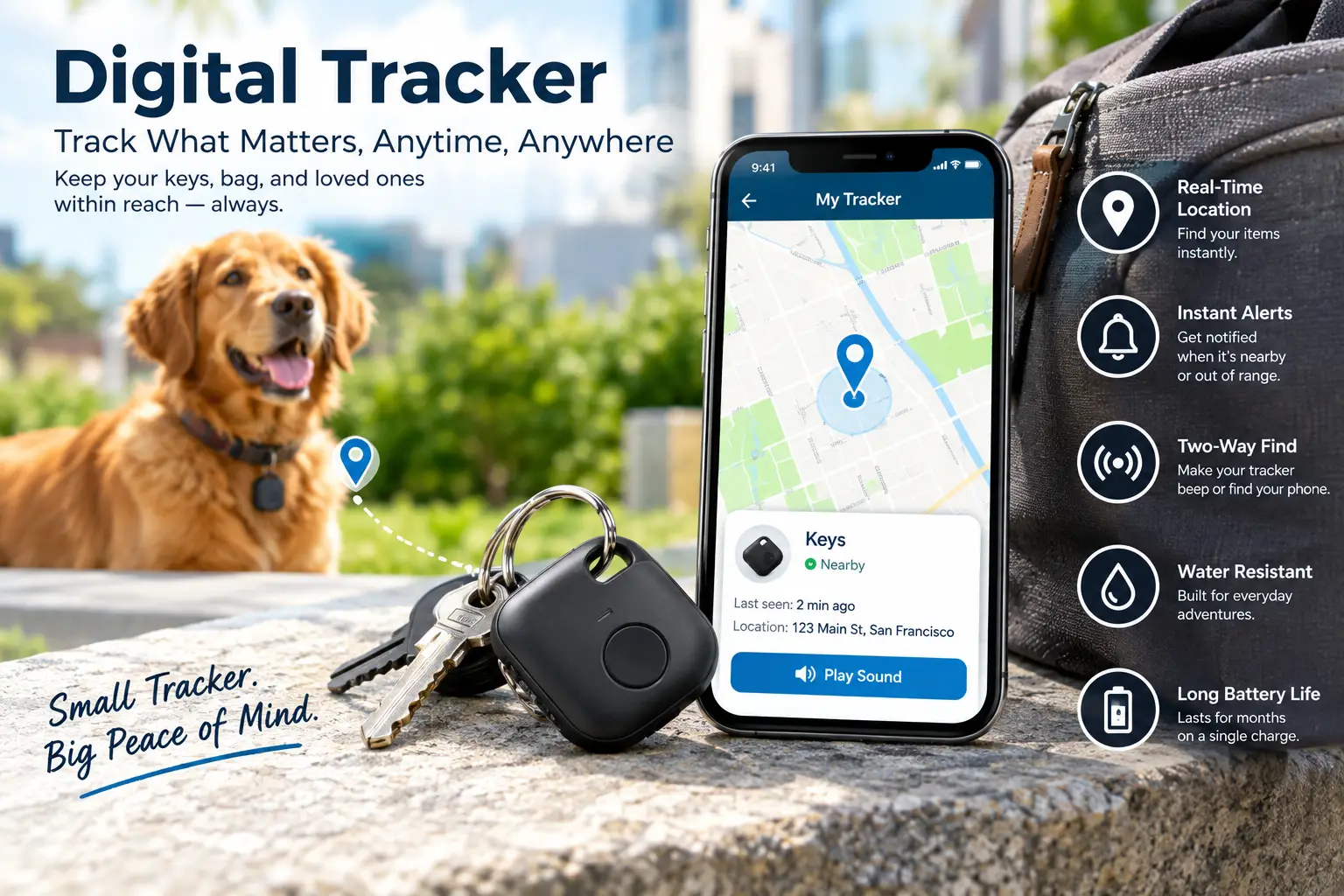
A digital tracker is a small, battery-powered device you attach to keys, bags, luggage, or vehicles so you can locate them from a smartphone. Most use Bluetooth Low Energy and a crowdsourced finding network; premium models add ultra-wideband for pinpoint direction, while GPS trackers use a cellular connection for real-time location.
That definition hides an important distinction. A Bluetooth tag doesn’t actually “know” where it is — it simply broadcasts an anonymous signal. Any compatible phone that passes by notes the signal and reports its own location, encrypted, back to the network. That’s why a $30 key finder can locate a suitcase in another city, yet still has no clue where it is in the middle of an empty field.
The ultra-wideband (UWB) chips in AirTag and Galaxy SmartTag2 add a second trick. Rather than estimating distance from signal strength (which bounces off walls and couch cushions), UWB measures the time it takes a radio pulse to travel, which allows centimeter-level precision. If you want the technical background, the overview of ultra-wideband technology on Wikipedia explains why time-of-flight ranging is so much more precise than classic Bluetooth signal strength. For you, it translates into an on-screen arrow that says “your wallet is 4 feet to the left,” not just “somewhere nearby.”
Top 7 Digital Tracker Picks for 2026: Expert Analysis
1. Apple AirTag (2nd generation) — the best finder for iPhone owners
The Apple AirTag (2nd generation) keeps the familiar coin shape but upgrades nearly everything that matters when you’re actually searching. Apple added a second-generation ultra-wideband chip, a new Bluetooth chip for longer locating range, and a speaker it rates as 50% louder than before. Improved Precision Finding needs an iPhone 15 or later (excluding the iPhone 16e) or iPhone Air, and for the first time it works directly from an Apple Watch on supported models — handy when your phone is the thing in your hand while you’re digging through a bag.
What most buyers overlook is the “Share Item Location” feature: you can grant temporary access to trusted people or to more than 50 airline partners, which turns this into a genuinely useful luggage tracker when a bag goes missing. The design is the same size as the original (about 1.26 inches across and 0.31 inches thick), so existing holders and key rings still fit.
Professional reviews have been broadly positive: Macworld measured the louder speaker and reported a noticeably wider discovery range in its testing, while critics note it still lacks a built-in key-ring hole and can’t ring your phone.
Pros:
- ✅ Largest crowd network for iPhone users
- ✅ Precision Finding now reaches farther and works on Apple Watch
- ✅ Replaceable battery lasts more than a year
Cons:
- ❌ Useless for Android phone owners
- ❌ Needs a separate holder to attach to keys
At around $30 for one (and just under $100 for a four-pack), it’s the default value pick for anyone in the Apple ecosystem.
2. Samsung Galaxy SmartTag2 — longest battery life for Galaxy users
The Samsung Galaxy SmartTag2 is Samsung’s answer to AirTag, and its biggest selling point is endurance. Samsung rates it at up to 500 days in normal mode and up to 700 days with Power Saving Mode, on a standard replaceable CR2032 cell. In practice, that means you could set it up and forget about batteries for well over a year — a real advantage over most coin-cell tags that need a fresh battery every 12 months.
It combines Bluetooth Low Energy (with a rated range of up to about 394 feet / 120 meters in open air) and UWB. On a UWB-equipped Galaxy, Compass View and an AR-style guide point you toward the tag. The ring-shaped body has a large hole for key rings, and the IP67 rating means rain and the occasional puddle won’t kill it. As Samsung’s official SmartTag2 announcement notes, it also doubles as a button for SmartThings smart-home routines.
The catch is the walled garden: it only works with Samsung Galaxy phones and tablets. Review sentiment consistently praises the battery life and finding accuracy while flagging that limitation as the main dealbreaker for mixed households.
Pros:
- ✅ Up to 700 days on one battery in power-saving mode
- ✅ UWB Compass View gives precise directions
- ✅ Built-in key-ring loop and IP67 protection
Cons:
- ❌ Works only with Samsung Galaxy devices
- ❌ UWB features need a recent high-end Galaxy
At around $30, it’s a strong value for Galaxy owners and a non-starter for everyone else.
3. Chipolo POP — best budget pick for mixed-phone families
The Chipolo POP solves the “iPhone vs. Android” problem without a premium price. It works with either Apple Find My or Google’s Find Hub — but only one network at a time, which you pick during setup. That flexibility means you can buy a multi-pack and hand tags to everyone in a mixed household.
On paper, the specs are generous: a 120 dB alarm, a claimed Bluetooth range of up to 300 feet, IP55 dust and splash resistance, and a replaceable CR2032 battery rated for about a year. Double-press the tag and the optional Chipolo app can ring your phone, even if you’ve left it on the couch — something AirTag can’t do.
Here’s what the spec sheet doesn’t say, but reviews reveal: Tom’s Guide found real-world Bluetooth range closer to 35 feet in its use, far short of the advertised 300 feet. That’s typical for this category (walls, bodies, and pockets all absorb signal), but it’s worth knowing so you rely on the crowd network rather than raw range. Aggregated sentiment praises the bright colors, loud ring, and two-way finding.
Pros:
- ✅ Works with iPhone or Android networks
- ✅ Very loud 120 dB ring
- ✅ Can ring your misplaced phone
Cons:
- ❌ No ultra-wideband precision finding
- ❌ Real-world range falls well short of claims
In the $25–$30 range, it’s one of the best-value universal tags available.
4. Pebblebee Clip Universal — rechargeable and easiest to spot in the dark
The Pebblebee Clip Universal targets people who never want to hunt for a coin cell again. It runs on a lithium-ion battery that Pebblebee rates for up to 12 months per charge, and it tops up through a standard USB-C cable. Like the Chipolo, it works with either Apple Find My or Google Find Hub.
Its most underrated feature is the bright LED. Ringing a tracker helps when an item is nearby, but a flashing light is what finds keys under a car seat at night or a bag in a dim garage. At about 1.77 x 1.49 x 0.33 inches and under a third of an ounce, it’s small enough for a keychain without feeling bulky, and it includes a carabiner key ring. Pebblebee’s newer Clip 5 generation claims up to 150 meters (about 490 feet) of Bluetooth range, so check which version a given listing ships.
Review roundups, including Android Central’s, tend to highlight its longevity and design. The trade-off of a rechargeable cell is that you must remember to charge it — and lithium-ion capacity gradually fades over several years, while a coin-cell tag gets a “new” battery each swap.
Pros:
- ✅ USB-C rechargeable, no coin cells
- ✅ LED light helps in dark spaces
- ✅ Works with iPhone or Android networks
Cons:
- ❌ No UWB precision finding
- ❌ Battery capacity will degrade over years
At around $30–$35, it’s a fair price for skipping battery swaps altogether.
5. Tile Pro (2024) — the only pick with a built-in SOS button
The Tile Pro (2024) is the most “safety-minded” option here. Since Tile became part of Life360, its 2024 lineup added a free SOS feature: press the button three times and it alerts your designated contacts and Life360 Circle. Double-press it to ring your phone, even when the phone is on silent.
Tile rates the Pro for up to 500 feet of range, IP68 water resistance, and a replaceable battery lasting up to a year. It also works on both iPhone and Android. The important nuance is the network: Tile relies on its own app users rather than Apple’s or Google’s built-in networks, so its crowd-finding is generally sparser — especially outside big cities.
Independent testing tempers the range claim. In the Tom’s Guide Tile Pro 2024 review, the reviewer never got a connection beyond about 120 feet and suggested the cheaper Tile Mate for most people. Customer reviews echo two themes: the loud ring and phone-finding are well liked, while complaints focus on the smaller network and nudges toward optional paid plans.
Pros:
- ✅ Free triple-press SOS alerts
- ✅ Works on both iPhone and Android
- ✅ Loudest ring in Tile’s lineup
Cons:
- ❌ Smaller crowd network than Apple or Google
- ❌ Real-world range far below the 500-foot claim
Usually priced in the $25–$35 range, it’s good value only if the SOS feature matters to you.
6. UGREEN FineTrack Smart Finder — cheapest way to tag everything you own
The UGREEN FineTrack Smart Finder is the “tag the whole house” option. It’s Apple Find My certified, so setup happens inside the Find My app you already have — no extra download — and it uses the same massive Apple crowd network as an AirTag for long-distance finding.
Two specs stand out. First, UGREEN rates the replaceable CR2032 battery for up to two years, roughly double AirTag’s rating. Second, the battery cover is UL 4200A certified as child-resistant — a meaningful detail if you have toddlers (more on that standard in the safety section below). It also comes with stickers for labeling which tag is which.
What you give up is precision: there’s no ultra-wideband chip, so you get a ring and a map, not an on-screen arrow. It’s also iPhone-only. UGREEN now sells newer variants, including the FineTrack 2 (sealed battery rated for five to seven years) and the Finder Duo, which adds Google Find Hub support — so double-check which model a listing includes.
Review sentiment is positive: Cult of Mac rated it four stars and praised the effortless Find My setup, and buyers commonly compare it favorably to AirTag for everyday items.
Pros:
- ✅ Very low per-tag cost in multi-packs
- ✅ Up to two years per battery
- ✅ Child-resistant UL 4200A battery cover
Cons:
- ❌ iPhone only, no Android support
- ❌ No UWB arrow-style precision finding
Typically under $30 for a four-pack at the time of writing, it’s the best per-tag value in this list.
7. Tracki GPS Tracker — real-time location with no phone network required
The Tracki GPS Tracker is a different animal. Instead of waiting for a stranger’s phone to walk by, it carries its own GPS receiver and a 4G LTE modem with a built-in global SIM, so it reports its position on its own — Tracki advertises coverage in 185+ countries, with Wi-Fi positioning as an indoor fallback.
The compact Tracki Universal model measures about 1.77 x 1.46 x 0.55 inches and weighs roughly 1.26 ounces. It supports geofences (alerts when something leaves a zone), speed and movement alerts, and an SOS button. Updates can be as frequent as every minute, but that’s exactly what drains its 650 mAh battery — expect days, not months, at frequent update intervals. For vehicles and trailers, the larger Tracki Pro packs a 10,000 mAh battery rated for months.
The big trade-off is cost: a subscription is required for it to work at all. SafeWise named Tracki a best-value pick for rural areas in its kids’ safety awards, but also noted mixed customer reviews on battery life and criticized how the plan details are tucked inside the app.
Pros:
- ✅ True real-time tracking anywhere with cell coverage
- ✅ Geofence, speed, and SOS alerts
- ✅ Doesn’t depend on nearby phones
Cons:
- ❌ Mandatory monthly subscription
- ❌ Battery needs frequent recharging with fast updates
The device often sells in the $20–$60 range, but budget mostly for the plan.
🚀 Ready to stop losing your stuff for good?
🔍 Pick the digital tracker that matches your phone and your lifestyle from the lineup above. Click any highlighted product name to check current pricing and availability — your future, less-stressed self will thank you!
Digital Tracker Specs Compared Side by Side
| Product | Precision Finding (UWB) | Water Resistance | Ring Your Phone | Rated Range | Best For |
|---|---|---|---|---|---|
| Apple AirTag (2nd generation) | Yes (iPhone 15+ / Apple Watch) | Splash-resistant | No | Not listed in feet | Lost luggage and keys (iPhone) |
| Samsung Galaxy SmartTag2 | Yes (UWB Galaxy) | IP67 | Via SmartThings | Up to ~394 ft | Galaxy owners |
| Chipolo POP | No | IP55 | Yes (app) | Up to 300 ft | Split households |
| Pebblebee Clip Universal | No | Water-resistant | Yes (app) | Up to ~490 ft (Clip 5) | Night-time finding |
| Tile Pro (2024) | No | IP68 | Yes | Up to 500 ft | SOS and safety |
| UGREEN FineTrack Smart Finder | No | Not emphasized | No | Find My standard | Budget multi-tagging |
| Tracki GPS Tracker | N/A (GPS) | Varies by model | No | Unlimited (cellular) | Vehicles, assets |
The table makes one thing clear: only the Apple AirTag (2nd generation) and Samsung Galaxy SmartTag2 offer true UWB “point-me-to-it” finding, which is the feature that actually saves time inside a messy house. Rated range numbers look impressive for the Tile Pro (2024) and Chipolo POP, but independent tests showed real-world figures far lower, so treat range as a tiebreaker, not a headline. Meanwhile, the Tracki GPS Tracker sits in its own category — it trades battery life and a subscription for independence from any crowd network.
How to Set Up Your Digital Tracker the Right Way (Your First 30 Days)
Most frustration with a key finder comes from setup shortcuts, not the hardware. Here’s a practical routine that listings don’t spell out.
Day 1: Pair close, name clearly. Pair each tag within a few feet of your phone and give it a specific name (“Car Keys – Toyota,” not “Tag 3”). When you own five tags, vague names become a real problem.
Day 1: Turn on separation alerts. On iPhone, enable “Notify When Left Behind” in Find My for keys, wallet, and bags. Add trusted locations — home, office — so you don’t get pinged every time you walk to the mailbox. Android and Tile users should check the equivalent setting in Find Hub or their companion app, because support varies by brand.
Week 1: Test the “lost” flow before you need it. Leave a tagged item at a friend’s place or in your car, walk away, and check how quickly the map updates. Ring it, try Precision Finding if supported, and confirm Lost Mode shows your contact message. Ten minutes of rehearsal beats panicking at an airport.
Week 2: Choose smart mounting spots. ⚡ Inside a backpack’s top pocket works better than buried under a laptop; for luggage, an internal zip pocket is harder to remove than an external tag holder.
Week 3–4: Audit battery and firmware. Check battery status in the app and install any firmware updates — manufacturers like Chipolo deliver new features and fixes this way.
Common first-month mistakes: tagging a phone case (your phone already has Find My), forgetting to enable location permissions “Always,” and putting coin-cell tags where young kids can reach them.
Real-World Scenarios: Matching the Right Item Tracker to Your Life
Specs only matter in context, so here are three realistic buyer profiles.
🧳 The frequent flyer (iPhone, travels monthly, budget ~$100). A four-pack of the Apple AirTag (2nd generation) is the strongest play: one in each checked bag, one on keys. The airline-sharing feature lets you hand location access to an airline’s baggage team, and dense airport crowds mean frequent location updates. If you want to stretch the budget across more bags, mixing in a few UGREEN FineTrack Smart Finder tags for carry-ons works well, since they use the same network.
👨👩👧 The mixed-phone family (two iPhones, one Pixel, one teen with a Galaxy; budget ~$80). Buy a multi-pack of Chipolo POP tags and set each one up on the network matching its owner’s phone. If someone in the family hates swapping batteries, give them a Pebblebee Clip Universal instead. Avoid the Samsung Galaxy SmartTag2 here — only the Galaxy user could use it.
🚗 The small-business owner (two work vans and a trailer, daily use). A Bluetooth tag will tell you where a van was last seen near someone’s phone; it won’t tell you where it is right now on an empty highway. The Tracki GPS Tracker (or the longer-lasting Tracki Pro for vehicles) delivers live updates, geofences around job sites, and speed alerts. Budget for the subscription across all units — that monthly line item is the real cost.
The pattern across all three: start with the phones you own, then the distance you need to cover, and only then think about features.
Problem → Solution: Fixing Common Key Finder Headaches
Problem 1: “The map shows my tag, but it’s hours old.” Solution: Crowd networks only update when a compatible device passes nearby. In rural areas, that may be rare. If you regularly need fresh locations away from people, a GPS tracker like the Tracki GPS Tracker is the real fix. For Bluetooth tags, Apple’s and Google’s networks generally refresh more often than Tile’s smaller network.
Problem 2: “My phone says it’s here, but I can’t find it.” Solution: Use the ring first, then the light (on the Pebblebee Clip Universal) or UWB arrows (on the Apple AirTag (2nd generation) or Samsung Galaxy SmartTag2). Remember that Bluetooth signal strength can’t tell “under the couch” from “in the next room” — UWB can.
Problem 3: “My tracker keeps going offline.” Solution: Check battery first. Then confirm Bluetooth and location permissions are still on — OS updates sometimes reset them. Extreme heat or cold can also affect batteries; Tile, for example, lists an operating range of 14°F to 140°F.
Problem 4: “I got an alert that an unknown tracker is traveling with me.” Solution: Take it seriously. Use your phone’s built-in scan to make the tag play a sound, check whether it belongs to a family member, and if not, follow the on-screen instructions to disable it and contact local law enforcement if you feel unsafe.
Problem 5: “Separation alerts drive me crazy.” Solution: Add trusted locations, and only enable alerts on items you truly carry daily — keys, wallet, laptop bag.
How to Choose a Digital Tracker in 7 Steps
- Match your phone first. iPhone-only households get the most from Find My tags; Galaxy owners from SmartTag2; mixed households from universal tags. This determines which crowd network your tag can use.
- Decide between Bluetooth and GPS. Need to find lost items? Bluetooth. Need live, minute-by-minute location of a vehicle? GPS with cellular.
- Check for UWB. If you often lose items inside your home, ultra-wideband directional finding saves the most time.
- Pick a battery style. Replaceable coin cells are cheap and instant; rechargeable tags avoid coin cells but need charging.
- Consider the form factor. Key-ring loops, slim wallet cards, and stickers each suit different items — a coin-shaped tag in a wallet is uncomfortable.
- Look at durability. IP67 or IP68 matters for outdoor gear, bikes, and keys that end up in the rain.
- Count the real cost. Multiply per-tag price by how many you need, then add batteries or subscriptions over three years.
Bluetooth Tracker vs GPS Tracker: Which Do You Actually Need?
This is the most important fork in the road, and marketing often blurs it. A Bluetooth tracker is a beacon; a GPS tracker is a mini phone.
| Factor | Bluetooth Tracker | GPS Tracker | Traditional Approach (no tracker) |
|---|---|---|---|
| Location source | Nearby phones in the crowd network | Satellite GPS + cellular data | Memory, luck, lost-and-found |
| Update speed | Whenever a phone passes by | As often as every minute | None |
| Battery | 1–2 years (coin cell) | Days to months, rechargeable | N/A |
| Ongoing cost | Usually none | Monthly subscription | Replacement costs |
| Best for | Keys, wallets, luggage | Cars, trailers, equipment | Nothing you care about |
| Example | Apple AirTag (2nd generation) | Tracki GPS Tracker | — |
The takeaway: for roughly 90% of everyday needs — keys, wallets, bags — a Bluetooth tag like the Apple AirTag (2nd generation) or Chipolo POP is the smarter buy because there’s no monthly fee and the battery lasts a year or more. A GPS unit like the Tracki GPS Tracker earns its keep only when you need live location away from people, such as a work trailer parked overnight in an empty lot. Compared with doing nothing, either option pays for itself the first time it saves you from replacing a car key fob or a checked bag’s contents.
A practical hybrid: many owners pair a cheap Bluetooth tag (for “where did I leave it?”) with one GPS tracker on the single asset that would hurt most to lose.
Features That Actually Matter (and Ones That Don’t)
Tracker marketing is full of big numbers. Here’s how to separate signal from noise.
✅ Matters: the crowd network. This is the feature that finds a bag across town. Apple’s Find My and Google’s Find Hub leverage the phones already in people’s pockets, which is why a tag on those networks generally outperforms one on a smaller proprietary network.
✅ Matters: ultra-wideband. If you lose things at home, UWB is the difference between a guided arrow and a game of hot-and-cold.
✅ Matters: loudness — up to a point. A louder ring genuinely helps when a tag is buried in a bag or couch. The 50% louder speaker on the Apple AirTag (2nd generation) and the 120 dB alarm on the Chipolo POP are meaningful upgrades.
✅ Matters: battery convenience. Whether that means two years on a coin cell (UGREEN FineTrack Smart Finder) or USB-C charging (Pebblebee Clip Universal), fewer dead-tag surprises is a real quality-of-life win.
❌ Overrated: maximum Bluetooth range. “500 feet” is measured in open air with nothing in the way. Independent testers repeatedly found real-world ranges between roughly 35 and 120 feet for tags advertised far higher. Range rarely matters once a crowd network is involved.
❌ Overrated: premium subscriptions for Bluetooth tags. Optional plans can add perks like reimbursement or extended history, but core finding works without them on most tags. Read the free tier before paying.
❌ Overrated: app bells and whistles. Selfie triggers and custom ringtones are fun, but they won’t find your keys faster.
Long-Term Cost and Maintenance of a Digital Tracker
The sticker price is only the beginning. Here’s a three-year cost-of-ownership view, using price ranges at the time of writing (prices may vary — check current listings).
| Product | Upfront (approx.) | Battery Over 3 Years | Subscription | 3-Year Value Verdict | Best For |
|---|---|---|---|---|---|
| Apple AirTag (2nd generation) | Around $30 | 2–3 coin cells (a few dollars) | None required | Excellent | iPhone users |
| Samsung Galaxy SmartTag2 | Around $30 | 1–2 coin cells | None required | Excellent | Galaxy users |
| Chipolo POP | $25–$30 | 2–3 coin cells | None required | Very good | Mixed households |
| Pebblebee Clip Universal | $30–$35 | Recharging only | None required | Very good | No-battery-swap fans |
| Tile Pro (2024) | $25–$35 | 2–3 coin cells | Optional | Good | SOS users |
| UGREEN FineTrack Smart Finder | Under $30 per 4-pack | 1–2 coin cells per tag | None required | Best per tag | Multi-tagging |
| Tracki GPS Tracker | $20–$60 | Recharging only | Required (monthly) | Depends on asset value | Vehicles, equipment |
The pattern is striking: every Bluetooth option costs roughly the same over three years, because coin cells are cheap — so choose based on network and features, not maintenance. The UGREEN FineTrack Smart Finder wins per tag, while the Pebblebee Clip Universal removes battery shopping entirely at the cost of a slow capacity fade. The Tracki GPS Tracker is the only product where the subscription can dwarf the hardware price, so it makes sense mainly when the tracked asset is worth hundreds or thousands of dollars.
🔋 Maintenance tips: buy coin cells from reputable brands in child-resistant packaging, note the install date in your phone’s notes app, and avoid bitter-coated batteries in tags that don’t list them as compatible — some coatings can interfere with contact. Wipe tags occasionally with a dry cloth, and check rechargeable tags monthly so they never die quietly.
Safety, Regulations, and Standards for Item Trackers
Two safety topics deserve your attention before you buy.
1. Button battery safety. Most tags in this guide use a CR2032 coin cell — exactly the type that poses a serious ingestion risk to young children. In the US, Reese’s Law (2022) directed the Consumer Product Safety Commission to set mandatory rules, and the CPSC adopted ANSI/UL 4200A-2023 as the safety standard for products containing these batteries, along with packaging and warning-label requirements. You can read the details on the CPSC’s Reese’s Law business guidance page. In practice: look for products that mention UL 4200A compliance (the UGREEN FineTrack Smart Finder advertises this certification), keep spare batteries in their original child-resistant packaging, and never leave a tag with an open battery door within reach of kids. If you suspect a child swallowed a battery, seek emergency medical care immediately.
2. Anti-stalking protections and the law. Apple and Google now support cross-platform alerts for unknown trackers, so iPhone and Android users can be notified when an unfamiliar tag appears to be traveling with them. These protections exist because trackers can be misused. Placing a tracker on another adult’s car or belongings without consent may violate state and federal laws on stalking and electronic tracking — and those laws vary from state to state. Use a GPS tracker or Bluetooth tag only on your own property, or on vehicles and devices you’re legally responsible for, and talk to family members before tracking shared items.
3. Radio compliance. Legitimate trackers sold in the US carry FCC identification for their radio transmitters. Ultra-cheap no-name tags without clear FCC labeling are worth skipping.
Common Mistakes to Avoid When Buying a Bluetooth Tracker
Mistake 1: Buying for the wrong phone. It sounds obvious, but iPhone-only Find My tags and Galaxy-only SmartTags are frequently bought as gifts for the wrong household. Check compatibility before checkout.
Mistake 2: Expecting live GPS from a Bluetooth tag. A $30 tag is not a real-time locator. If you need to watch a car move on a map, you need cellular GPS — and a subscription.
Mistake 3: Trusting advertised range. As covered above, testers repeatedly found real-world range a fraction of the claimed figure. Network strength matters far more.
Mistake 4: Assuming “universal” means “both at once.” Universal tags like the Chipolo POP and Pebblebee Clip Universal work with Apple or Google, but only one network at a time. You can’t share a single tag across an iPhone and an Android phone.
Mistake 5: Ignoring form factor. A round tag in a slim wallet is uncomfortable and easy to dislodge; card-style trackers exist for a reason. Likewise, a sticker-style tag is better for a TV remote than a key ring.
Mistake 6: Forgetting about pets. Bluetooth tags aren’t designed as pet locators — Apple, for example, positions AirTag for items, not animals or people. Dedicated pet GPS collars are a better fit.
Mistake 7: Buying singles instead of packs. If you’ll eventually tag keys, wallet, backpack, and luggage, a four-pack almost always lowers the per-tag cost.
FAQ: Digital Tracker Questions Shoppers Ask Most
❓ Do I need a subscription for a digital tracker?
❓ Can I use an AirTag with an Android phone?
❓ What is the best luggage tracker for international travel?
❓ How long does a key finder battery really last?
❓ Are digital trackers waterproof?
Conclusion: Choose Your Network, Then Your Digital Tracker
The smartest way to shop for a digital tracker in 2026 isn’t to chase the biggest range number — it’s to start with the phones in your pocket and the problem you’re actually trying to solve.
If you’re on an iPhone, the Apple AirTag (2nd generation) is the most capable all-rounder, with louder sound, longer Precision Finding, and airline sharing that makes it a genuinely useful luggage tracker. Want to tag everything without spending much? The UGREEN FineTrack Smart Finder gives you the same Find My network at the lowest per-tag cost.
Galaxy owners should go straight to the Samsung Galaxy SmartTag2 for its UWB guidance and class-leading battery life. Mixed-phone families get the most flexibility from the Chipolo POP or the rechargeable, LED-equipped Pebblebee Clip Universal. If personal safety features matter, the Tile Pro (2024) is the only pick with a built-in SOS alert — just accept its smaller network.
And when you need true real-time location for a vehicle or high-value equipment, the Tracki GPS Tracker is the right tool, provided you budget for its subscription.
Whichever you choose, set it up carefully, rehearse the “lost” flow once, keep coin cells away from kids, and only ever track what’s yours. Do that, and a tiny piece of plastic will save you more time and stress than almost any other gadget you own.
✨ Don’t miss these top-rated finds!
🔍 Take your item-tracking game to the next level with this carefully curated lineup. Click a highlighted product to check current pricing and availability — and enjoy mornings where your keys are exactly where your phone says they are!
Recommended for You
- Best Shock Collar for German Shepherd: 7 Smart Picks for 2026
- Best Wireless Electric Dog Fence: 7 Smart Picks for 2026
- GPS ATV Tracker: 7 Best Picks to Stop Thieves Cold (2026)
Disclaimer: This post contains affiliate links. As an Amazon Associate, I earn from qualifying purchases made through these links, at no additional cost to you.
✨ Found this article helpful? Share it with someone who needs it! 💬🤗