
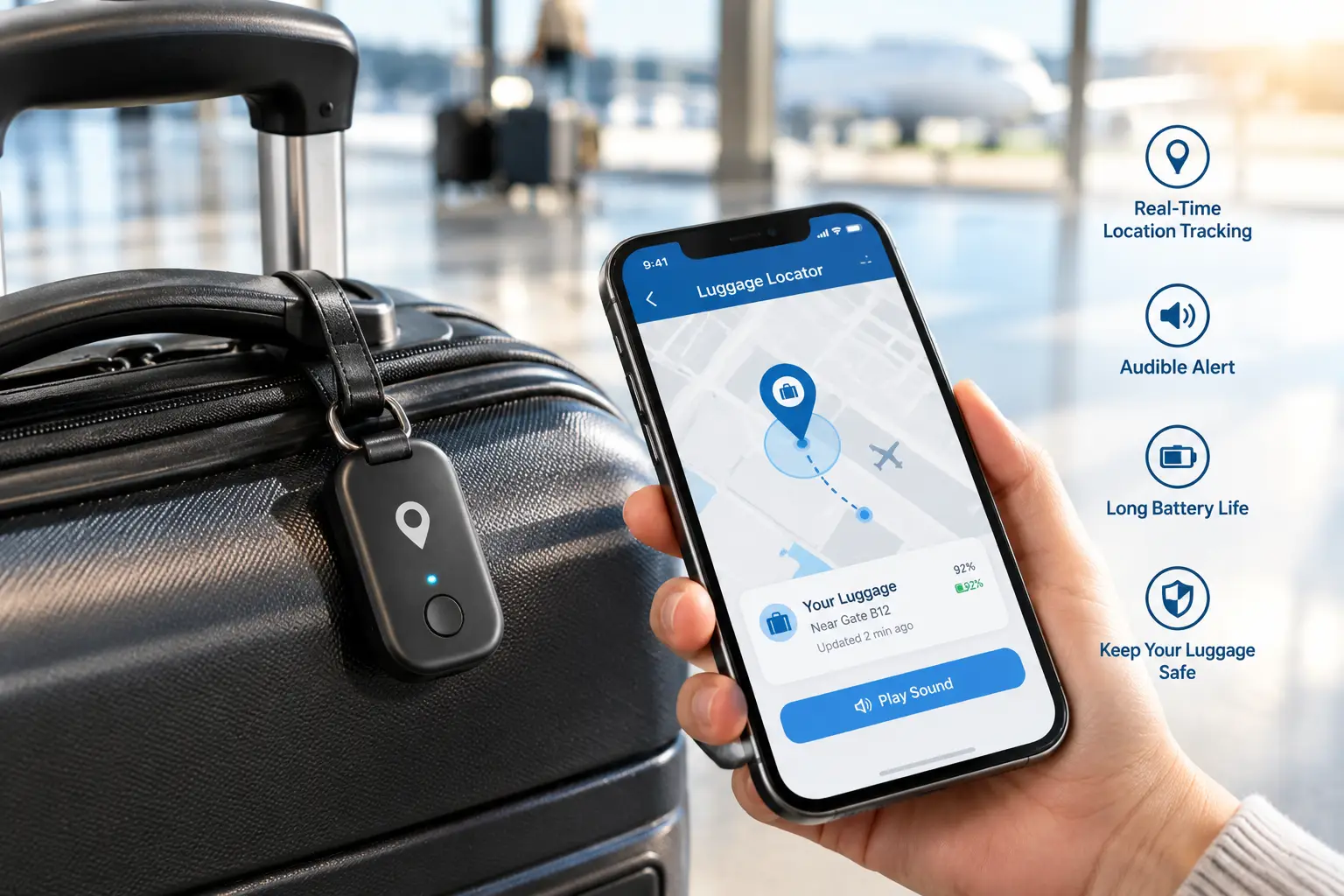
Why Luggage Locator Tags Belong in Every Suitcase in 2026
You land, shuffle to baggage claim, and watch the same lonely duffel make its fifth lap around the carousel. Your bag isn’t on it. For years, that moment meant filing a report and waiting for news. Today, luggage locator tags turn it into a short exercise: open an app, see where your suitcase is, and hand that information to the airline.
What Are Luggage Locator Tags?
Luggage locator tags are small, coin- or card-shaped devices you put inside or clip onto a bag so you can see its location on your phone. Most use Bluetooth and borrow nearby phones from a huge crowd-sourced network to report a position. A few use cellular GPS for live updates instead.
That one distinction (crowd-sourced Bluetooth versus cellular GPS) drives almost every other decision in this guide. A Bluetooth luggage tracker is cheap, needs no subscription, and its battery lasts a year or more. It only updates when a compatible phone passes nearby, though. Busy airports are full of phones, so in practice that works well. The best-known example, Apple’s AirTag, has an interesting history worth skimming on Wikipedia’s AirTag page, including its launch in 2021 and its second generation in January 2026.
The market has changed a lot in the past year. Apple shipped a second-generation AirTag. Google’s Find Hub network matured enough to support airline baggage sharing. Several brands now sell “universal” tags that can work with either iPhone or Android. That’s good news, but it also means more ways to buy the wrong thing.
This guide covers seven real, currently available options. It explains what their specs actually mean at an airport, walks through setup, and helps you match a tracker to how you travel. All prices are ranges because Amazon prices change constantly.
Quick Comparison: Luggage Locator Tags at a Glance
| Product | Network | Precision Finding | Battery | Price Range | Best For |
|---|---|---|---|---|---|
| Apple AirTag (2nd Gen) | Apple Find My | Yes (UWB) | Replaceable CR2032, 1+ yr | Around $30; 4-pack under $100 | Apple AirTag (2nd Gen): iPhone travelers |
| Pebblebee Clip 5 | Find My or Find Hub | No | Rechargeable, ~12 mo | Around $35 | Pebblebee Clip 5: mixed-phone households |
| Chipolo POP | Find My or Find Hub | No | Replaceable CR2032, ~1 yr | Around $30 | Chipolo POP: loud alarm on a budget |
| Samsung Galaxy SmartTag2 | SmartThings Find | Yes (UWB, Galaxy) | Replaceable CR2032, up to 500 days | Around $30 | Samsung Galaxy SmartTag2: Galaxy owners |
| Motorola Moto Tag 2 | Google Find Hub | Yes (UWB + Channel Sounding) | Replaceable CR2032, 500+ days | Around $30; 4-packs available | Motorola Moto Tag 2: precision on Android |
| Tile Pro (2024) | Tile/Life360 | No | Replaceable CR2032, ~1 yr | Around $35 | Tile Pro (2024): Life360 families |
| LandAirSea 54 | 4G LTE + GPS | N/A (live map) | Rechargeable, 1–3 weeks | Device under $50 + monthly plan | LandAirSea 54: live tracking of cars and cargo |
The table shows a market split into three groups. Apple AirTag (2nd Gen), Samsung Galaxy SmartTag2, and Motorola Moto Tag 2 are tied to one ecosystem but reward that loyalty with ultra-wideband precision finding. Pebblebee Clip 5 and Chipolo POP trade precision for flexibility, since you choose the network at setup. LandAirSea 54 is in a different category: true live tracking that you pay for every month and recharge every week or two.
💬 One click helps other shoppers make an informed choice too! 😊
Top 7 Luggage Locator Tags: Expert Analysis
1. Apple AirTag (2nd Gen) — densest network for iPhone owners
If you carry an iPhone, the Apple AirTag (2nd Gen) is the default choice for good reason: it reports through the largest crowd-sourced finding network in the world. Apple’s January 2026 announcement confirms three upgrades. A second-generation ultra-wideband chip extends Precision Finding range by up to 50%, a stronger Bluetooth radio reaches farther, and the speaker is 50% louder, so you can hear it from roughly twice the distance.
At the airport, the louder speaker matters more than it sounds. Carousel halls are noisy, and the first-generation chirp was easy to miss. The Precision Finding upgrade helps when your bag sits among dozens of near-identical black roller cases in a lost-baggage office. Precision Finding now also works on Apple Watch Series 9 and later and on Ultra 2 and later. Battery life is still more than a year on a standard CR2032 coin cell.
Based on the spec sheet, this is the best pick for anyone fully in the Apple ecosystem, especially frequent flyers on airlines that accept Apple’s Share Item Location links. It is not for Android users. It needs iOS 26.2.1 or later and does not work with Android phones at all.
Reviews consistently praise how often location updates arrive, even from distant airports. The most common complaint is the missing keyring hole, which means buying a holder.
Pros:
- ✅ Largest finding network for frequent location updates
- ✅ Louder speaker helps in noisy baggage halls
- ✅ Precision Finding now works from Apple Watch
Cons:
- ❌ Useless for Android-only households
- ❌ Requires a separate holder or loop to attach
Expect around $30 for one, or under $100 for a four-pack. That’s excellent value for iPhone travelers.
2. Pebblebee Clip 5 — rechargeable tag for mixed households
The Pebblebee Clip 5 solves a common family problem: one person carries an iPhone, another an Android. Each tag can register on Apple Find My or Google Find Hub. You pick one at setup and can factory-reset it to switch later.
The spec sheet is practical. It weighs 10 grams, is rated IP66 against water jets and dust, claims a Bluetooth range of up to 500 feet, and lasts up to 12 months per USB-C charge. That rechargeable battery means no hunting for coin cells, but the charging cable isn’t included, so plan to use one you already own. The Gen 5 update added a louder buzzer and a brighter LED strobe. The light is a real advantage when your bag is wedged in a dim trunk or behind other suitcases. There’s also a printed “Link” QR code that lets a finder contact you privately, even if the battery is dead.
From an analysis standpoint, this is the most flexible tag for households that switch phones or share luggage. Its biggest limitation is the lack of UWB, so close-range finding relies on Bluetooth signal strength instead of a directional arrow.
Professional reviews, including Cult of Mac’s (“like AirTag, but better” is the angle it argues), highlight the loudness and visibility. Users note the one-network-at-a-time limitation.
Pros:
- ✅ Works with either iPhone or Android networks
- ✅ Rechargeable battery eliminates coin-cell replacements
- ✅ Built-in clip attaches directly to bag handles
Cons:
- ❌ No ultra-wideband for directional finding
- ❌ Charging cable sold separately
Pricing sits around $35, which is fair for flexibility and zero battery waste.
3. Chipolo POP — loudest budget option with network choice
The Chipolo POP competes on two things: volume and price. Its alarm is rated at about 120 dB, which is significantly louder than most tags in this lineup. Like the Pebblebee, it works with Apple Find My or Google Find Hub, one at a time.
Its other specs are modest. Bluetooth range is up to about 300 feet. The IP55 rating means it handles rain and splashes but shouldn’t be submerged. The replaceable CR2032 battery lasts about a year. For luggage, the loud alarm is the standout feature: you can hear it through fabric, over carousel noise, and from inside a closet at a vacation rental. The optional Chipolo app adds extras, such as custom ringtones so you can tell your carry-on from your checked bag by sound, plus a “ring my phone” button.
On paper, this is the smart pick for budget-minded travelers who want cross-platform flexibility and don’t care about precision finding. The IP55 rating is the weak spot for anyone whose checked bag regularly sits on rainy tarmacs. Placing it inside the bag mostly solves that.
Reviews commonly praise the alarm volume and the bright color options. The most frequent caveat, raised by outlets like Mashable/Yahoo Tech, is that you can’t use both networks at the same time.
Pros:
- ✅ About 120 dB alarm cuts through airport noise
- ✅ Works with iPhone or Android networks
- ✅ Cheap, widely available replacement battery
Cons:
- ❌ IP55 is only splash-resistant
- ❌ Shorter Bluetooth range than premium rivals
It usually costs around $30, with multi-packs lowering the per-tag cost. That’s strong value for families.
4. Samsung Galaxy SmartTag2 — long battery life for Galaxy owners
The Samsung Galaxy SmartTag2 is built for one audience: people with a Samsung Galaxy phone. In exchange, it offers the longest battery life of any coin-cell tag here. Samsung rates it at up to 500 days in Normal Mode and up to 700 days in Power Saving Mode, which keeps basic Bluetooth finding only.
The UWB-powered Compass View is the feature to understand. On a UWB-equipped Galaxy phone, it shows an on-screen arrow and distance to your tag, the Android version of Apple’s Precision Finding. The IP67 rating covers submersion in up to one meter of fresh water for 30 minutes. That’s useful if a bag sits on a wet tarmac. Lost Mode uses NFC, so anyone with any smartphone can tap the tag and see your contact details. That’s a smart feature for a lost suitcase that ends up at an unfamiliar airport.
Based on the specs, the SmartTag2 is the right pick for Galaxy users who want to set it and forget it for well over a year. For anyone else it’s a poor fit, because it relies on Samsung’s SmartThings Find rather than Google’s broader Find Hub network.
Aggregated review sentiment is consistent: owners praise the battery life and IP67 durability, while the most common complaint is Samsung-only compatibility.
Pros:
- ✅ Up to 500 days of battery life
- ✅ IP67 rating handles a soggy tarmac
- ✅ NFC Lost Mode helps strangers return bags
Cons:
- ❌ Requires a Samsung Galaxy phone
- ❌ Compass View needs a UWB-equipped Galaxy model
It’s typically priced around $30, which is excellent value if you’re already in the Galaxy ecosystem.
5. Motorola Moto Tag 2 — most precise Android Find Hub tag
The Motorola Moto Tag 2, announced at CES 2026, is the most technically advanced tag on Google’s Find Hub network. It pairs ultra-wideband with Bluetooth 6.0 Channel Sounding, a newer distance-measurement technique, for more precise close-range finding on compatible Android phones.
In practice, this means any Android user can locate it on the Find Hub map. With a recent flagship that supports UWB, you also get directional guidance at the carousel. The IP68 rating is the strongest dust and water protection in this roundup. Motorola rated the CR2032 battery at more than 500 days at launch, and later product listings cite 600-plus days. That’s well beyond the one year typical of the category. It’s also light, at about 8.5 grams.
Our honest take: this is the precision pick for Android owners who don’t use Samsung phones and want an AirTag-like experience. Its directional features depend on owning a UWB-capable phone, which still limits the upside to high-end models from Google, Samsung, and Motorola.
Since the tag only reached the US in mid-2026, there aren’t yet enough verified long-term customer reviews to summarize broader sentiment reliably. Early professional coverage, such as from Pocket-lint, focuses on its precision and durability.
Pros:
- ✅ UWB plus Channel Sounding for precise finding
- ✅ IP68 rating, the toughest in this lineup
- ✅ Battery rated well beyond a year
Cons:
- ❌ Precision features need a recent flagship phone
- ❌ Limited long-term US review data so far
Expect around $30 per tag, with four-packs often lowering the per-unit cost. That’s great value for Android flyers.
6. Tile Pro (2024) — longest-range tag for Life360 families
The Tile Pro (2024) is the pick for families who already use the Life360 app. Your tracked luggage shows up on the same map as your family members, which is genuinely convenient when coordinating group travel.
Its headline spec is a claimed Bluetooth range of up to 500 feet (about 150 meters), along with an IP68 rating, a user-replaceable CR2032 battery rated for about a year, and the loudest ring in Tile’s lineup. It works on both iPhone and Android through the Tile or Life360 app, so there’s no ecosystem lock-in. It also has a built-in SOS feature that can quietly alert your Life360 Circle, a nice bonus for solo travelers.
Here’s what to weigh, though. Tile’s network is much smaller than Apple’s or Google’s, so location updates from a far-off airport may come less often. Some extras, such as smart left-behind alerts, require a Life360/Tile premium plan that costs roughly $30 a year.
Reviews are mixed on the range claim. Android Police praised it, while Tom’s Guide reported in testing that real-world range fell short of the 500-foot figure. Owners consistently like the replaceable battery.
Pros:
- ✅ Works on both iPhone and Android
- ✅ Integrates with Life360 family location maps
- ✅ IP68 rating and replaceable battery
Cons:
- ❌ Smaller network means less frequent remote updates
- ❌ Best features sit behind a paid plan
Expect around $35. It’s good value for Life360 users, but less compelling for everyone else.
7. LandAirSea 54 — real-time GPS when Bluetooth isn’t enough
The LandAirSea 54 isn’t a Bluetooth tag at all. It’s a cellular GPS luggage tracker that reports its own position over 4G LTE without waiting for a stranger’s phone to walk by.
The spec sheet explains both its strength and its limits. It updates as often as every few seconds on faster plans, works in over 155 countries, is rated IP67, and includes a strong built-in magnet. The trade-off is power. Its 1500 mAh rechargeable battery lasts roughly one to three weeks depending on update frequency, with a low-power mode that stretches it to months. It also needs a data plan, which LandAirSea lists from about $20 a month.
What the spec sheet doesn’t say, but battery rules do: this is a rechargeable lithium-ion device, not a tiny coin cell. Airline guidance treats those differently in checked baggage (more on that in the safety section below). It’s best used in carry-on bags, cars, rental equipment, cargo shipments, or long road trips where live updates matter. It’s not the right “drop it in a checked suitcase and forget it” device.
Review sentiment generally praises the tracking accuracy and magnet strength. Recurring complaints focus on subscription costs, which can add up quickly on premium plans.
Pros:
- ✅ True live tracking without nearby phones
- ✅ Works internationally in 155+ countries
- ✅ IP67 waterproof with a strong magnet
Cons:
- ❌ Monthly subscription required for tracking
- ❌ Needs recharging every one to three weeks
The device usually costs under $50, but the plan is the real cost. It’s only worth it if you need live data.
✨ Don’t Leave Your Next Trip to Chance!
🔍 Give your travel setup an upgrade with this carefully curated lineup. Click any highlighted tracker to check current pricing and availability. These picks help you spend less time at the lost-baggage desk and more time actually enjoying your trip! 🧳
Head-to-Head Spec Comparison
| Product | Water Rating | Bluetooth Range (claimed) | Speaker / Alert | Subscription |
|---|---|---|---|---|
| Apple AirTag (2nd Gen) | IP67 | Extended vs. 1st gen | 50% louder than 1st gen | None |
| Pebblebee Clip 5 | IP66 | Up to 500 ft | Buzzer + LED strobe | None |
| Chipolo POP | IP55 | Up to ~300 ft | ~120 dB | None |
| Samsung Galaxy SmartTag2 | IP67 | Up to ~390 ft (120 m) | Ring | None |
| Motorola Moto Tag 2 | IP68 | Bluetooth 6.0 | Ring | None |
| Tile Pro (2024) | IP68 | Up to 500 ft | Loudest Tile ring | Optional (~$30/yr) |
| LandAirSea 54 | IP67 | N/A (cellular) | None | Required |
Claimed Bluetooth range matters less than it looks for luggage. Once your bag is out of sight, you’re relying on the network, not your own phone’s radio. Water rating and alert type matter more. That’s why Motorola Moto Tag 2 and Tile Pro (2024) look strong for checked bags that sit on wet tarmac, while Chipolo POP is better kept inside the bag. Only LandAirSea 54 requires a subscription to work at all.
How to Set Up a Luggage Tracker Before Your Next Flight
A luggage tracker is only as good as its setup. Here’s a practical routine for the first 30 days.
Step-by-Step Setup
- Pair it at home, not at the gate. Register the tag in Find My, Find Hub, SmartThings, or the Tile/Life360 app several days before you fly so firmware updates have time to install.
- Name it clearly. “Blue checked bag” beats “Tag 3” when you’re stressed at baggage claim.
- Hide it inside the bag. Tuck it into an interior zip pocket or lining rather than an outer luggage tag holder. External tags can be snapped off by conveyor belts or removed by a thief.
- Test it on a short trip. Leave the bag at a friend’s house or in your car and confirm the location updates in the app.
- Turn on separation alerts. Most apps can notify you if you walk away from a tagged item. That’s great for carry-ons at security, but you may want to switch it off for checked bags so you don’t get alerts on every flight.
Common Mistakes in the First 30 Days
- ⚠️ Using a tag on the wrong network. A Find Hub tag can’t help an iPhone user, and vice versa.
- ⚠️ Ignoring low-battery warnings. Swap coin cells or recharge before long trips, not after.
- ⚠️ Forgetting carry-ons. Laptop bags and backpacks are left behind at security checkpoints more often than checked bags go missing.
- ⚠️ Buying the wrong number. One tag per bag is the rule, and an extra for a passport wallet is smart.
Real-World Scenarios: Which Smart Luggage Tag Fits Your Travel Style?
Specs make more sense when matched to real travelers. Here are three common profiles.
Profile 1: The Business Commuter (iPhone, 2–4 flights a month)
This traveler flies often, checks a bag on longer trips, and uses an Apple Watch. The Apple AirTag (2nd Gen) is the obvious fit. Its dense network means frequent updates at hub airports, Precision Finding works right from the watch, and Share Item Location integrates with many major airlines’ baggage desks. A four-pack covers a roller bag, a laptop bag, a garment bag, and a spare.
Profile 2: The Mixed-Phone Family (two iPhones, two Androids, 2–3 trips a year)
Here the parents carry iPhones and the teens use Android phones. A set of Pebblebee Clip 5 tags lets each person register their own bag on their own network, and the clip design attaches directly to backpacks. Families on a tighter budget can get the same flexibility for less with Chipolo POP, and its loud alarm makes finding a bag in a crowded hotel room easy.
Profile 3: The Road-Tripper or Overlander (Android, frequent long drives)
This traveler drives long distances with expensive gear and sometimes leaves a car unattended for hours. The LandAirSea 54 offers live updates in a parked car or trailer where few phones pass by, while a Motorola Moto Tag 2 in each piece of luggage provides backup tracking once bags go into a hotel. The cellular plan cost is justified here because live data actually changes outcomes.
Problem → Solution: Bag Didn’t Show Up at the Carousel?
Even the best luggage locator tags don’t fix every problem automatically. Here are common scenarios and what to do.
Problem 1: The app shows your bag at the departure airport.
Your bag missed the connection. File a delayed-baggage report immediately and include the tracker’s location. If you use an Apple AirTag (2nd Gen) or another Find My-compatible tag, generate a Share Item Location link in the Find My app. Participating airlines can open it to view a live map, and the link expires once you’re reunited with the bag or after seven days.
Problem 2: You’re an Android user with a Find Hub tag.
Google rolled out a similar capability in March 2026. As Google’s announcement explains, you select the item in Find Hub, tap “share item location,” and submit the secure link to a participating airline. Launch partners included the Lufthansa Group, Turkish Airlines, Air India, Saudia, and Scandinavian Airlines. Check whether your US carrier participates, since the partner list is still growing.
Problem 3: The location hasn’t updated in hours.
Bluetooth tags need nearby phones. A bag sitting in a quiet storage room may go silent. Wait for it to move, or ask staff to check the last-known location.
Problem 4: The tag is beeping, and you’re worried about anti-stalking alerts.
Modern tags warn nearby phones if an unknown tracker travels with them. That’s a privacy safeguard, not a malfunction, and it’s another reason to keep your tags registered in your name.
Problem 5: The bag arrived, but something’s missing.
Unfortunately, trackers can’t see inside your bag. Photograph valuables before you fly to support any claim.
How to Choose Luggage Locator Tags
Choosing well comes down to a few questions, in this order:
- Match your phone first. iPhone → Find My tags; Samsung Galaxy → SmartTag2 or Find Hub; other Android → Find Hub. This single choice determines which network does the heavy lifting.
- Decide on precision finding. UWB arrows help in crowded baggage offices. Only buy for it if your phone supports UWB.
- Choose your battery style. Coin cells last longer and are cheap to replace. Rechargeable tags reduce waste but need a charging routine.
- Check water resistance. IP67 or IP68 matters for checked bags. IP55 is fine inside a bag.
- Weigh subscriptions honestly. Most Bluetooth tags are free to use. GPS trackers almost always need a paid plan.
- Consider airline integration. Find My and Find Hub both support airline location sharing, which can speed up a baggage claim.
- Count your bags. Buy multi-packs if you travel with family. They usually cost less per tag.
🧳 Ready to Stop Wondering Where Your Bag Is?
✨ Pick the tracker that fits your phone and travel style, then click a highlighted product to check the latest pricing and availability. A few minutes of setup now can save you hours at the baggage desk later! 🔍
Bluetooth Luggage Tracker vs. GPS Luggage Tracker
This is the most important trade-off in the category, and it’s widely misunderstood.
A Bluetooth luggage tracker doesn’t know where it is. It broadcasts a secure, anonymous signal, and when a compatible phone passes by, that phone reports the location to the network. In airports full of travelers, that system works remarkably well, and it costs nothing after purchase. The weakness is remote areas, where updates may arrive hours apart or not at all.
A GPS luggage tracker such as LandAirSea 54 calculates its own position with satellites and uploads it over a cellular network. You get live updates, sometimes every few seconds, regardless of who’s nearby. The costs are a monthly plan, frequent charging, and more complicated battery rules for checked bags.
| Factor | Bluetooth Tags | GPS Trackers | Traditional Paper ID Tag |
|---|---|---|---|
| Live location | Near-live in busy areas | Yes | No |
| Monthly cost | None (mostly) | Required plan | None |
| Battery | 1–2 years | 1–3 weeks | N/A |
| Checked-bag friendly | Yes (coin-cell tags) | Check airline rules | Yes |
| Best for | Most air travelers | Cars, cargo, live needs | Return-to-owner backup |
The analysis is simple. For most flyers, a Bluetooth tag delivers 90% of the benefit at a fraction of the cost. A GPS tracker earns its fees only when you need live data in places with few phones. Either way, keep a paper ID tag with your contact information on the outside, because it’s still the fastest way for a stranger to return your bag.
AirTag for Luggage: What iPhone Owners Should Know
Using an AirTag for luggage is the most popular setup among US travelers, and the second-generation model makes it better.
The biggest practical upgrade is the airline integration. Share Item Location launched in late 2024 and is now supported by a long list of carriers, including Delta, United, and American. The feature creates a temporary, privacy-protected link that airline baggage teams can open, which is far better than describing your bag’s location over the phone.
A few tips specific to AirTags:
- Get a holder. The AirTag has no built-in loop. A zippered pocket works, but a cheap adhesive or screw-in holder keeps it from moving around.
- Use Precision Finding at the airport. On iPhones with the newer UWB chip, the extended range helps you walk straight to your bag in a lost-baggage room.
- Don’t panic about “AirTag found moving with you” alerts on a travel companion’s phone. If your partner carries your bag, their iPhone may flag it. You can share the AirTag with them in Find My to stop the alerts.
What doesn’t change with AirTag 2: it still won’t work with Android phones, and it still relies on nearby Apple devices for remote updates.
Luggage Locator Tags for Android Users
Android users have more choices than iPhone users but also more confusion, because there are three different Android networks.
Google Find Hub is built into most modern Android phones, which makes it the broadest Android network. The Motorola Moto Tag 2 is its precision flagship, while Pebblebee Clip 5 and Chipolo POP offer Find Hub support at lower price points or with rechargeable batteries. Find Hub’s airline sharing feature makes it a much more practical travel network than it was a year ago.
Samsung SmartThings Find powers the Samsung Galaxy SmartTag2. It works well within Samsung’s ecosystem, and many Galaxy owners swear by it, but it isn’t an option if you might switch phone brands.
Tile/Life360 works on any phone, which is useful for families with mixed devices who don’t want to manage two networks. The trade-off is a smaller finding network and paid premium features.
The rule of thumb: if you own a Galaxy, the SmartTag2 is a natural fit. If you own any other Android phone, Find Hub tags are the smarter long-term bet.
Safety, Regulations, and Standards
Two regulatory questions come up constantly with luggage locator tags: are they allowed in checked bags, and are they legal to use?
Batteries in checked bags. The FAA confirmed in 2022 that luggage tracking devices powered by lithium metal cells containing 0.3 grams of lithium or less can be used in checked baggage. An AirTag’s CR2032 coin cell contains roughly 0.1 grams. Other coin-cell tags in this guide use the same battery type. Rechargeable lithium-ion trackers are a different story. The FAA’s PackSafe guidance generally prefers devices with lithium-ion batteries in carry-on bags and expects devices placed in checked bags to be fully powered off, which defeats the purpose of a tracker. If you use a rechargeable GPS tracker, keep it in your carry-on or confirm your airline’s current rules before flying.
International flights. Most major airlines allow coin-cell tags. In 2022, Lufthansa briefly created confusion before confirming they were permitted. Check foreign carrier policies if you’re flying abroad.
Anti-stalking protections. Apple, Google, and Samsung all include alerts for unknown trackers traveling with someone. Use tags only on your own belongings.
FCC compliance. Every legitimate tracker sold in the US must carry FCC certification. Be cautious with unbranded “2026 air tracker” listings that make vague network claims.
Long-Term Cost and Maintenance
Purchase price is only part of the story. Here’s a rough two-year cost of ownership, based on manufacturer specs and listed plan prices:
| Product | Upfront | Batteries (2 yrs) | Subscription (2 yrs) | Approx. 2-Year Total |
|---|---|---|---|---|
| Apple AirTag (2nd Gen) | ~$30 | 1 coin cell (~a few dollars) | $0 | ~$30–$35 |
| Samsung Galaxy SmartTag2 | ~$30 | 1 coin cell | $0 | ~$30–$35 |
| Pebblebee Clip 5 | ~$35 | $0 (rechargeable) | $0 | ~$35 |
| Tile Pro (2024) | ~$35 | 1–2 coin cells | Optional, ~$60 | ~$35–$100 |
| LandAirSea 54 | Under $50 | $0 (rechargeable) | Hundreds of dollars | Several hundred dollars |
The math strongly favors subscription-free Bluetooth tags. Apple AirTag (2nd Gen), Samsung Galaxy SmartTag2, and Pebblebee Clip 5 cost about the same over two years. Tile Pro (2024) only becomes expensive if you add the premium plan. The LandAirSea 54 costs several times more, which is justified only when live tracking actually matters.
Maintenance tips: replace coin cells when the app warns you, not when the tag dies. Keep spare CR2032s in your travel kit. Check that the IP rating still holds after a battery swap by making sure seals are properly seated. Recharge rechargeable tags a week before long trips.
Features That Actually Matter (and Ones That Don’t)
Marketing for luggage locator tags is full of numbers. Here’s how to cut through it.
Matters a lot:
- Network size. This is the single biggest factor in how often your bag’s location updates. Apple’s Find My and Google’s Find Hub lead by a wide margin.
- Airline integration. Share Item Location support can turn a frustrating claim into a quick recovery.
- Water resistance. Checked bags sit on wet tarmacs, so IP67 or better is worth it on the outside of a bag.
- Battery reliability. A dead tag is worse than no tag, because it gives you false confidence.
Matters less than you’d think:
- Claimed Bluetooth range. Five hundred feet sounds impressive, but you rarely use direct range for luggage, and real-world tests often fall short.
- Extra app features. Camera shutters and phone-finder buttons are nice but unrelated to luggage.
- Unverified “dual network” claims. Even legitimate universal tags work on only one network at a time. Be skeptical of listings that claim simultaneous support.
Common Mistakes to Avoid When Buying Luggage Locator Tags
- ❌ Buying an AirTag for an Android phone. It simply won’t work.
- ❌ Choosing a GPS tracker for checked bags without checking battery rules. Rechargeable lithium-ion devices face stricter limits.
- ❌ Assuming “real-time” means real-time. Bluetooth tags update when phones pass by. Only cellular GPS is truly live.
- ❌ Buying cheap no-name tags. Some lack proper FCC certification or misrepresent network compatibility.
- ❌ Mounting tags only on the outside. External tags are easy to lose or remove.
- ❌ Skipping a paper ID tag. A tracker shows where your bag is, but a name tag tells someone whose bag it is.
FAQs
❓ Can luggage locator tags track my bag on international flights?
❓ How many luggage locator tags should I buy for a family trip?
❓ Can I share one luggage tracker with my travel partner?
❓ Do luggage locator tags work if my phone is in airplane mode?
❓ Is it worth buying a luggage tracker for domestic flights only?
Conclusion
The best luggage locator tags in 2026 aren’t the ones with the biggest numbers on the box. They’re the ones that match your phone, your travel style, and your budget.
For iPhone users, the Apple AirTag (2nd Gen) is hard to beat. Its huge network, louder speaker, and airline sharing make it the default choice. Galaxy owners get excellent battery life and NFC Lost Mode from the Samsung Galaxy SmartTag2. Other Android users should look at the Motorola Moto Tag 2 for precision, or the Pebblebee Clip 5 and Chipolo POP for flexibility across both platforms. Families on Life360 get convenience from the Tile Pro (2024), while the LandAirSea 54 is the specialist tool for live tracking where Bluetooth falls short.
Whichever you choose, the formula is the same: set it up at home, hide it inside your bag, keep a paper ID tag on the outside, and know how to share its location with your airline before you need to. Do that, and the next time your bag skips the carousel, you’ll know exactly where it is.
✈️ Travel Smarter Starting Today!
🧳 Don’t wait for the next lost-bag horror story. Click a highlighted tracker above to check current pricing and availability, and give yourself peace of mind on every trip! ✨
Recommended for You
- Best Shock Collar for German Shepherd: 7 Smart Picks for 2026
- Best Wireless Electric Dog Fence: 7 Smart Picks for 2026
- GPS ATV Tracker: 7 Best Picks to Stop Thieves Cold (2026)
Disclaimer: This post contains affiliate links. As an Amazon Associate, I earn from qualifying purchases made through these links, at no additional cost to you.
✨ Found this article helpful? Share it with someone who needs it! 💬🤗