
In This Article
Introduction: Why Wallets with Tracking Are Worth a Look in 2026
You know the feeling. You pat your back pocket at the checkout line, find nothing but lint, and your stomach drops through the floor. Was it the cab? The coffee shop? The couch? Wallets with tracking exist to turn that five-alarm panic into a calm glance at your phone.
The category has matured fast. A few years ago, a “smart wallet” usually meant a leather bifold with a clunky tag sewn inside and an app nobody updated. Today, wallets with tracking plug straight into Apple’s Find My network or Google’s Find Hub network—the same crowd-sourced systems that locate lost phones—so your wallet can be found even when it’s miles away from you.
What Are Wallets with Tracking?
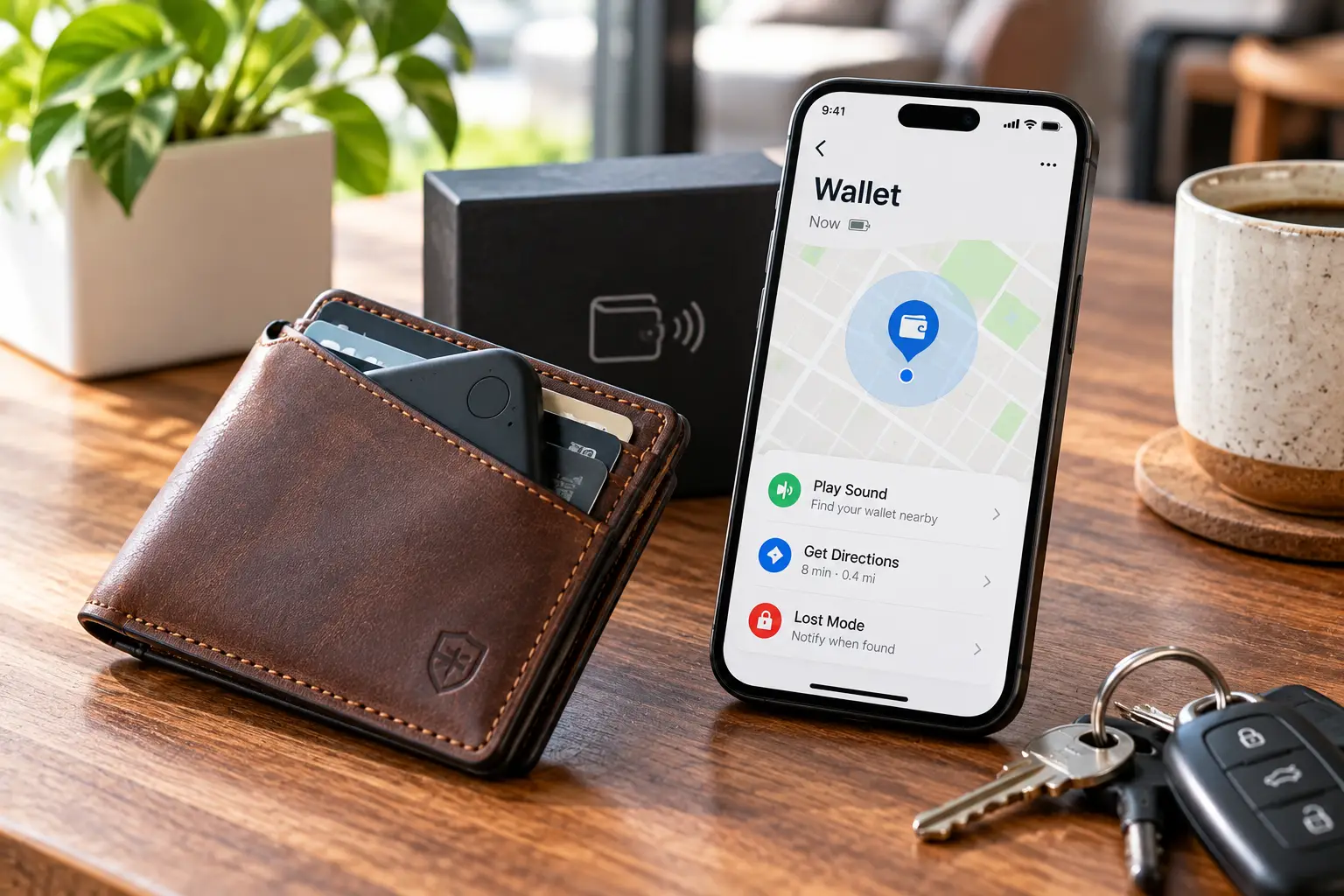
Wallets with tracking are wallets that carry a built-in or card-shaped Bluetooth tracker, letting you ring the wallet, see its last location on a map, and get “left behind” alerts on your phone. They rely on Bluetooth Low Energy and nearby phones—not true GPS—to report location.
That last detail matters, and we’ll come back to it, because it shapes everything from battery life to how well tracking works in a rural area versus downtown Chicago.
In this guide, you’ll get an honest look at seven real options available to US shoppers—from a budget leather bifold to premium aluminum cardholders—plus setup tips, a buyer decision framework, a cost-of-ownership breakdown, and the privacy rules every tracker owner should know. No fake “I tested this for six months” stories here: the analysis is built from manufacturer spec sheets, published reviews, and the patterns that show up again and again in customer feedback.
Quick Comparison: The Best Wallets with Tracking at a Glance
| Product | Style | Tracking Network | Power | Best for |
|---|---|---|---|---|
| ESR HaloLock Geo Wallet Stand | MagSafe wallet + stand | Apple Find My (built-in) | Rechargeable | ESR HaloLock Geo Wallet Stand: iPhone users who want one accessory |
| Ridge Wallet + Ridge Tracker Card | Metal minimalist + card | Find My (newer version adds Find Hub) | Qi/MagSafe wireless charging | Ridge Wallet + Ridge Tracker Card: durability fans |
| Ekster Parliament + Tracker Card | Leather bifold with pop-up cards | Find My / Find Hub (newest cards) | Solar | Ekster Parliament + Tracker Card: people who hate charging |
| Chipolo x Secrid Trackable Miniwallet | Aluminum cardprotector + leather | Find My or Find Hub | Qi wireless | Chipolo x Secrid Trackable Miniwallet: mixed iPhone/Android homes |
| ExtreLife Find My Bifold Wallet | Classic leather bifold | Apple Find My (built-in) | Rechargeable | ExtreLife Find My Bifold Wallet: budget traditionalists |
| Chipolo CARD | Tracker card for any wallet | Find My or Find Hub | Qi wireless | Chipolo CARD: keeping the wallet you already love |
| eufy SmartTrack Card E30 | Tracker card for any wallet | Apple Find My | Rechargeable (magnetic USB-C) | eufy SmartTrack Card E30: longest time between charges |
Looking at the table, the first fork in the road isn’t price—it’s your phone. If you carry an Android device, your realistic shortlist shrinks to the Chipolo x Secrid Trackable Miniwallet, the Chipolo CARD, the newest Ekster Parliament + Tracker Card, and the newer Find Hub version of the Ridge Wallet + Ridge Tracker Card. iPhone owners get the full menu, with the ESR HaloLock Geo Wallet Stand standing out as the most “set it and forget it” option because the tracker lives inside the wallet itself.
💬 One click helps other shoppers make an informed choice too! 😊
Top 7 Wallets with Tracking: Expert Analysis
1. ESR HaloLock Geo Wallet Stand — best all-in-one for iPhone
The ESR HaloLock Geo Wallet Stand folds wallet, phone stand, and a full Find My module into one MagSafe accessory, so there’s no separate tag to forget.
ESR rates its HaloLock magnets at a 1,500 g holding force—more than double the original Apple MagSafe Wallet—which, in practice, means it’s far less likely to peel off when you slide your phone out of a tight jeans pocket. Because the tracker is built in, the wallet keeps reporting its own location even after it detaches from your iPhone. That’s the scenario that actually causes losses: the wallet falls off in a rideshare while the phone stays in your hand.
Here’s what to weigh: this is a three-card wallet. It’s built for the “license, one credit card, one transit card” crowd, not for anyone carrying a deck of loyalty cards. It also only makes sense if you already use an iPhone with MagSafe (or a MagSafe-compatible case).
Reviews consistently report that the magnet hold is strong, the Find My setup is painless, and the chime is loud enough to hear from inside a bag. The most common gripes are cosmetic (some buyers dislike the “Find My” printing on the back) and that the list price feels steep compared with frequent sale pricing.
Pros:
- ✅ Tracker is built in, not a separate card
- ✅ Strong magnetic hold for a MagSafe wallet
- ✅ Doubles as a phone stand for video calls
Cons:
- ❌ Holds only about three cards comfortably
- ❌ Apple Find My only—no Android tracking
Typically in the $40–$60 range (check the current price), it’s strong value for iPhone users who want tracking with zero extra bulk.
2. Ridge Wallet + Ridge Tracker Card — toughest build with a loud ringer
The Ridge Wallet + Ridge Tracker Card pairs one of America’s best-known metal minimalist wallets with a credit-card-shaped tracker rated at a loud 95 dB.
The Tracker Card uses a 155 mAh battery that charges on any Qi or MagSafe pad—so the charger already on your nightstand does the job. It’s also IP67-rated, meaning a spilled drink or a rainy commute won’t kill it. Ridge’s current listing describes a version that works with both Apple Find My and Google Find Hub and is rated for up to 10 months per charge; earlier units were Find My–only and rated around 5 months. Before you buy, confirm which version the listing shows.
On paper, this is the best pick for people who are hard on their gear. The aluminum or titanium Ridge shell blocks skimming and shrugs off scratches, and the card slips under the cash strap. One honest caveat comes from Ridge itself: range inside a metal wallet can vary, and the company recommends placing the card under the strap for best performance.
Customer feedback tends to praise how loud the ringer is and how cleanly the card fits; the recurring theme on the downside is the combined price of wallet plus card.
Pros:
- ✅ 95 dB ringer is among the loudest in cards
- ✅ Wireless charging on standard Qi pads
- ✅ Rugged metal wallet built to last years
Cons:
- ❌ Metal shell can reduce Bluetooth range
- ❌ Wallet and card add up quickly
Expect roughly $120–$200 for the pair depending on wallet finish—fair value if you want a wallet you’ll carry for a decade.
3. Ekster Parliament + Tracker Card — solar power, no cables
The Ekster Parliament + Tracker Card stands out because its tracker recharges from light instead of a cable.
The Parliament itself is a slim leather bifold with a push-button mechanism that fans your cards out—handy at a busy register. Its card-protecting core blocks RFID skimming. The tracker card slides into a rear pocket and uses a small solar panel; Ekster’s guidance has long been that a few hours of light can keep it running for months. Per Chipolo’s support documentation, the newest Ekster tracker cards are designed to work with Apple Find My and Google Find Hub, while older ones used the Chipolo app—so check which generation you’re getting.
What most buyers overlook: solar is only “zero effort” if you remember to leave the card on a sunny windowsill now and then. If your wallet lives in a dark pocket 24/7, you’ll still need a habit.
Published reviews consistently love the quick card access and the no-batteries design. The two most repeated criticisms are added thickness once the tracker is inside and a ringer that some reviewers found quieter than competing trackers. A few left-handed users also note the trigger favors the right hand.
Pros:
- ✅ Solar charging means no cables or coin cells
- ✅ Pop-up card mechanism speeds up checkout
- ✅ Polished full-grain leather look
Cons:
- ❌ Tracker adds noticeable thickness
- ❌ Ringer is quieter than top competitors
Combined, plan on roughly $100–$140 (Ekster often discounts the card when bundled), a reasonable price for a premium leather smart wallet.
4. Chipolo x Secrid Trackable Miniwallet — best for mixed iPhone and Android homes
The Chipolo x Secrid Trackable Miniwallet is a wallet designed around its tracker from the ground up, not a tracker stuffed into a wallet.
Secrid’s aluminum Cardprotector slides cards out with a lever and blocks skimming, while the Chipolo CARD sits in a dedicated rear pocket with a cutout that, according to the brands, boosts its speaker by about 3 dB. The card itself is rated up to 110 dB, recharges on a Qi pad, and can be registered on either Apple Find My or Google Find Hub. That flexibility is the real headline: if you switch phones, you don’t have to switch wallets.
Based on comparing the specs, this is the most complete premium option for Android users, a group that historically had very few good choices in this category. Made in Europe, with the card built from at least 50% recycled plastic, it also appeals to sustainability-minded buyers.
Reviews are more mixed than the specs suggest. Android Authority called it overrated relative to its price, a Dutch review noted the card forces a specific layout when the wallet is packed, and TechRadar’s Dutch edition pointed out the bundle costs more than buying the two parts separately.
Pros:
- ✅ Works with Apple Find My or Google Find Hub
- ✅ Very loud ringer amplified by the wallet
- ✅ Aluminum card case blocks skimming
Cons:
- ❌ Pricier than buying components separately
- ❌ Tight fit when the wallet is fully loaded
Launched at around $140, it’s best value for buyers who want a premium, cross-platform design rather than the cheapest route.
5. ExtreLife Find My Bifold Wallet — classic bifold on a budget
The ExtreLife Find My Bifold Wallet proves you don’t need to give up the traditional bifold to get tracking.
The Find My tracker is hidden inside the leather, so there’s no tag bulge, and it supports the full Find My feature set: map location, play sound, left-behind notifications, and Lost Mode, with no subscription. It recharges rather than relying on coin cells, and published roundups commonly cite about four months per charge. Some ExtreLife variants also add an ID window, multiple card slots, and RFID blocking.
Here’s what to weigh: ExtreLife sells several “Find My” wallets with different sizes and slot layouts, and thickness varies by model—some roundups describe certain versions as close to 0.8 inches. Read the dimensions on the specific listing before you buy, especially if you carry in a front pocket.
Verifiable review volume is modest compared with Ridge or ESR, so treat any star rating with caution. The feedback that is available centers on convenience—buyers like not needing a separate AirTag—and on the price, which has dipped near $25 during deals.
Pros:
- ✅ Built-in Find My with no extra tag
- ✅ Familiar bifold with cash pocket
- ✅ Lowest entry price in this lineup
Cons:
- ❌ iPhone only—no Android support
- ❌ Fewer verified long-term reviews
Usually somewhere in the $25–$40 range, it’s the strongest value pick for iPhone users who want a conventional wallet.
6. Chipolo CARD — turn any wallet into a tracking wallet
The Chipolo CARD is for people who already own a wallet they love and simply want to make it findable.
At about 2.5 mm thick—roughly two credit cards—the Chipolo CARD fits in most card slots. It’s rated for up to 110 dB with an outward-facing corner speaker (so the sound isn’t muffled by leather), charges wirelessly on Qi pads, and lasts up to roughly six months per charge. You register it on Apple Find My or Google Find Hub, and the Chipolo app adds extras like custom ringtones and pressing the card to ring your phone.
Honest analysis: this is the most flexible pick on the list. It works in a Bellroy, a Fossil bifold, a passport holder, or a laptop sleeve. The trade-off is that a separate card can be removed, forgotten, or swapped into another wallet—something a built-in tracker avoids.
Customer feedback on Trustpilot and retailer pages repeatedly mentions successfully finding a lost wallet, and expert roundups single out the loud alarm. The main recurring complaint is remembering to recharge it twice a year.
Pros:
- ✅ Fits nearly any existing wallet
- ✅ Cross-platform Find My or Find Hub
- ✅ Corner speaker stays loud inside leather
Cons:
- ❌ Needs recharging about every six months
- ❌ Separate card is easy to misplace
Generally around $30–$45, it delivers excellent value if you’d rather not replace your wallet.
7. eufy SmartTrack Card E30 — up to a year per charge
The eufy SmartTrack Card E30 is the low-maintenance pick: eufy rates it for up to a full year on a single charge.
It works with Apple Find My for global location, left-behind alerts, and Lost Mode, and it adds a second layer through the eufy Security app, including location sharing with family and a double-tap to ring your iPhone even when it’s on silent. It’s water-resistant and charges through an included USB-C magnetic adapter. The alarm is rated at 80 dB—quieter than Ridge or Chipolo.
What the spec sheet doesn’t say, but the numbers imply: a yearly charge cycle is a big deal for people who forget chores. You can literally set a calendar reminder for your birthday and be done. The quieter alarm means it’s less ideal if your wallet tends to vanish into noisy places.
Reviews consistently describe charging as easy and the added thickness as barely noticeable. The most common limitation, which eufy states plainly, is that it does not work with Android.
Pros:
- ✅ Up to one year per charge
- ✅ Extra features through the eufy app
- ✅ Slim enough for most card slots
Cons:
- ❌ 80 dB alarm is quieter than rivals
- ❌ Not compatible with Android phones
Usually priced around $25–$35, it’s the best value for iPhone users who want the fewest recharges.
Head-to-Head: All 7 Compared
| Product | Phone Support | Alarm | Battery Life (claimed) | Card Capacity | Price Range | Best for |
|---|---|---|---|---|---|---|
| ESR HaloLock Geo Wallet Stand | iPhone | Loud chime | Months per charge | ~3 cards | $40–$60 | ESR HaloLock Geo Wallet Stand: MagSafe users |
| Ridge Wallet + Ridge Tracker Card | iPhone (Android on newer card) | 95 dB | 5–10 months | Up to ~12 cards | $120–$200 | Ridge Wallet + Ridge Tracker Card: rugged everyday carry |
| Ekster Parliament + Tracker Card | iPhone/Android (newest card) | Moderate | Solar-topped | ~5–8 cards | $100–$140 | Ekster Parliament + Tracker Card: no-cable fans |
| Chipolo x Secrid Trackable Miniwallet | iPhone or Android | Up to 110 dB (+3 dB cutout) | ~6 months+ | ~4–6 cards + notes | ~$140 | Chipolo x Secrid Trackable Miniwallet: cross-platform premium |
| ExtreLife Find My Bifold Wallet | iPhone | Standard | ~4 months | 6–10 slots (by model) | $25–$40 | ExtreLife Find My Bifold Wallet: budget bifold |
| Chipolo CARD | iPhone or Android | Up to 110 dB | ~6 months | Your wallet | $30–$45 | Chipolo CARD: existing wallets |
| eufy SmartTrack Card E30 | iPhone | 80 dB | Up to 12 months | Your wallet | $25–$35 | eufy SmartTrack Card E30: fewest recharges |
Reading across the rows, the trade-off is clear: the loudest alarms (Chipolo CARD, Ridge Wallet + Ridge Tracker Card) need charging more often, while the longest-lasting card (eufy SmartTrack Card E30) is the quietest. Built-in designs like the ESR HaloLock Geo Wallet Stand and ExtreLife Find My Bifold Wallet win on “can’t forget the tracker,” but they lock you into the iPhone ecosystem.
✨ Don’t miss these smart picks!
🔍 Take your everyday carry to the next level with this carefully curated lineup. Click a highlighted item to check current pricing and availability. These picks will help you stop the pocket-pat panic for good—and save you a very bad afternoon at the DMV!
How to Set Up Your Wallet with Tracker: Your First 30 Days
Buying a wallet with tracker is step one. Configuring it properly is what actually gets your wallet back. Here’s a practical first-month plan that most listings never mention.
Day 1: Charge before you pair
Charge the tracker fully before setup, even if it arrived with some power. A full charge gives you an accurate baseline for how fast the battery drains in your real routine.
Day 1: Pair and name it clearly
- 📱 iPhone: Open Find My → Items → + → Add Other Item, then follow the prompts.
- 🤖 Android: Most Find Hub trackers pair through Fast Pair—just bring the tracker near your phone and tap the pop-up.
Name it something obvious like “Wallet,” and pick the wallet icon. When you’re stressed, you don’t want to decode “Tracker-4B2.”
Day 2: Turn on left-behind alerts
This is the single most valuable setting. On iPhone, open the item in Find My and enable Notify When Left Behind. Add your home as a trusted location so you’re not pinged every time you leave your wallet on the kitchen counter.
Week 1: Test it in real places
Leave the wallet in your car and walk into a store. Did you get the alert? How long did it take? Testing in a low-stakes moment tells you exactly how much to trust it in a high-stakes one.
Week 2: Add your contact info
Enable Lost Mode details (a phone number or email) so a stranger who finds your wallet can tap their phone on the tracker and reach you.
Day 30: Check battery drain
Look at the battery level after a month. If a “6-month” card dropped by a third, reposition it (away from metal plates) or adjust your expectations and set a charging reminder.
Common first-month mistakes: skipping left-behind alerts, storing the card behind a metal plate, and never testing the alarm volume inside a bag.
Which Tracking Wallet Fits Your Life? Three Real-World Scenarios
Specs only matter in context. Here are three common buyer profiles and the tracking wallet that fits each one best.
🎓 The college student on a tight budget
Profile: iPhone, roughly $40 to spend, carries an ID, a debit card, a campus card, and some cash. Moves between dorm, library, and dining hall daily—prime territory for leaving things behind.
Best match: the ExtreLife Find My Bifold Wallet. It keeps a familiar layout with room for cash and an ID window, and it costs about what a standalone tracker card does. On a busy campus packed with iPhones, the Find My network is dense, so location updates should come quickly.
Runner-up: the eufy SmartTrack Card E30 slipped into a wallet the student already owns, if they’d rather not charge often.
💼 The business traveler
Profile: flies 2–3 times a month, carries corporate cards and a passport, uses an iPhone for work and sometimes an Android for personal use. Budget is flexible.
Best match: the Ridge Wallet + Ridge Tracker Card (newer Find Hub–compatible version) or the Chipolo x Secrid Trackable Miniwallet. Both block skimming, both survive constant handling, and both offer cross-platform support on their latest versions. The Ridge’s loud 95 dB ringer helps in hotel rooms; the Secrid’s lever makes cards fast at TSA and rental counters.
👵 The forgetful retiree
Profile: prefers a classic bifold, doesn’t want to think about charging, uses an iPhone set up by a family member.
Best match: the eufy SmartTrack Card E30 in their current wallet. A once-a-year charge can be tied to a birthday, and the eufy app lets a family member share the item’s location—useful for adult children helping a parent.
Problem → Solution: Fixing the Most Common Tracking Wallet Headaches
Even the best tracking wallet runs into real-world hiccups. Here are the five problems owners mention most, with fixes.
Problem 1: “The location is hours old.”
Solution: These trackers don’t have GPS; they report location only when a nearby phone passes by. In a quiet suburb or rural area, updates are slower. Rely on left-behind alerts so you’re notified before the wallet is far away—prevention beats searching.
Problem 2: “I can’t hear the alarm.”
Solution: Move the card out from behind metal or thick leather, or choose a louder model. The Chipolo CARD and Ridge Wallet + Ridge Tracker Card are rated at 110 dB and 95 dB, respectively, versus 80 dB for the eufy SmartTrack Card E30.
Problem 3: “The battery died and I didn’t notice.”
Solution: Set a recurring calendar reminder based on the claimed battery life minus a month. For solar models like the Ekster Parliament + Tracker Card, leave the card on a sunny windowsill for an afternoon each season.
Problem 4: “My Android phone can’t see it.”
Solution: Check the label. Many cards, including the ESR HaloLock Geo Wallet Stand and the ExtreLife Find My Bifold Wallet, are Apple-only. If you’re on Android, pick a Find Hub–compatible option.
Problem 5: “Someone got an alert about my wallet.”
Solution: That’s an anti-stalking feature working as intended. If your wallet is with a partner or family member for an extended time, share the item through Find My or Find Hub so they’re not alarmed.
How to Choose Wallets with Tracking: 7 Steps
Choosing among wallets with tracking gets easier when you go in the right order.
- Start with your phone. Apple Find My trackers need an iPhone; Find Hub trackers need Android. Cross-platform cards cover both but usually register to one network at a time.
- Decide built-in vs. card. Built-in trackers can’t be forgotten; cards let you keep your current wallet.
- Match capacity to your real carry. Count your everyday cards. A three-card MagSafe wallet won’t work for an eight-card habit.
- Check the alarm rating. Anything at 90 dB and above is easier to hear inside a couch or bag.
- Pick a charging style you’ll actually use. Qi pad, USB-C, solar, or a year-long battery—choose based on your habits, not the spec sheet.
- Look for skimming protection. If you carry contactless cards, an RFID-blocking design is a sensible bonus.
- Confirm the version on the listing. Brands like Ridge and Ekster have shipped multiple tracker generations with different networks and battery ratings.
Follow these steps and the shortlist usually narrows to two or three products in minutes.
Built-In Tracker vs. Wallet Tracker Card vs. AirTag Holder
There are three ways to make a wallet findable, and each solves a different problem.
A built-in tracker (like the ESR HaloLock Geo Wallet Stand or ExtreLife Find My Bifold Wallet) is permanently part of the wallet. You can’t forget to move it. The downside: when the battery eventually degrades, you may need to replace the whole wallet.
A wallet tracker card (like the Chipolo CARD or eufy SmartTrack Card E30) is credit-card-shaped and slides into a slot. It’s the most flexible option and the easiest to replace. The wallet tracker card category is also where you’ll find the widest cross-platform support.
An AirTag holder wallet uses Apple’s coin-shaped AirTag in a dedicated pocket. AirTags offer Precision Finding on compatible iPhones, but the round puck adds a visible bump, which is exactly why card trackers became popular.
| Approach | Thickness Impact | Forget-Proof? | Battery Replacement | Best for |
|---|---|---|---|---|
| Built-in tracker | Minimal | Yes | Often tied to the wallet | ExtreLife Find My Bifold Wallet-style all-in-one buyers |
| Wallet tracker card | ~2–3 mm | No | Recharge or replace card | Chipolo CARD owners of existing wallets |
| AirTag holder | Noticeable bump | Partly | Coin cell swap | iPhone users who want Precision Finding |
The table makes one thing obvious: there’s no free lunch. Built-in trackers win on convenience but tie the tracker’s lifespan to the wallet, while card trackers keep your options open at the cost of a few millimeters. AirTag holders only make sense if you specifically value Precision Finding over slimness.
Smart Wallet with Find My vs. Google Find Hub: Why the Network Matters
The network your tracker uses determines how likely you are to recover a wallet that’s truly lost—not just misplaced in your house.
A smart wallet with Find My taps into Apple’s network of iPhones, iPads, and Macs. In most US cities, that network is extremely dense, which is why a smart wallet with Find My often updates its location quickly even in a crowded airport. The catch is obvious: you need an Apple device to use it.
Google’s Find Hub (previously called Find My Device) does the same with Android phones. It has grown quickly, and products like the Chipolo CARD, Chipolo x Secrid Trackable Miniwallet, and the newer Ridge Wallet + Ridge Tracker Card now support it.
Two practical notes most buyers miss:
- Cross-platform doesn’t mean both at once. Most dual-network cards register to one ecosystem at a time. If you switch phones, you’ll typically reset and re-pair.
- Families should standardize. If one partner uses iPhone and the other uses Android, a Find Hub–capable card avoids frustration.
If you’re shopping for a smart wallet with Find My specifically, the ESR HaloLock Geo Wallet Stand is the most seamless; for Android, the Chipolo x Secrid Trackable Miniwallet is the most polished.
Features That Actually Matter (and Ones That Don’t)
Marketing copy for tracking wallets is full of buzzwords. Here’s how to sort the useful from the fluff.
✅ Features that matter
- Left-behind alerts: This is the feature that prevents losses rather than just helping recover them.
- Network support: Find My or Find Hub compatibility matters far more than a brand’s own app.
- Alarm loudness: The difference between 80 dB and 110 dB is huge when the wallet is under a car seat.
- Battery approach: Rechargeable or solar beats a sealed battery that dies with no replacement option.
- Skimming protection: RFID-blocking materials, like Secrid’s aluminum case or Ridge’s metal plates, are a sensible extra for contactless cards.
❌ Features that don’t matter much
- “GPS” in the product title: These are Bluetooth trackers. A listing that says “GPS wallet” usually means “uses phones that have GPS.”
- Huge Bluetooth range claims: A 400-foot rating applies in open air. Inside a pocket, expect much less.
- Selfie-remote buttons: Fun, but rarely a reason to choose one wallet over another.
The takeaway: prioritize network, alerts, and loudness. Everything else is a tiebreaker.
Long-Term Cost and Battery Life
The sticker price is only part of the story. Here’s a rough three-year cost of ownership, using today’s typical price ranges and claimed battery behavior.
| Product | Upfront Range | Ongoing Cost | 3-Year Outlook | Best for |
|---|---|---|---|---|
| ExtreLife Find My Bifold Wallet | $25–$40 | Electricity only | Leather wear; tracker lifespan unverified | ExtreLife Find My Bifold Wallet: lowest upfront |
| eufy SmartTrack Card E30 | $25–$35 | ~1 charge/year | Low maintenance | eufy SmartTrack Card E30: fewest chores |
| Chipolo CARD | $30–$45 | ~2 charges/year | Card can move to a new wallet | Chipolo CARD: flexibility |
| Ridge Wallet + Ridge Tracker Card | $120–$200 | Wireless charges | Wallet built to last many years | Ridge Wallet + Ridge Tracker Card: longest-lived wallet |
Here’s how to read it: the cheapest wallet isn’t automatically the cheapest to own. A durable metal wallet with a replaceable card can outlast two or three budget bifolds, while a removable card like the Chipolo CARD moves with you when your wallet wears out. Rechargeable lithium batteries also lose capacity over time, so expect “six months per charge” to shrink after a few years of use.
Safety, Privacy, and Standards
Wallets with tracking raise reasonable privacy questions—both about your data and about misuse.
Anti-stalking protections: Apple and Google co-developed an industry specification, Detecting Unwanted Location Trackers, so iPhone and Android users can get alerts if an unknown tracker is moving with them. Apple’s personal safety guide on unwanted tracking explains how these alerts work and what to do if you receive one. For owners, this means a tracker that travels with someone else for a while may trigger an alert on their phone—normal behavior, not a defect.
Encryption: Apple’s Find My network uses end-to-end encryption for location reports, so the location of your wallet isn’t visible to Apple or to the phones that relay it.
FCC and battery rules: Bluetooth trackers sold in the US must comply with FCC rules for radio devices—look for an FCC ID on the packaging or the product. Lithium batteries also face shipping limits, which is why Ridge, for example, caps how many Tracker Cards ship per order.
Legal use: Track your own belongings only. Using a tracker to follow another person without consent can violate state laws, and many states have strengthened rules around electronic tracking.
Common Mistakes to Avoid When Buying a Tracking Wallet
A few predictable errors account for most buyer regret in this category.
- Buying the wrong ecosystem. An Apple-only tracking wallet is useless to an Android user—and the listing title may not make that obvious.
- Ignoring thickness. Some built-in bifolds approach 0.8 inches. If you front-pocket carry, check dimensions.
- Overpacking a minimalist wallet. Stuffing a fourth card into a three-card design stretches it and can push the tracker out of position.
- Trusting “GPS” claims. Real-time GPS needs cellular service and usually a subscription; wallet trackers don’t do that.
- Forgetting the version. Two listings with nearly identical names can ship different tracker generations.
- Skipping return-policy checks. Since tracker performance varies by phone and environment, buy where returns are easy so you can test in your own routine.
Avoid these, and any wallet in this guide is likely to serve you well.
Wallets with Tracking for Families, Commuters, and Outdoor Lovers
Different lifestyles stress wallets with tracking in different ways, so the “best” pick shifts.
👨👩👧 Families
Shared tracking is the priority. Find My lets you share an item with family members, and the eufy app adds its own sharing layer. The eufy SmartTrack Card E30 is a smart fit for teens with iPhones, since parents won’t have to nag about charging more than once a year.
🚇 Daily commuters
Public transit is where wallets disappear. A MagSafe design like the ESR HaloLock Geo Wallet Stand reduces fumbling at turnstiles, and left-behind alerts are your best friend when you step off a train.
🏕️ Outdoor and travel lovers
Water resistance and durability matter. The IP67-rated card in the Ridge Wallet + Ridge Tracker Card handles rain, while the solar-powered Ekster Parliament + Tracker Card makes sense on long trips without convenient chargers. Remember that remote trails have few passing phones, so the network can’t report location as often.
FAQ: Wallets with Tracking
❓ Do wallets with tracking require a monthly subscription?
❓ Can I buy a tracking wallet that works with both iPhone and Android?
❓ Is a wallet tracker card better than an AirTag in a wallet?
❓ How long do batteries last in wallets with tracking?
❓ Will a tracker card interfere with my credit cards or phone payments?
Conclusion: Pick the Tracking Wallet That Matches Your Habits
The best wallets with tracking don’t just help you find a lost wallet—they keep you from losing it in the first place, mostly thanks to left-behind alerts. Your choice really comes down to three questions: Which phone do you carry? Do you want the tracker built in or removable? And how often are you willing to charge it?
If you’re an iPhone user who wants a single accessory, the ESR HaloLock Geo Wallet Stand is the cleanest solution. Budget shoppers who love a classic layout should look at the ExtreLife Find My Bifold Wallet. If you’re hard on gear, the Ridge Wallet + Ridge Tracker Card is built to last. Cable-haters will appreciate the solar Ekster Parliament + Tracker Card, and mixed iPhone-and-Android households are best served by the Chipolo x Secrid Trackable Miniwallet. Want to keep your current wallet? The Chipolo CARD and eufy SmartTrack Card E30 turn almost any wallet into a trackable one.
And because no tracker is a guarantee, have a backup plan: know how to freeze your cards and follow the FTC’s guidance on lost or stolen credit, ATM, and debit cards if your wallet doesn’t come back.
🚀 Ready to never lose your wallet again?
👉 Check the highlighted picks above for current pricing and availability, choose the one that fits your phone and your routine, and give yourself the peace of mind of a wallet that always tells you where it is!
Recommended for You
- Best Indoor Cat Barrier: 7 Options for Every Home
- Wireless Fence for 2 Dogs: 7 Best Heavy-Duty Containment Systems
- Best Shock Collar for Stubborn Dogs: 7 Smart Picks for 2026
Disclaimer: This post contains affiliate links. As an Amazon Associate, I earn from qualifying purchases made through these links, at no additional cost to you.
✨ Found this article helpful? Share it with someone who needs it! 💬🤗