
In This Article
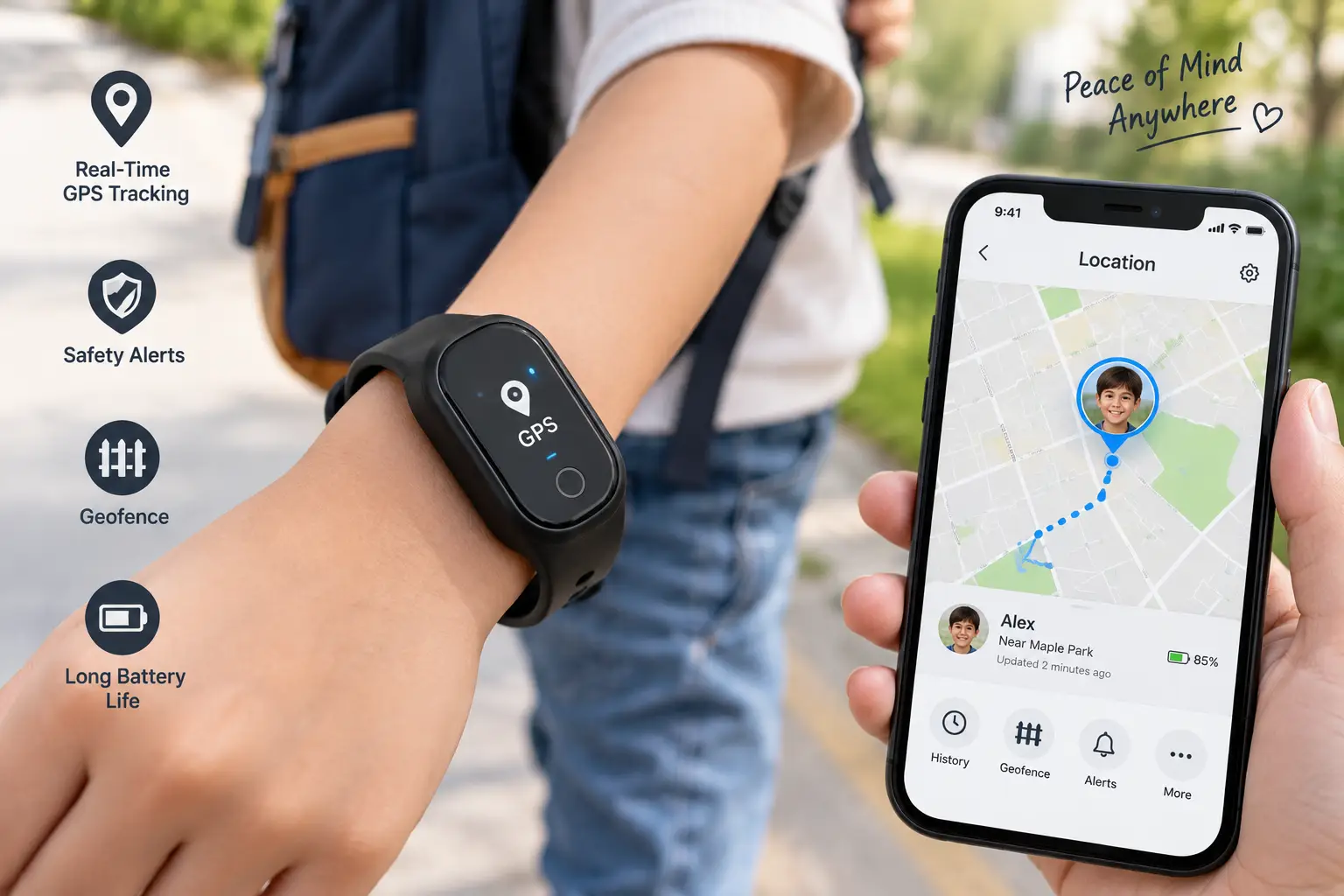
A gps tracker wristband is a wearable device that uses satellite positioning, cellular data, or Bluetooth networks to report a wearer’s real-time location to a caregiver’s phone or app. Unlike a phone you can leave behind or a car tracker bolted under a dashboard, a wristband stays on the body, which is exactly why so many parents, adult children of aging parents, and caregivers for people with autism or dementia keep coming back to this specific product category. You’re not just buying a gadget here — you’re buying a small piece of reassurance that travels wherever your loved one goes.
The category has grown up a lot since the clunky, battery-hungry bands of a decade ago. Today’s gps tracker wristband options span everything from a $30 Bluetooth clip with no monthly fee to a $200-plus cellular device with a built-in speakerphone and fall detection. That range matters, because the “best” wristband for a 7-year-old walking to school is rarely the right pick for a grandparent managing early-stage dementia, and neither is automatically right for a teenager who just wants their parents to stop texting “where are you” every twenty minutes.
In this guide, we dug into real spec sheets, manufacturer documentation, and aggregated customer feedback across seven current models — not a rehash of an Amazon listing, but an honest comparison of what each device actually does well and where it falls short. You’ll find a quick comparison table, a deep dive into each of the seven picks, a buyer’s framework organized by real-life scenarios, and answers to the questions parents and caregivers ask most. As the official U.S. government GPS resource explains, satellite positioning works by triangulating signals from at least four satellites — but the wristband itself, its battery life, its subscription cost, and how it’s actually worn are what separate a device you’ll use every day from one that ends up in a drawer after two weeks.
Quick Comparison: GPS Tracker Wristbands at a Glance
Before diving into the full breakdown, here’s how the seven picks stack up on the factors that matter most for day-to-day use.
| Wristband | Best For | Tracking Type | Monthly Fee | Price Range |
|---|---|---|---|---|
| Jiobit Gen 3 | Discreet all-day tracking for kids or pets | Cellular + Wi-Fi + Bluetooth + GPS | Required | Around $80–$100 |
| TickTalk 5 | Kids who want calling plus location | 4G LTE cellular GPS | Required | Around $150–$170 |
| AngelSense GPS Watch | Autism, special needs, and elderly wandering risk | 4G LTE cellular GPS | Required | Around $200–$230 |
| SecuLife SOS Wristband | Seniors who need fall detection | Cellular GPS | Required | Around $50–$90 |
| Pebblebee Clip 5 | Budget-conscious buyers who hate subscriptions | Bluetooth (Find My / Find Hub network) | None (optional upgrade) | Around $30–$40 |
| Xplora XGO3 | Families wanting a full kids’ smartwatch | 4G LTE + Wi-Fi + LBS | Required | Around $130–$170 |
| SxingUxing Kids Wristband | Tightest budget, casual supervision | Bluetooth (Find My network) | None | Around $20–$35 |
Looking at the table above, the split really comes down to two questions: do you need true real-time cellular tracking with no distance limit, or is a Bluetooth-based “Find My” network band enough for your situation? The Jiobit Gen 3 and AngelSense GPS Watch sit at opposite ends of the cellular category — one prioritizes battery life and discretion, the other prioritizes safety features for higher-risk situations. Meanwhile, the Pebblebee Clip 5 and SxingUxing Kids Wristband skip the monthly fee entirely by relying on crowdsourced device networks instead of a dedicated cellular chip, which is a fundamentally different (and more limited) kind of tracking.
💬 One click helps other shoppers make an informed choice too! 😊
Top 7 GPS Tracker Wristbands: Expert Analysis
We picked these seven models to cover entry-level, mid-range, and premium price points, plus the three audiences that search for a gps tracker wristband most often: kids, seniors, and people with special needs or wandering risk. Every price below is a range, since Amazon pricing shifts constantly — always check the current price before buying.
1. Jiobit Gen 3 — smallest and longest battery life in its class
The standout feature here isn’t a screen or a speaker — it’s what Jiobit leaves out. This 0.6-ounce clip-on device has no power button, no display, and no complicated setup, which is exactly why it disappears onto a wristband, backpack strap, or collar and stays there. Jiobit blends cellular, Wi-Fi, Bluetooth, and GPS signals through what the company calls “Progressive Beaconing” — essentially, the device intelligently switches between location methods to preserve battery, which is how it stretches to as long as 30 days per charge depending on how often you check live location. In practice, that means far fewer “the tracker died again” moments than older cellular-only trackers, which is the single biggest complaint about this device category historically.
Who this is for: parents of younger kids who need discretion (nothing that looks like a smartwatch), families tracking an aging parent who won’t tolerate a bulky device, and pet owners who want one platform for the whole household. Reviews consistently highlight the battery life as the reason people stick with Jiobit after trying competitors, though a recurring theme in aggregated feedback is that, like any cellular device, it loses signal in true dead zones — basements, rural areas, parking garages — until the wearer re-enters coverage. That’s not a Jiobit-specific flaw; it’s a physics problem every cellular tracker on this list shares.
Pros:
- ✅ Up to 30 days of battery life between charges
- ✅ Small enough that kids and pets ignore it after day one
- ✅ Works across cellular, Wi-Fi, and Bluetooth for reliable fixes
Cons:
- ❌ Requires an ongoing data subscription to function
- ❌ No screen, so the wearer can’t check their own location
Device pricing sits around $80–$100, with a required monthly plan running roughly $10–$25 depending on how often you use live tracking. For a set-and-forget device that quietly does its job for weeks at a time, Jiobit Gen 3 offers strong value if you don’t need two-way calling.
2. TickTalk 5 — best all-in-one for kids who need a real phone alternative
The TickTalk 5 is less a “tracker” in the traditional sense and more a full 4G LTE smartwatch phone built specifically for kids ages 3 to 12. On paper, the headline features are voice and HD video calling, texting, and an AI-powered “SmartPin” location system that refines GPS accuracy over time by learning the family’s common routes. What that means in practice: instead of a single static blip on a map, the location marker gets progressively more precise as the watch learns where your child’s school, home, and after-school activities actually sit relative to nearby cell towers and Wi-Fi access points.
Where this model earns its spot on the list is the 40-plus parental controls — approving contacts one by one, setting school-hour do-not-disturb windows, and instantly disabling the watch remotely if it’s lost or misused. Reviews consistently point to the two-way video calling as the feature kids actually enjoy, which matters for adoption; a tracker a child resents wearing gets left in a backpack. On the flip side, aggregated feedback flags the $9.99-per-month plan as an ongoing cost families sometimes forget to budget for, and the watch is only compatible with AT&T or T-Mobile networks in the U.S., not Verizon or Cricket.
Pros:
- ✅ Two-way voice and video calling kids actually want to use
- ✅ AI SmartPin learns and sharpens location accuracy over time
- ✅ 40+ parental controls including school-hour restrictions
Cons:
- ❌ Only works with AT&T or T-Mobile networks
- ❌ Monthly plan is a separate ongoing cost beyond the device price
Expect to pay in the $150–$170 range for the device itself, plus a plan starting around $10 a month. For families who want their child connected, not just located, TickTalk 5 is hard to beat at this price tier.
3. AngelSense GPS Watch — premium safety platform for autism, dementia, and elopement risk
AngelSense was built for a narrower, higher-stakes use case than the other watches on this list: keeping track of children with autism or special needs, and adults with dementia or Alzheimer’s, who are at real risk of wandering or elopement. The 47.5mm watch pairs continuous, all-day real-time GPS with an auto-answer, two-way assistive speakerphone — meaning a caregiver can listen in and talk without the wearer needing to do anything, which matters enormously for nonverbal users or people in a panic. What sets this apart from a standard kids’ smartwatch is the “AI Risk Alerts” system, which learns the wearer’s daily routine and proactively flags anomalies like an early departure from school, an unexpected location, or a late school bus — rather than waiting for the caregiver to manually check.
The honest tradeoff is cost. At roughly $200–$230 for the device (frequently discounted or bundled free with a signed annual contract) and a required monthly plan that typically runs $50–$65, this is the most expensive device on our list by a wide margin. Aggregated reviews and case testimonials describe real situations where the alerting system caught a wandering incident or a bullying situation on a school bus before it escalated — the kind of outcome that, for families managing a genuine elopement risk, tends to justify the price. For a family that simply wants to know where a typically-developing teenager is after school, this device is significant overkill.
Pros:
- ✅ Auto-answer two-way speakerphone needs no action from the wearer
- ✅ AI-learned routine detects genuinely unusual situations
- ✅ Built specifically for autism, dementia, and elopement risk
Cons:
- ❌ The most expensive device and plan on this list
- ❌ Overkill for lower-risk, general-purpose location checking
If wandering risk is a real, documented concern in your household, AngelSense GPS Watch is worth the premium; for everyone else, one of the mid-tier options below will cover the same basic need for less.
4. SecuLife SOS Wristband — purpose-built for seniors and fall detection
Where most entries on this list are designed around kids, the SecuLife SOS Wristband is built around the specific risks aging adults face: falls, medical emergencies, and disorientation. The core mechanism is automatic fall detection paired with a one-button SOS that, when pressed and held, sends both an alert and the wearer’s GPS coordinates directly to family contacts — notably, without routing through a third-party call center the way some medical alert competitors do. That “alerts go direct to family” design is a meaningful practical difference: it removes a layer of delay and cost between a fall and a phone call actually reaching someone who can help.
The wristband adds real-time GPS tracking, geofencing (so you’re alerted if a parent with early dementia leaves a defined safe zone), and two-way calling with auto-answer, all wrapped in an IP67 waterproof housing that can survive handwashing and light rain without a second thought. Aggregated customer feedback describes the one-button simplicity as the standout for users who struggle with smartphone-style interfaces, though some reviews note the subscription (with a $29 activation fee on the month-to-month plan) adds up over a year compared to competitors with no activation cost. For a household weighing a traditional medical alert pendant against a wristband, the built-in GPS is the deciding factor — a pendant that only works at home doesn’t help once a parent with dementia has already wandered off the property.
Pros:
- ✅ Automatic fall detection with no button press required
- ✅ Alerts go straight to family, skipping a call-center layer
- ✅ IP67 waterproof for daily wear including handwashing
Cons:
- ❌ Month-to-month plan carries a separate activation fee
- ❌ Less discreet-looking than a standard fashion wristband
Device pricing runs roughly $50–$90, with monthly plans in the $25–$30 range. For families managing fall risk specifically, SecuLife SOS Wristband does one job — get help fast — better than any general-purpose kids’ tracker on this list.
5. Pebblebee Clip 5 — best value for buyers who refuse to pay a monthly fee
The Pebblebee Clip 5 takes a completely different technical approach than the cellular devices above it on this list, and understanding that difference matters before you buy. Rather than using its own cellular chip, the Clip 5 is a Bluetooth tracker that piggybacks on Apple’s Find My network or Google’s Find Hub network — meaning it reports its location whenever it comes within Bluetooth range of any participating iPhone or Android device nearby, not just your own phone. In dense areas like a school, mall, or neighborhood, that crowdsourced network can actually locate the tracker impressively fast; in a rural area with few nearby smartphones, it can go quiet for hours.
What earns the Clip 5 its spot here is the “Alert Safety Mode,” a feature most Bluetooth trackers don’t have: rapid presses on the device trigger a 130dB siren, flashing LED strobe, and automatic location sharing with a pre-set “Safety Circle” — turning what’s normally a lost-item finder into something closer to a personal panic button. Threaded onto a silicone wristband accessory (sold separately or paired with the brand’s kids bundle), it becomes a genuinely low-cost, no-subscription wristband option. Reviews consistently praise the 12-month rechargeable battery and the loud, bright alert mode, while noting — accurately — that this is not real-time GPS in the way a cellular device is, so anyone expecting turn-by-turn live tracking on a map should look higher up this list.
Pros:
- ✅ No required monthly fee, ever, for basic tracking
- ✅ 130dB siren and LED strobe double as a safety alarm
- ✅ Rechargeable battery lasts up to 12 months per charge
Cons:
- ❌ Relies on nearby devices, not true independent GPS
- ❌ Less reliable in low-population or rural areas
At around $30–$40, Pebblebee Clip 5 is the easiest entry point on this list for a family that wants a wristband-compatible tracker without committing to a monthly bill.
6. Xplora XGO3 — well-rounded kids’ smartwatch with school-focused features
The Xplora XGO3 slots in as a strong middle-ground option between a bare-bones tracker and the calling-heavy TickTalk 5. Its 4G LTE connection combines GPS, Wi-Fi, and cell-tower (LBS) positioning for redundancy, meaning if one signal type is weak, the watch has backups to fall back on for a location fix. The headline feature for many parents is “School Mode,” which the caregiver can schedule to lock the watch down to calls-and-location-only during class hours — no games, no messaging distractions, addressing a common complaint teachers have about kids’ smartwatches in classrooms.
Beyond the school-focused design, the XGO3 includes a 2MP camera, step counter, and a rewards system (Xplora Coins) that nudges kids toward daily activity, all wrapped in an IP68-rated, dust- and shock-resistant case. Aggregated reviews describe the safety-zone geofencing and SOS button as reliable, and note the watch’s European engineering background (TÜV-tested data security) as a point of trust for privacy-conscious parents, since all communication between the watch, cloud server, and app is encrypted. The tradeoff is battery life: with GPS actively polling, expect closer to a single full day between charges rather than the multi-day stamina of a simpler clip-on tracker like the Jiobit.
Pros:
- ✅ School Mode locks distractions during class hours
- ✅ GPS, Wi-Fi, and cell-tower positioning for backup accuracy
- ✅ TÜV-tested encrypted communication for privacy
Cons:
- ❌ Battery life drops noticeably with heavy GPS use
- ❌ Requires a compatible carrier plan on top of device cost
Priced around $130–$170 with a monthly plan on top, the Xplora XGO3 is a smart pick for parents specifically frustrated by smartwatches that become classroom distractions.
7. SxingUxing Kids GPS Wristband — the tightest budget option for casual supervision
For parents who want the lowest possible entry cost and don’t need real-time cellular tracking, the SxingUxing Kids GPS Wristband represents the budget tier of this category. Like the Pebblebee Clip 5, it operates on the Apple Find My network rather than an independent cellular GPS chip, and it’s designed specifically as a wearable wristband and keychain combo rather than a general-purpose item tag — a meaningful difference for a younger child who’s more likely to keep a wristband on than remember to carry a separate tag. The IP68 waterproof rating means it can handle splash pads, sprinklers, and handwashing without hesitation, and there’s no monthly fee, no SIM card, and no data plan to manage.
The honest limitation here is the same one that applies to any Find My–network device: without a nearby Apple device to relay its position, the wristband can’t report a fresh location, so this is a supervision tool for known, populated areas — a neighborhood, a school campus, a family outing — not a substitute for cellular tracking if your child travels somewhere genuinely remote or unpredictable. Aggregated buyer feedback describes it as a reasonable “peace of mind” purchase for short-range situations like a backyard, playground, or grocery store, while cautioning that families who need to locate a child anywhere, anytime, should budget for one of the cellular options higher on this list instead.
Pros:
- ✅ Lowest price point of any device on this list
- ✅ No monthly fee, no SIM card, and simple setup
- ✅ IP68 waterproof wristband built for active kids
Cons:
- ❌ Location depends on nearby Apple devices, not independent GPS
- ❌ Unreliable in low-traffic or rural areas
Small parts and choking hazard warning: as with any small wearable electronic, keep this and similar devices away from children under 3; see the Consumer Product Safety Commission’s small parts guidance for the federal standard.
Expect to pay roughly $20–$35. For a first tracker, a backup device, or a tight budget, SxingUxing Kids GPS Wristband does the basic job without asking for a monthly commitment.
Full Comparison: How the Top 7 Stack Up
| Wristband | Battery Life | Two-Way Calling | Fall Detection | Best For |
|---|---|---|---|---|
| Jiobit Gen 3 | Up to 30 days | No | No | Discreet, long-lasting tracking |
| TickTalk 5 | 1–2 days | Yes (video + voice) | No | Kids wanting a phone alternative |
| AngelSense GPS Watch | 1–2 days | Yes (auto-answer) | Yes | Autism, dementia, elopement risk |
| SecuLife SOS Wristband | 1–3 days | Yes | Yes (automatic) | Seniors and fall risk |
| Pebblebee Clip 5 | Up to 12 months | No | No | No-subscription budget pick |
| Xplora XGO3 | ~1 day (GPS active) | Yes | No | School-focused kids’ watch |
| SxingUxing Kids Wristband | Several months | No | No | Tightest budget, short-range use |
The battery-life spread here is the widest variable in the entire category — a factor of over 300x between the Pebblebee Clip 5 and the daily-charge cellular smartwatches. If a caregiver forgets to charge a device even once, a cellular smartwatch like the Xplora XGO3 or TickTalk 5 goes dark until it’s plugged in again, while the Jiobit Gen 3 or Pebblebee Clip 5 simply keeps running. Fall detection, meanwhile, is a genuinely specialized feature: only the AngelSense GPS Watch and SecuLife SOS Wristband include it, because it’s engineered for adult and senior use cases rather than kids’ products.
✨ Don’t miss these exclusive deals!
🔍 Take your family’s safety to the next level with this carefully curated lineup. Click a highlighted item to check current pricing and availability. These picks will help you get real peace of mind the whole family will feel.
GPS Tracker Wristbands vs. Traditional Trackers and Smartphone Location Sharing
A lot of buyers land on this page after first trying a “free” alternative: sharing location through their family’s existing smartphones using Apple’s Find My or Google’s Family Link. It’s worth being honest about when that approach is genuinely enough, and when a dedicated gps tracker wristband is worth the extra cost.
| Method | Requires a Phone? | Real-Time Accuracy | Ongoing Cost |
|---|---|---|---|
| Smartphone location sharing | Yes, at all times | High, when phone is on and charged | Free |
| Bluetooth wristband (Clip 5, SxingUxing) | No, but needs nearby devices | Moderate, network-dependent | None or low |
| Cellular GPS wristband (Jiobit, TickTalk, AngelSense, SecuLife, Xplora) | No | High, independent of other devices | $10–$65/month |
The core tradeoff is independence. Smartphone-based sharing is free and often plenty accurate, but it only works as long as the phone is powered on, has data, and stays with the person — which is precisely the scenario that breaks down for a young child who doesn’t carry a phone, or an aging parent who forgets to charge one. A dedicated cellular gps tracker wristband like the Jiobit Gen 3 or AngelSense GPS Watch solves that by putting the tracking hardware directly on the body, independent of any other device. The Bluetooth-network wristbands sit in the middle: cheaper and simpler than a cellular plan, but genuinely less reliable outside populated areas, as we noted with the Pebblebee Clip 5 and SxingUxing picks above.
How to Choose the Right GPS Tracker Wristband
Here’s a practical, step-by-step framework for narrowing down the seven options above to the one that actually fits your situation.
- Identify who’s wearing it and why. A child who needs supervision at the park has different requirements than a senior parent managing early dementia — match the device category (kids’ smartwatch, senior SOS wristband, discreet clip-on) to the actual risk you’re addressing.
- Decide if real-time cellular tracking is a must-have. If the wearer travels anywhere outside a populated, phone-dense area, skip the Bluetooth-only options and choose a cellular device instead.
- Budget for the subscription, not just the device. A $30 wristband with no monthly fee can end up cheaper over two years than a $90 device with a $30-per-month plan — do the total-cost math before comparing sticker prices.
- Check battery life against your realistic charging habits. If nobody in the household reliably remembers to charge a device nightly, prioritize the longer-battery picks like Jiobit Gen 3 over daily-charge smartwatches.
- Weigh two-way calling as a feature, not a given. Calling adds real value for a nonverbal wearer or a young child, but it also adds cost and complexity most seniors and pets simply don’t need.
- Confirm carrier compatibility before buying. Cellular devices like TickTalk 5 are locked to specific U.S. carriers — verify compatibility with your region before checking out.
- Look for fall detection only if it’s genuinely relevant. It’s a specialized, valuable feature for seniors, but it’s an unnecessary cost add-on for most kids’ trackers.
Common Mistakes to Avoid When Buying a GPS Tracking Wristband
The biggest mistake we see in aggregated reviews across this category isn’t picking the “wrong” brand — it’s mismatching the device type to the use case. Buying a Bluetooth-network wristband like the SxingUxing Kids GPS Wristband for a child who takes an unsupervised bus route through unfamiliar neighborhoods sets a family up for disappointment, since the device simply can’t report a location without nearby phones to relay it. The fix is straightforward: match cellular devices to genuinely mobile, unpredictable situations, and save Bluetooth-network devices for supervised, populated environments.
A second common mistake is underestimating subscription costs over time. It’s easy to focus on the device price alone and forget that a $50/month plan adds up to $600 a year — more than the device itself in many cases. Read the fine print on activation fees, too; SecuLife’s month-to-month plan, for example, carries a separate activation charge that a annual plan avoids. A third mistake, especially with children’s products, is overlooking basic product safety: any small, detachable accessory on a wristband is a genuine choking risk for children under 3, which is why manufacturers include age warnings and why it’s worth reviewing the federal small-parts standard before buying for a very young child. Finally, don’t skip reading the actual privacy policy — a device that constantly reports a child’s or parent’s location is collecting sensitive data, and it’s worth knowing how that data is stored and who can access it before committing.
What to Expect: Everyday Performance and Battery Life
Spec sheets rarely tell the full story of what living with one of these devices day-to-day actually feels like, so here’s the honest picture based on aggregated user feedback across the category.
Cellular smartwatches like the TickTalk 5 and Xplora XGO3 deliver noticeably faster, more precise location updates than Bluetooth-network devices, but that precision comes at the cost of daily charging — miss a night, and the device is dead by afternoon. Clip-on devices like the Jiobit Gen 3 trade a screen and calling features for weeks of runtime, which in practice means far fewer moments where the tracker simply isn’t working because someone forgot to plug it in. Indoor accuracy is the other honest caveat across the board: GPS signals struggle to penetrate buildings, so every device on this list leans on Wi-Fi or cellular triangulation indoors, which is typically accurate to a building or a city block rather than a specific room. Expect location refresh rates ranging from a few seconds (dedicated GPS trackers actively polling) to several minutes (battery-conserving devices in standby mode) — a distinction that matters far more in an actual emergency than in day-to-day casual checking.
GPS Wristbands for Kids, Seniors, and Adults with Special Needs
Different audiences need genuinely different things from this category, and lumping them together is where a lot of buying guides go wrong.
For kids, the priority is usually a balance between supervision and independence — a device that lets a child walk to school or a friend’s house while giving parents a way to check in, without turning into a surveillance tool that damages trust as the child gets older. The TickTalk 5 and Xplora XGO3 lean into this with calling and school-focused features, while the Jiobit Gen 3 and SxingUxing Kids GPS Wristband take a lighter-touch, background-tracking approach that some parents of younger kids prefer specifically because it doesn’t function as a full smartphone replacement.
For seniors, especially those managing dementia, Alzheimer’s, or a documented fall risk, the priority shifts to emergency response speed and simplicity of use. The SecuLife SOS Wristband is purpose-built for this: a single button, automatic fall detection, and alerts that go directly to family rather than a call center. The industry consensus, echoed across expert safety reviews like SafeWise’s independent testing of wearable tracking devices, is that ease of use matters more for this population than feature count — a senior who finds a device confusing simply won’t wear it consistently.
For adults with autism or special needs, the calculus changes again. Elopement risk, communication barriers, and the need for a caregiver to intervene remotely (via speakerphone, not just a map pin) push families toward a more comprehensive platform like the AngelSense GPS Watch, even at a premium price, because the cost of a missed wandering incident is simply higher than the cost of the subscription.
Long-Term Cost and Subscription Value
The sticker price on a gps tracker wristband is often the smallest number you’ll pay over the life of the device. Here’s a rough two-year cost comparison across the tiers represented on this list.
| Tier | Device Price Range | Monthly Plan | Approx. 2-Year Total |
|---|---|---|---|
| No-subscription (Pebblebee, SxingUxing) | $20–$40 | $0 | $20–$40 |
| Budget cellular (Jiobit) | $80–$100 | $10–$25 | Around $320–$700 |
| Mid-range cellular (TickTalk 5, Xplora XGO3) | $130–$170 | $10–$15 | Around $370–$530 |
| Senior/premium (SecuLife, AngelSense) | $50–$230 | $25–$65 | Around $650–$1,790 |
Looking at the table above, the two-year total cost of ownership tells a very different story than the device price alone. A SecuLife SOS Wristband at a modest $70 device cost can still land near $650–$780 over two years once the monthly plan is factored in, while a Pebblebee Clip 5 stays flat at its original purchase price indefinitely. Neither is objectively “better” — a no-subscription device simply can’t match the reliability and features of a cellular plan, and that gap is what you’re actually paying the monthly fee for. The honest advice: budget for the subscription as a recurring line item from day one, not an afterthought, especially for premium platforms like AngelSense where the plan cost exceeds the device price within the first few months.
Getting Started: Setup, Fit, and the First 30 Days
Most of the friction people run into with a new gps tracker wristband happens in the first month, before the routine settles in — so here’s what actually helps.
Charge it fully before first wear. Every device on this list ships with a partial charge, and a battery that starts weak will report false “low battery” alerts early that erode trust in the device. Fit the band correctly, not just tightly. A wristband that’s too loose can slip off during active play or be removed by a curious toddler; too tight causes skin irritation, especially on devices like the SecuLife SOS Wristband meant for extended daily wear. Test the alert system before you need it. Whether it’s the AngelSense SOS button, the Pebblebee Clip 5‘s Alert Safety Mode, or a geofence boundary, trigger it once intentionally so you know exactly what the notification looks like on your phone. Set realistic geofences. A boundary that’s too tight generates constant false alerts (the “boy who cried wolf” problem that leads caregivers to start ignoring notifications); too loose, and it misses the situation you actually wanted to catch. Watch the battery pattern for the first week. Real-world battery life almost always runs shorter than the marketed number once live tracking, calling, or cold weather is factored in — adjust your charging routine accordingly rather than relying on the spec sheet’s best-case figure. If the wearer is a child under 3, keep the small-parts and choking-hazard warning in mind for the wristband clasp and any detachable accessories, per the federal guidance noted earlier in this guide.
Real-World Scenarios: Matching the Right Wristband to Your Family
Scenario one: the after-school walker. Sarah’s 9-year-old now walks four blocks home from school alone. She doesn’t need calling, doesn’t want to pay $50 a month, and mostly wants a location check-in twice a day. The Jiobit Gen 3 fits well here — discreet, long battery life, and cellular reliability for a route that passes through a genuine (if small) unpredictable stretch, at a moderate monthly cost.
Scenario two: the active middle-schooler. James’s family wants their 11-year-old reachable by call and video, not just located, since he’s starting to ride his bike to friends’ houses across town without a fixed schedule. The TickTalk 5 or Xplora XGO3 both work, with the choice coming down to whether School Mode (Xplora) or richer video calling (TickTalk) matters more to their household routine and budget, which runs $10–$15 a month either way.
Scenario three: aging parent with early dementia. Maria’s mother still lives independently but has had two disorientation episodes in the past year, including one where she left the neighborhood on foot. This is a textbook case for the SecuLife SOS Wristband — automatic fall detection plus geofencing catches exactly the kind of event Maria is worried about, at a monthly cost that’s still far below in-home care.
Scenario four: nonverbal teen with autism. David’s 15-year-old son has genuine elopement risk and limited verbal communication, meaning a text alert alone isn’t enough — David needs to be able to listen in and talk directly, immediately, without his son needing to answer a call. The premium price of the AngelSense GPS Watch reflects genuinely higher-stakes functionality here, and for this family, it’s worth it.
Scenario five: budget-first grandparent gift. Priya wants to give her grandson a basic safety wristband for backyard and neighborhood play but isn’t ready to commit to a monthly bill for what’s currently low-risk, supervised time. The SxingUxing Kids GPS Wristband or Pebblebee Clip 5 both deliver reasonable peace of mind for populated, short-range situations at the lowest possible cost.
💬 Still deciding? Compare your top two picks side by side before you check out — it only takes a minute and makes the final call a lot easier.
Problem → Solution: Fixing the Most Common GPS Wristband Complaints
Problem: the device loses signal indoors or in dead zones. This is a physics limitation, not a defect — GPS signals don’t penetrate buildings well. Solution: choose a device like the Jiobit Gen 3 or Xplora XGO3 that blends Wi-Fi and cell-tower positioning as a backup, and set expectations that indoor accuracy will be looser than outdoor accuracy.
Problem: the battery dies faster than advertised. Marketed battery life is almost always a best-case number. Solution: build a consistent nightly charging habit immediately, and for households that can’t guarantee that, lean toward the long-battery picks like Jiobit Gen 3 or Pebblebee Clip 5 instead of a daily-charge smartwatch.
Problem: too many false geofence alerts. An overly tight boundary generates so many notifications that caregivers start tuning them out. Solution: widen the geofence radius slightly and test it during a normal day before finalizing.
Problem: the child refuses to wear it. A device that feels like surveillance or looks babyish gets left at home. Solution: involve the child in picking the band color or style where the product allows it, and be transparent about why it’s being used rather than framing it as secret monitoring.
Problem: unexpected subscription costs. Families frequently underestimate the annual total once the monthly plan is added to the device price. Solution: use the cost table earlier in this guide to calculate a realistic two-year total before purchasing, not just the upfront price.
Frequently Asked Questions
❓ What is the best gps tracker wristband for a young child?
❓ Do gps tracker wristbands work without a monthly fee?
❓ How accurate is a gps tracker wristband indoors?
❓ Can a gps tracker wristband be used for a parent with dementia?
❓ How long does the battery last on a gps tracker wristband?
Conclusion
Choosing the right gps tracker wristband really comes down to matching the device’s underlying technology — Bluetooth network versus independent cellular GPS — to how unpredictable and how high-stakes the situation actually is. For casual, supervised, populated-area use, a no-subscription pick like the Pebblebee Clip 5 or SxingUxing Kids GPS Wristband genuinely gets the job done without an ongoing bill. For a child walking an unsupervised route, an aging parent with fall risk, or an adult managing genuine wandering risk, the added reliability of a cellular device like the Jiobit Gen 3, TickTalk 5, Xplora XGO3, SecuLife SOS Wristband, or the premium AngelSense GPS Watch is what actually delivers on the promise of real-time location and peace of mind.
Before you buy, run the numbers on total cost over a year or two, not just the sticker price, and match the feature set — calling, fall detection, school mode, battery life — to what your specific situation actually needs rather than what looks most impressive on a spec sheet. None of these seven devices is “the best” in the abstract; the best one is the one that fits the person wearing it, the routine your family can realistically keep up with, and the budget you’re comfortable committing to month after month.
Recommended for You
- Best GPS Tracking Jewelry 2026: 7 Life-Saving Picks
- GPS Locator Jewelry: 7 Best Trackers & Safety Necklaces (2026)
- Garmin Alpha 300 Bundle: 7 Best Picks & Buying Guide (2026)
Disclaimer: This post contains affiliate links. As an Amazon Associate, I earn from qualifying purchases made through these links, at no additional cost to you. Learn more about how affiliate disclosures work from the FTC’s Endorsement Guides.
✨ Found this article helpful? Share it with someone who needs it! 💬🤗