
In This Article
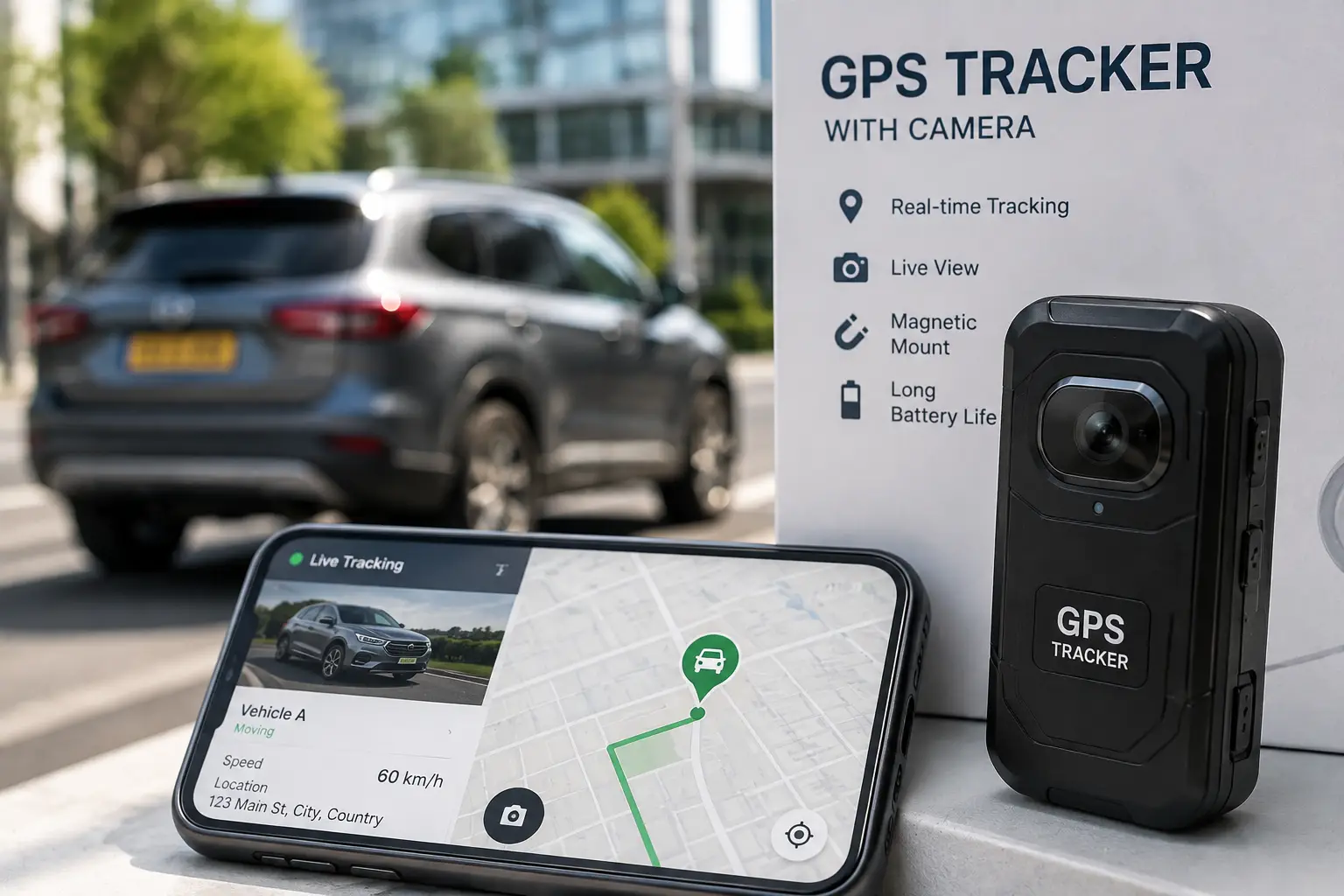
If you’ve started shopping for a gps tracker with camera, you’ve probably noticed the category is a little confusing. Some products are dash cams that happen to log your route. Others are cellular GPS trackers that happen to stream live video. A few try to do both jobs equally well, and a few do neither job particularly well. That distinction matters more than most buying guides let on, because the “best” pick depends heavily on whether you care more about video evidence, real-time location, or both at once.
This guide breaks down seven real, currently available models — from budget 4K dash cams with onboard GPS logging to cellular devices that stream live footage and location to your phone. You’ll get honest analysis of what each one is actually good at, where it falls short, and who it makes sense for, based on published spec sheets and aggregated customer feedback rather than marketing copy. We’ll also walk through how these devices differ from a plain dash cam with GPS tracking, when a hidden GPS tracker with camera setup makes sense for teen drivers or fleet vehicles, and what the FTC’s disclosure rules mean for a post like this one.
What Is a GPS Tracker With Camera? A GPS tracker with camera is a device — usually windshield- or dashboard-mounted — that combines location logging (via GPS or cellular positioning) with onboard video recording. Some models simply timestamp footage with GPS coordinates; others add live cellular streaming, geofencing, and remote alerts, functioning more like a security system than a passive recorder.
Quick Comparison: 7 GPS Trackers With Camera at a Glance
| Product | Best For | Video Quality | Price Range |
|---|---|---|---|
| Vantrue E1 Pro | Smallest footprint with GPS | 4K, 158° lens | around $150 |
| ROVE R2-4K | Best value entry point | 4K, 150° lens | under $130 |
| ROVE R2-4K PRO | Reliable 24/7 parking mode | 2160p UHD | in the $150-$200 range |
| Garmin Dash Cam 57 | Build quality and warranty | 1440p, HDR | between $200 and $230 |
| Optimus DG2 | Live remote monitoring | 1080p live stream | around $130 hardware + monthly plan |
| Gpsnvision Dual Dash Cam | Dual-camera cellular streaming | 1080p x2 | in the $150-$250 range |
| ROVE R2-4K DUAL PRO | High-end front + rear coverage | 4K front / 2K rear | around $350 |
Looking at the table above, the split is really between three buying philosophies: pure video-first devices (Vantrue E1 Pro, ROVE R2-4K, Garmin Dash Cam 57) that log GPS passively, cellular tracking-first devices (Optimus DG2, Gpsnvision Dual Dash Cam) that add a monthly fee in exchange for live remote access, and dual-camera devices (ROVE R2-4K DUAL PRO) built for full front-and-rear documentation. None of them are objectively “best” — the right one depends on whether you need to see your vehicle live from your phone or just need solid evidence after the fact.
💬 One click helps other shoppers make an informed choice too! 😊
Before you commit to any single model, it’s worth knowing that affiliate content like this is required to be transparent about how we make money — the FTC’s endorsement guidance for advertisers and reviewers spells out exactly what that disclosure needs to look like, and you’ll find ours at the bottom of this post.
Top 7 GPS Trackers With Camera: Expert Analysis
1. Vantrue E1 Pro — smallest 4K dash cam with built-in GPS
The standout feature here is size: the Vantrue E1 Pro is roughly the footprint of a one-dollar coin, which matters if discretion or a clean windshield view is a priority. It records true 4K (3840 x 2160) through a Sony IMX678 STARVIS 2 sensor with a 158° lens and an f/1.8 aperture, and Vantrue’s PlatePix processing is specifically tuned for license-plate legibility rather than just general sharpness. In practice, that sensor and aperture combination means noticeably cleaner low-light footage than older CMOS sensors found in budget dash cams — the difference shows up most at night, when weaker sensors turn headlights into blown-out blobs instead of readable plates.
This model is best suited to drivers who want a genuinely tiny, low-profile device and don’t need a screen for playback (there’s a compact 1.54″ display, but it’s for status checks, not video review). Based on comparing the spec sheet against competitors in this price bracket, the E1 Pro’s 5GHz Wi-Fi transfer speed is a real advantage for anyone who regularly offloads clips to a phone rather than pulling the microSD card. Reviews on major retail platforms consistently mention how unobtrusive the camera is once mounted, though a recurring theme in customer feedback is that 24/7 parking mode requires purchasing a separate hardwire kit — it isn’t included, which can catch first-time buyers off guard.
Pros:
- ✅ One of the smallest 4K dash cams with onboard GPS
- ✅ STARVIS 2 sensor performs well in low light
- ✅ Fast 5GHz Wi-Fi for quick phone transfers
Cons:
- ❌ Parking mode needs a separately purchased hardwire kit
- ❌ Small screen isn’t ideal for reviewing footage on the device
Pricing typically runs around $150, and given the sensor quality at that size, it represents solid value for buyers who prioritize a discreet, high-resolution setup over a full-featured touchscreen experience.
2. ROVE R2-4K — best value for a first GPS-equipped dash cam
If budget is the deciding factor, the ROVE R2-4K is the most defensible entry point in this roundup. It records up to 2160p, includes built-in Wi-Fi 6 for app connectivity, and logs GPS location and speed that you can later review as a route overlay on Google Maps through Rove’s app. The night vision setup — a six-glass lens, f/1.5 aperture, and a Sony IMX335 sensor — punches above its price class, though it’s worth noting this isn’t the same sensor generation as the STARVIS 2 chips found in pricier models, so expect a step down in low-light clarity rather than parity.
What most buyers overlook with a camera at this price is that “4K” on the box doesn’t always mean a native 4K sensor — some budget cameras upscale a lower native resolution to hit the 2160p marketing number. Rove doesn’t fully disclose native sensor resolution versus output resolution in its consumer materials, so treat the 4K claim as an output spec rather than a guarantee of DSLR-level detail. Aggregated customer reviews frequently praise the price-to-feature ratio and mention the app being straightforward to set up, while a common complaint is that the plastic mount and cable feel less durable than the camera body itself.
Pros:
- ✅ Lowest price point of any GPS-logging model here
- ✅ Wi-Fi 6 connectivity for fast app pairing
- ✅ GPS route playback through the companion app
Cons:
- ❌ Included mount and cable feel less premium than the unit
- ❌ Native sensor resolution isn’t clearly disclosed by the brand
At under $130, and frequently discounted below $100 during retail promotions, the ROVE R2-4K delivers the core gps tracker with camera functionality — video plus location logging — without asking buyers to pay for features like live cellular streaming they may never use.
3. ROVE R2-4K PRO — most dependable parking-mode coverage
The ROVE R2-4K PRO builds on the standard R2-4K with one meaningful upgrade: a supercapacitor instead of a lithium battery for powering parking-mode functions. In practice, this matters because lithium batteries in dash cams degrade faster in hot cars and can become a fire risk over years of heat-cycling, while supercapacitors handle temperature swings more gracefully and simply won’t hold a charge as long when the engine’s off — a fair trade for buyers in hot climates. The camera itself records 2160p UHD at 30fps through a 150° lens, adds built-in GPS, dual-band 5GHz Wi-Fi, and a 2.4″ IPS screen for on-device playback, which the base R2-4K lacks.
This is the pick for buyers who specifically want 24-hour parking surveillance and live somewhere with hot summers — garages in Arizona or Texas are exactly the environment where lithium-battery dash cams shorten their own lifespan. Based on comparing this model against the base R2-4K, the roughly $30-$70 price premium is justified almost entirely by the supercapacitor and screen; video quality itself is similar between the two. Review sentiment aggregated from retail listings tends to single out the IPS screen as a genuine usability improvement over cameras that require a phone for every playback.
Pros:
- ✅ Supercapacitor is more heat-tolerant than lithium batteries
- ✅ Built-in IPS screen for on-device footage review
- ✅ Dual-band 5GHz Wi-Fi improves app connection reliability
Cons:
- ❌ Costs noticeably more than the base R2-4K for similar video quality
- ❌ Supercapacitor still requires a hardwire kit for full parking coverage
Expect to pay in the $150 to $200 range depending on bundle and promotion, which puts it squarely between the budget and premium tiers — a reasonable middle ground if parking-mode reliability matters more to you than brand recognition.
4. Garmin Dash Cam 57 — best build quality and support
Garmin’s approach with the Garmin Dash Cam 57 is different from the budget-brand cameras above: it trades outright spec-sheet numbers (1440p rather than 4K, a smaller 140° field of view) for a more polished, tested product backed by a company with decades of GPS hardware experience and a full one-year warranty — notably longer than the 90-day coverage typical of many Amazon-only dash cam brands. Garmin Clarity HDR optics handle high-contrast scenes (bright sky, dark tunnel) more gracefully than cheaper HDR implementations, and the built-in GPS logger timestamps every clip with location, speed, and time for insurance documentation.
What separates this model in practice is the software ecosystem: driver alerts for forward collision and lane departure, voice control for hands-free operation, and automatic upload to Garmin’s cloud “Vault” over Wi-Fi so footage survives even if the physical card is lost or damaged in a crash. That cloud backup is genuinely useful after an accident — a dash cam that only stores footage locally on a card that gets damaged in the collision it recorded provides limited practical value. Reviews consistently report that video quality, while not class-leading on paper, holds up well in real-world lighting, and that the compact, “golf-ball-sized” housing is easy to mount discreetly. The most common critique is the resolution ceiling — buyers coming from a 4K dash cam sometimes find the jump down to 1440p noticeable on a large screen.
Pros:
- ✅ Full one-year warranty, longer than most competitors
- ✅ Automatic cloud backup protects footage after a crash
- ✅ Driver alerts for collision and lane-departure warnings
Cons:
- ❌ Caps out at 1440p instead of 4K
- ❌ Cloud storage beyond 24 hours requires a paid subscription
Priced between $200 and $230, the Garmin Dash Cam 57 costs more than the Rove or Vantrue options, but for buyers who value warranty support and software polish over raw resolution, it’s a defensible premium.
5. Optimus DG2 — best for live remote monitoring
The Optimus DG2 takes a fundamentally different approach from the cameras above: instead of passive GPS logging, it uses a cellular connection (via OBD-port or hardwired install) to deliver real-time GPS tracking and live video streaming you can pull up on your phone or computer at any moment — not just after the fact. This is the closest thing on this list to a true dash cam with GPS tracking built around remote visibility rather than local storage alone, and it functions more like a hidden GPS tracker with camera than a traditional recorder, since it’s designed to run continuously and report back rather than sit passively until you pull footage manually.
That live-access capability comes with a recurring cost: plans range from a Lite tier at $24.95 a month (1GB of data, 50 recorded clips) up to an Elite tier at $59.95 a month (10GB, 500 clips), on top of the roughly $130-$180 hardware cost. What the spec sheet doesn’t say, but the plan structure reveals, is that this device is built for people who specifically need remote oversight — parents monitoring a teen driver’s location and harsh-braking events in real time, or a small business owner checking on a company vehicle without waiting for it to return. If you just want dashcam footage for insurance claims after an incident, the subscription is money spent on a feature you won’t use.
Pros:
- ✅ True live video streaming, not just after-the-fact playback
- ✅ Real-time harsh-driving and speeding notifications
- ✅ 256GB of included storage for roughly a month of footage
Cons:
- ❌ Requires an ongoing monthly subscription to function fully
- ❌ Entry-level plan caps out at just 50 recorded clips per month
For buyers whose priority is knowing where a vehicle is and what’s happening inside it right now, the Optimus DG2‘s subscription cost is the price of that real-time visibility — something a passive dash cam simply cannot offer regardless of its resolution.
6. Gpsnvision Dual Dash Cam with GPS Tracking — best dual-camera cellular option
The Gpsnvision Dual Dash Cam with GPS Tracking pairs a front-and-rear 1080p dual-camera setup with 4G LTE connectivity, geofence alerts, and real-time video monitoring through a companion app — plus a 128GB SD card included out of the box. Unlike the Vantrue or Rove cameras, which rely on Wi-Fi for local transfers, the built-in cellular connection means you can check in on the vehicle from anywhere with signal, not just when you’re standing next to it.
The dual-camera layout is the meaningful differentiator here: front-only cameras miss rear-end collisions and reversing incidents entirely, and for rideshare or delivery drivers specifically, a rear-facing lens can be the difference between having documentation of a rear-end tap and having nothing. Geofence alerts — notifications when the vehicle leaves or enters a defined area — are a genuinely practical feature for fleet owners or parents of new drivers who want a boundary alert without needing to actively check the app. Based on comparing this device against the Optimus DG2, Gpsnvision leans more heavily into video coverage (two cameras) while Optimus leans more into behavioral alerts (harsh driving, speeding); buyers who need both should budget for the higher end of either plan tier.
Pros:
- ✅ Front and rear cameras cover blind spots single-lens cams miss
- ✅ Geofence alerts notify you when the vehicle crosses a boundary
- ✅ 128GB card and cellular hardware included in the base price
Cons:
- ❌ 1080p resolution trails the 4K options on this list
- ❌ Ongoing cellular data plan needed for real-time features
Hardware pricing generally falls in the $150 to $250 range before any subscription, positioning it as a mid-tier cellular option for buyers who want dual-camera coverage without stepping up to a full 4K dual system.
7. ROVE R2-4K DUAL PRO — best high-end dual-camera coverage
At the top of this lineup, the ROVE R2-4K DUAL PRO pairs a true 4K front camera with a 2K rear camera, both using Sony STARVIS 2 sensors (IMX678 front, IMX675 rear), alongside built-in GPS, 5GHz Wi-Fi 6, and 24-hour parking mode. This is the closest thing in the roundup to a “no compromises” pick: where the Gpsnvision dual system settles for 1080p on both lenses, the R2-4K DUAL PRO delivers genuinely high resolution front and rear, which matters most in disputes over fault — a blurry rear plate is far less useful as evidence than a sharp one.
The tradeoff, unsurprisingly, is price and complexity. At roughly $350, this is more than twice the cost of the base ROVE R2-4K, and installing a two-camera system with a rear unit typically means running cable through the vehicle’s headliner — a more involved install than the single-unit cameras on this list, though still within reach of a confident DIYer with an afternoon to spare. What most buyers overlook with dual-camera systems generally is that the rear camera’s video quality often depends on cable length and routing quality; a poorly run cable can introduce interference that a single front-facing camera never has to deal with. Reviews aggregated across retail listings tend to highlight the front-camera clarity as excellent and flag the installation process as the main friction point for less experienced installers.
Pros:
- ✅ True 4K front plus 2K rear, both on STARVIS 2 sensors
- ✅ 24-hour parking mode with GPS-tagged footage
- ✅ Wi-Fi 6 speeds up footage transfer for two camera feeds
Cons:
- ❌ Nearly triple the cost of the base ROVE R2-4K
- ❌ Rear camera installation is more involved than single-unit cams
For buyers who want the strongest possible video evidence in both directions and are comfortable with a more involved install, the ROVE R2-4K DUAL PRO is the most complete — if priciest — pick on this list.
Getting Started: Installing and Setting Up Your GPS Tracker With Camera
Unboxing a new gps tracker with camera is only the first step — how you mount, power, and configure it in the first 30 days determines whether it actually captures useful footage when you need it. Start by choosing a mounting position that keeps the camera out of your direct line of sight; most states restrict how much of the windshield a device can cover, and mounting behind the rearview mirror satisfies nearly every state’s rules while still giving the camera a clear forward view.
Next, decide on your power source before you start driving with it. A cigarette-lighter adapter is the fastest setup and works fine for basic recording, but it means the camera loses power — and therefore parking-mode protection — the moment you turn off the ignition. A hardwire kit (sold separately for most models on this list except the Optimus DG2, which includes OBD and wired cables) taps into your fuse box so the camera can monitor your parked car without draining the battery, usually with a built-in low-voltage cutoff to prevent that exact problem.
Finally, format your memory card in-camera rather than on a computer before your first drive — this ensures the card’s file system matches what the camera’s loop-recording software expects, which prevents the single most common early failure: a camera that appears to be recording but is silently failing to overwrite old files correctly. Set your GPS and Wi-Fi permissions in the companion app during this same session, since several of these cameras (the Vantrue E1 Pro and ROVE R2-4K PRO among them) require an initial app-based firmware check to unlock full-resolution recording.
A common mistake in the first month is never testing playback until after an actual incident — by then, if there’s a card-formatting or Wi-Fi-pairing issue, it’s too late to fix it retroactively. Pull a test clip in your first week and confirm the GPS coordinate overlay actually shows up correctly; a surprising number of return requests trace back to buyers discovering a location-logging failure only after they needed it for an insurance claim.
Real-World Scenarios: Which GPS Tracker With Camera Fits Your Life
The new parent of a teen driver. If you’re weighing a hidden gps tracker with camera specifically to keep tabs on a new driver, the priority is usually real-time visibility rather than 4K resolution — you want to know where the car is and whether harsh braking or speeding happened, ideally without your teen needing to think about it. The Optimus DG2 is built for exactly this: live location, speeding alerts, and video you can pull up remotely, for a household that’s willing to pay $25-$40 a month for that peace of mind.
The rideshare or delivery driver. Anyone driving for pay needs documentation for both traffic incidents and passenger disputes, and a front-only camera misses half the story. The ROVE R2-4K DUAL PRO or the budget-friendlier Gpsnvision Dual Dash Cam both cover front and rear, which matters more here than in almost any other use case — a rideshare driver involved in a rear-end collision with only front footage has no way to prove what happened behind them.
The budget-conscious commuter who just wants a paper trail. If your goal is simply having video evidence in the rare event of an accident, without live streaming or monthly fees, the ROVE R2-4K or Vantrue E1 Pro cover the basics — GPS-tagged 4K footage — at a one-time cost under $150. Neither requires an ongoing subscription, which makes them the lowest total-cost-of-ownership options on this list over a multi-year period.
The small fleet or business owner. Someone managing two or three company vehicles needs both accountability (driver behavior alerts) and remote visibility (checking a vehicle’s location without calling the driver). The Optimus DG2 or Gpsnvision Dual Dash Cam both fit this profile better than a passive dash cam, since the subscription cost is easier to justify when it’s covering a business asset rather than a personal vehicle.
Common Problems and Fixes for GPS Trackers With Cameras
Problem: GPS coordinates aren’t showing up on footage. This is almost always a cold-start issue — GPS modules in dash cams need a clear view of the sky and several minutes to acquire a satellite lock after being powered on, especially in a parking garage or under a metal carport. Solution: let the camera sit powered-on with a clear sky view for 5-10 minutes before your first drive after a long period unplugged, and check that the GPS antenna (often built into the mounting bracket, not the camera body itself) isn’t blocked by window tint or a metallic sunshade.
Problem: The app won’t stay connected via Wi-Fi. Most consumer dash cam Wi-Fi ranges are short — often under 30 feet — and can be disrupted by a phone’s own cellular-data preference overriding the local Wi-Fi connection. Solution: manually select the dash cam’s network in your phone’s Wi-Fi settings rather than relying on the app to switch automatically, and disable your phone’s “auto-switch to cellular” setting for that network.
Problem: Parking mode drains the car battery. This happens most often with cigarette-lighter-powered setups where the adapter itself stays “on” even with the ignition off, or with hardwire kits installed without a proper low-voltage cutoff. Solution: confirm your hardwire kit has a configurable cutoff voltage (most sit around 11.6-12V by default) and that it’s wired to a fused, ignition-switched circuit rather than a constant-power source.
Problem: Live streaming lags or drops on cellular models. Devices like the Optimus DG2 and Gpsnvision Dual Dash Cam depend on the vehicle’s location having usable LTE coverage, and streaming quality degrades in rural dead zones or underground parking. Solution: check your carrier’s coverage map for areas you frequently drive through; if you’re regularly in dead zones, prioritize a model with strong local storage (like the dual-lens cameras on this list) over one that depends on constant streaming.
Problem: Footage is overwritten before you can retrieve it. Loop recording continuously overwrites the oldest clips once the card fills, and standard clips can vanish within days on a smaller card during heavy daily driving. Solution: enable collision/event detection so incident clips are locked and protected from being overwritten, and upgrade to at least a 128GB card if you drive more than an hour a day.
What Is a GPS Tracker With Built-In Camera, and How Is It Different From a Regular Dash Cam?
A GPS tracker with built-in camera and a plain dash cam with GPS tracking sound similar, but the distinction comes down to what happens with the location data. A standard dash cam logs GPS coordinates locally, embedding them into the video file as metadata you can review later — useful for proving where and when an incident happened, but not something you can check in real time. A true GPS tracker with camera, like the Optimus DG2 or Gpsnvision Dual Dash Cam in this roundup, adds cellular connectivity so that location and (in some cases) live video are available on demand, from anywhere, not just after you retrieve the card.
The practical difference shows up in three areas: cost (cellular models carry a recurring subscription; passive GPS-logging cameras don’t), use case (remote monitoring versus after-the-fact evidence), and battery/power draw (constant cellular connectivity uses meaningfully more power than a device that only wakes up to record and log passively). Neither approach is strictly better — a parent monitoring a teen driver needs the cellular version’s live access, while a commuter who just wants insurance documentation is better served, and better off financially, with a passive GPS-logging dash cam. Wirecutter’s dash cam testing reaches a similar conclusion: for most everyday drivers, a well-reviewed passive dash cam covers the core need without the added cost of a subscription plan.
How to Choose a GPS Tracker With Camera
- Decide if you need live remote access or just after-the-fact footage. This single decision determines whether you’re shopping in the cellular/subscription category (Optimus, Gpsnvision) or the passive/one-time-cost category (Vantrue, Rove, Garmin) — and it affects your total cost far more than any resolution spec.
- Match resolution to your actual need, not the marketing number. 4K sounds better than 1440p, but a well-implemented 1440p sensor with strong HDR (like Garmin’s) can outperform a cheaper 4K sensor in the conditions that matter most: night driving and glare.
- Check whether parking mode is included or requires a separate hardwire kit. Several models on this list, including the base Vantrue E1 Pro and ROVE R2-4K, sell the hardwire kit separately — factor that into your real total cost.
- Consider single versus dual-camera coverage based on your driving context. Rideshare, delivery, and fleet drivers benefit disproportionately from rear coverage; a personal commuter with no passenger disputes to worry about may not need it.
- Budget for the subscription, not just the hardware, on cellular models. A $130 Optimus DG2 unit at the Elite tier costs roughly $850 over its first year once you add the $59.95 monthly plan — know that number before you buy.
- Verify your state’s windshield-mounting rules before choosing a mount style. Some states cap how much of the windshield can be covered by a device; check placement rules for your state before assuming any mounting position is legal everywhere.
- Read the warranty terms, not just the length. A one-year warranty (Garmin) that covers manufacturer defects is different from a 90-day warranty that only covers dead-on-arrival units — the fine print matters more than the headline number.
GPS Tracker With Camera vs. Standalone GPS Tracker
A standalone GPS tracker — something like a magnetic, battery-powered unit with no camera — is built purely for location and typically wins on battery life, often running for weeks or months between charges since it isn’t powering a video sensor and display. A GPS tracker with camera trades that battery efficiency for something a location-only device simply cannot provide: visual evidence. In a dispute over fault after a collision, “the car was at this GPS coordinate at 3:42 PM” is useful, but “here is 4K video of the other driver running the red light” settles the argument outright.
| Factor | GPS Tracker With Camera | Standalone GPS Tracker |
|---|---|---|
| Visual evidence | Yes — video and stills | No |
| Typical battery life (unplugged) | Hours to days | Weeks to months |
| Best for | Accident documentation, driver monitoring | Long-term asset or vehicle location only |
| Typical price range | $100-$350 hardware | $20-$100 hardware |
Looking at this comparison, the choice isn’t really about which category is “better” — it’s about whether video evidence is worth the added cost, install complexity, and shorter unplugged battery life. Anyone tracking a trailer, boat, or piece of equipment that sits unused for weeks is almost always better served by a standalone tracker; anyone concerned with what happens while a vehicle is actively being driven needs the camera.
GPS Tracker With Camera for Teen Drivers, Families, and Fleet Managers
For families with a new driver, the appeal of a hidden gps tracker with camera isn’t surveillance for its own sake — it’s the combination of real-time location and a driving-behavior record that turns vague worry into specific, actionable feedback. A parent who can see that harsh braking events cluster around a particular intersection has something concrete to talk through, rather than a general “drive safely” conversation that’s hard for a new driver to act on. Models with live alerts, like the Optimus DG2, are built specifically around this use case: speeding and harsh-driving notifications arrive in near real time rather than being buried in footage nobody reviews until something goes wrong.
Fleet managers face a related but distinct problem: accountability across multiple drivers and vehicles, often with a need to defend against false liability claims. Here, dual-camera coverage becomes more valuable than live streaming — a rear-facing lens on the Gpsnvision Dual Dash Cam or ROVE R2-4K DUAL PRO protects against “phantom” rear-end claims where a driver alleges being struck when they weren’t, a scenario that’s disproportionately common in commercial delivery routes. In both cases, transparency matters: notifying a teen driver or employee that a camera is in use isn’t just an ethical baseline, it’s often a legal requirement tied to your state’s audio-consent laws, since many of these devices record cabin audio alongside video.
Long-Term Cost and Maintenance
The sticker price on any of these seven products is only part of the real cost. Passive, GPS-logging cameras like the Vantrue E1 Pro, ROVE R2-4K, ROVE R2-4K PRO, and Garmin Dash Cam 57 have no recurring fee for basic operation — your ongoing costs are limited to an occasional memory card replacement (every 1-2 years, as cards wear out from constant overwrite cycles) and, eventually, a hardwire kit if you didn’t buy one initially.
Cellular models flip that equation. Over three years, an Optimus DG2 on the mid-tier Basic plan ($29.95/month) costs roughly $1,078 in subscription fees on top of the hardware — more than seven times the one-time cost of a ROVE R2-4K. That’s not a criticism of the Optimus DG2’s value; it’s simply the honest math on what “live remote access” costs versus “footage you retrieve manually.” For a family or business that genuinely uses the live-monitoring features regularly, that cost buys real functionality. For a buyer who would only check the app occasionally, a passive camera delivers most of the practical benefit — insurance documentation, incident evidence — at a fraction of the three-year cost.
One maintenance detail that applies across every model: dash cam memory cards endure far more write cycles than a typical camera card, since loop recording constantly overwrites old footage. Budget for card replacement as a normal maintenance cost, not a failure — most manufacturers, including Rove and Vantrue, explicitly recommend replacing cards annually for heavy daily drivers.
Safety, Regulations, and Windshield-Mounting Laws
Dash cams and GPS-tracking cameras are legal to use in all 50 states, but where and how you mount one is governed by state, not federal, law — a 50-state review of dash cam mounting and consent rules confirms there’s no single nationwide standard for windshield placement. States like California and Nevada specify exact square-inch limits for windshield-mounted devices, while others, including Pennsylvania, prohibit windshield mounting altogether and require dashboard placement instead. Before installing any camera in this roundup, it’s worth a quick search for your specific state’s rules — a citation for an obstructed windshield is a frustrating way to learn your mounting spot wasn’t compliant.
Audio recording adds a second legal layer that’s easy to overlook. Several states require consent from everyone being recorded, not just the driver, which matters for any of these devices with a built-in microphone — disclosing that a camera is running, especially to passengers or a teen driver, isn’t just good practice, it’s a legal requirement in a meaningful number of states. On the safety side, the National Highway Traffic Safety Administration’s research on distracted driving is a useful reminder that a dash cam’s driver-alert features — forward collision and lane-departure warnings, found on the Garmin Dash Cam 57 — are meant to supplement attentive driving, not replace it; none of these devices intervene in the way an advanced driver-assistance system does.
None of these seven products require FCC certification disclosures beyond what’s already printed on the retail packaging, but cellular models like the Optimus DG2 and Gpsnvision Dual Dash Cam operate on licensed carrier networks and are FCC-compliant by design, since they can’t legally connect to those networks otherwise.
Features That Actually Matter (and Ones That Don’t)
Marketing copy for this category loves to lead with resolution numbers, but a few less-flashy specs matter more in practice. Sensor generation (STARVIS 2 versus older STARVIS or generic CMOS sensors) affects low-light performance far more than raw megapixel count — a 4K camera on an older sensor can look worse at night than a 1440p camera on a modern one, which is exactly the tradeoff between some of the budget options and the Garmin Dash Cam 57 on this list. Similarly, “GPS” on a spec sheet doesn’t tell you whether it’s a passive logger or a live cellular tracker, and confusing the two is the single most common buying mistake in this category.
On the other hand, features like voice control, Travelapse (time-lapse trip summaries), and cosmetic app polish are genuinely nice-to-haves that shouldn’t move the needle much in a buying decision — they don’t affect the core job of documenting your drive. Parking-mode battery type (lithium versus supercapacitor) matters more than most buyers realize if you live somewhere hot, as covered earlier with the ROVE R2-4K PRO, while things like screen size are almost entirely a convenience feature, since most owners review footage through the phone app rather than the camera’s built-in display anyway.
Frequently Asked Questions
❓ Do I need a monthly subscription for a GPS tracker with camera?
❓ Is it legal to put a GPS tracker with camera in someone else's car?
❓ How much does a good GPS tracker with camera cost?
❓ Can a dash cam with GPS tracking drain my car battery?
❓ What's the difference between a hidden GPS tracker with camera and a visible dash cam?
Conclusion
There isn’t a single best gps tracker with camera for every driver — there’s a best one for your specific situation. If you want a low-cost, one-time-purchase way to document your drives, the ROVE R2-4K or Vantrue E1 Pro cover the basics well. If build quality and warranty support matter more than chasing the highest resolution number, the Garmin Dash Cam 57 is the more dependable long-term choice. Families monitoring a new driver, or business owners managing a small fleet, are better served by the live-tracking capability of the Optimus DG2 or the dual-camera coverage of the Gpsnvision Dual Dash Cam, even with the added subscription cost. And for buyers who want the strongest possible evidence in both directions and don’t mind a more involved install, the ROVE R2-4K DUAL PRO delivers the most complete package on this list.
Whichever direction you go, the real decision point isn’t resolution or brand — it’s whether you need live, on-demand visibility into your vehicle or simply want reliable documentation waiting on a card if something happens. Get that one question right, and the rest of the buying decision gets a lot easier.
✨ Don’t miss these exclusive deals! 🔍 Take your search for the right dash cam and GPS setup to the next level with this carefully curated lineup. Click a highlighted item to check current pricing and availability. These picks will help you get the peace of mind and video documentation the whole family can rely on!
Recommended for You
- GPS Jewelry Tracking Devices: 7 Best Safety Picks for 2026
- Do Pet Microchips Have GPS? 7 Products for Pet Safety
- Free Pet Tags in 2026: 7 Personalized IDs Worth Buying
Disclaimer: This post contains affiliate links. As an Amazon Associate, I earn from qualifying purchases made through these links, at no additional cost to you.
✨ Found this article helpful? Share it with someone who needs it! 💬🤗